AR-M350 SIMULATIONS 10-57
<List of set values>
<List of set values>
<List of set values>
<List of set values>
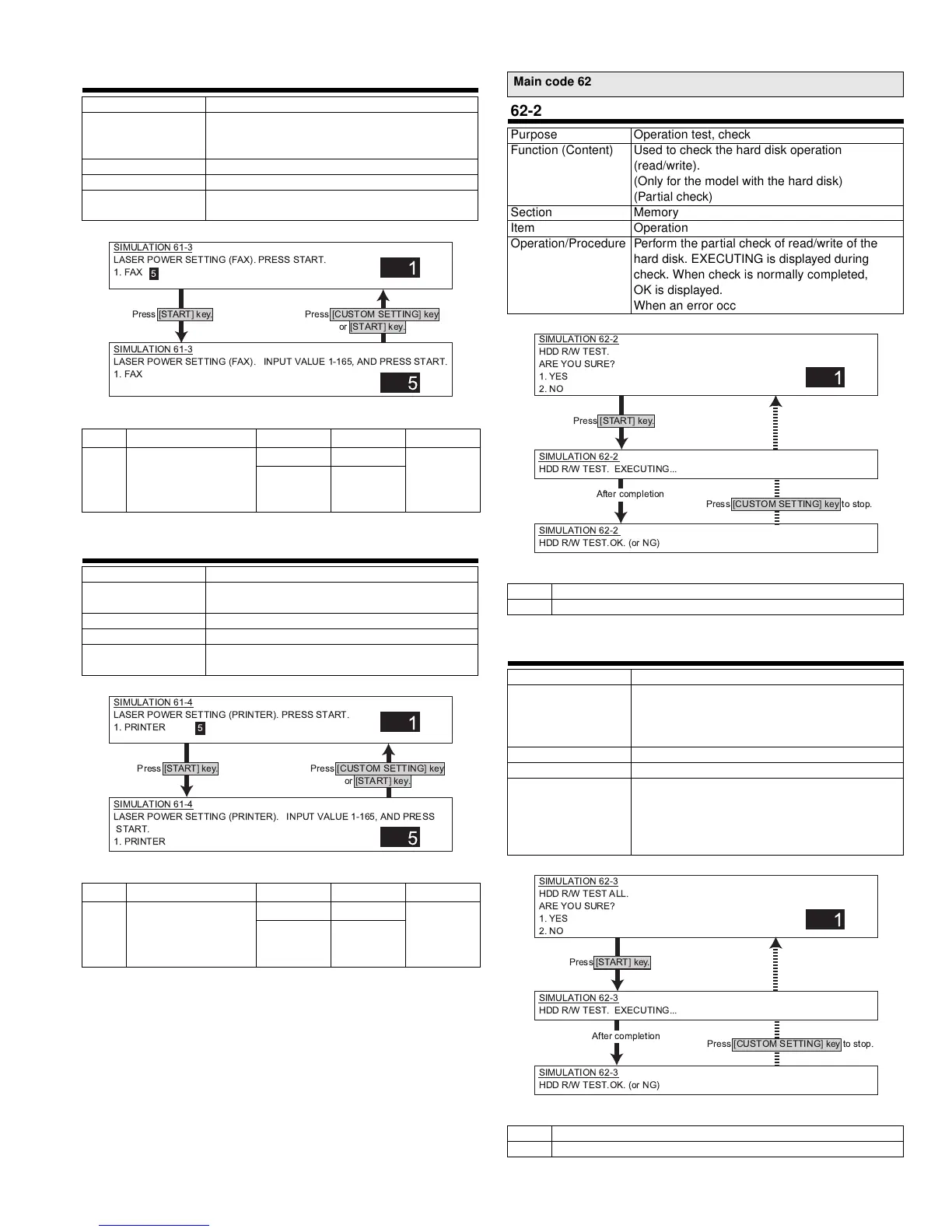
61-3
Purpose Adjustment
Function (Content) Used to adjust the scanner (exposure) laser
power (absolute value) in the FAX reception
mode. (Only when FAX is installed.)
Section PCU
Item Operation
Operation/Procedure Set the laser power in FAX reception.
Enter the set value and press Start to store it.
Initial value Set range
1 FAX reception 45PPM 104 104 - 150
(45PPM)
80 - 150
(35PPM)
35PPM 80
61-4
Purpose Adjustment
Function (Content) Used to adjust the laser power (absolute value)
in the printer mode.
Section PCU
Item
Operation/Procedure Set the laser power value in the printer mode.
Enter the value and press START to store it.
Initial value Set range
1 PRINTER 45PPM 104 104 - 150
(45PPM)
80 - 150
(35PPM)
35PPM 80
SIMULATION 61-3
LASER POWER SETTING (FAX). PRESS START.
1. FAX
1
5
SIMULATION 61-3
LASER POWER SETTING (FAX). INPUT VALUE 1-165, AND PRESS START.
1. FAX
5
Press [START] key.
Press [CUSTOM SETTING] key
or [START] key.
SIMULATION 61-4
LASER POWER SETTING (PRINTER). PRESS START.
1. PRINTER
1
5
SIMULATION 61-4
LASER POWER SETTING (PRINTER). INPUT VALUE 1-165, AND PRESS
START.
1. PRINTER
5
Press [START] key.
Press [CUSTOM SETTING] key
or [START] key.
Main code 62
62-2
Purpose Operation test, check
Function (Content) Used to check the hard disk operation
(read/write).
(Only for the model with the hard disk)
(Partial check)
Section Memory
Item Operation
Operation/Procedure Perform the partial check of read/write of the
hard disk. EXECUTING is displayed during
check. When check is normally completed,
OK is displayed.
When an error occurs, NG is displayed.
1 Execution
2 Cancel
62-3
Purpose Operation test, check
Function (Content) Used to check the hard disk operation
(read/write).
(Only for the model with the hard disk)
(All area check)
Section Memory
Item Operation
Operation/Procedure Perform the all area check of read/write of the
hard disk. EXECUTING is displayed during
check. When check is normally completed,
OK is displayed. When an error occurs,
NG is displayed.
1 Execution
2 Cancel
SIMULATION 62-2
HDD R/W TEST.
ARE YOU SURE?
1. YES
2. NO
1
SIMULATION 62-2
HDD R/W TEST. EXECUTING...
SIMULATION 62-2
HDD R/W TEST.OK. (or NG)
Press [START] key.
After completion
Press [CUSTOM SETTING] key to stop.
SIMULATION 62-3
HDD R/W TEST ALL.
ARE YOU SURE?
1. YES
2. NO
1
SIMULATION 62-3
HDD R/W TEST. EXECUTING...
SIMULATION 62-3
HDD R/W TEST.OK. (or NG)
Press [START] key.
After completion
Press [CUSTOM SETTING] key to stop.
* !" #$%&'



 To Next Page