AR-M350 SIMULATIONS 10-34
<List of display values>
<List of display values>
41-3
Purpose Operation test, check
Function (Content) Used to check the operation of the document
size sensor and the related circuit.
(The output level of the document size sensor
can be monitored on the LCD display.)
Section Other
Item Operation
Operation/Procedure The OC document sensor detection level is
displayed. (Real time display)
OCSW Original cover state
Open : Normal display
Close : Highlighted
PD1 ~ 7 PD sensor detection level
Figures in [ ] indicate the adjustment threshold values
(41-2 adjustment value).
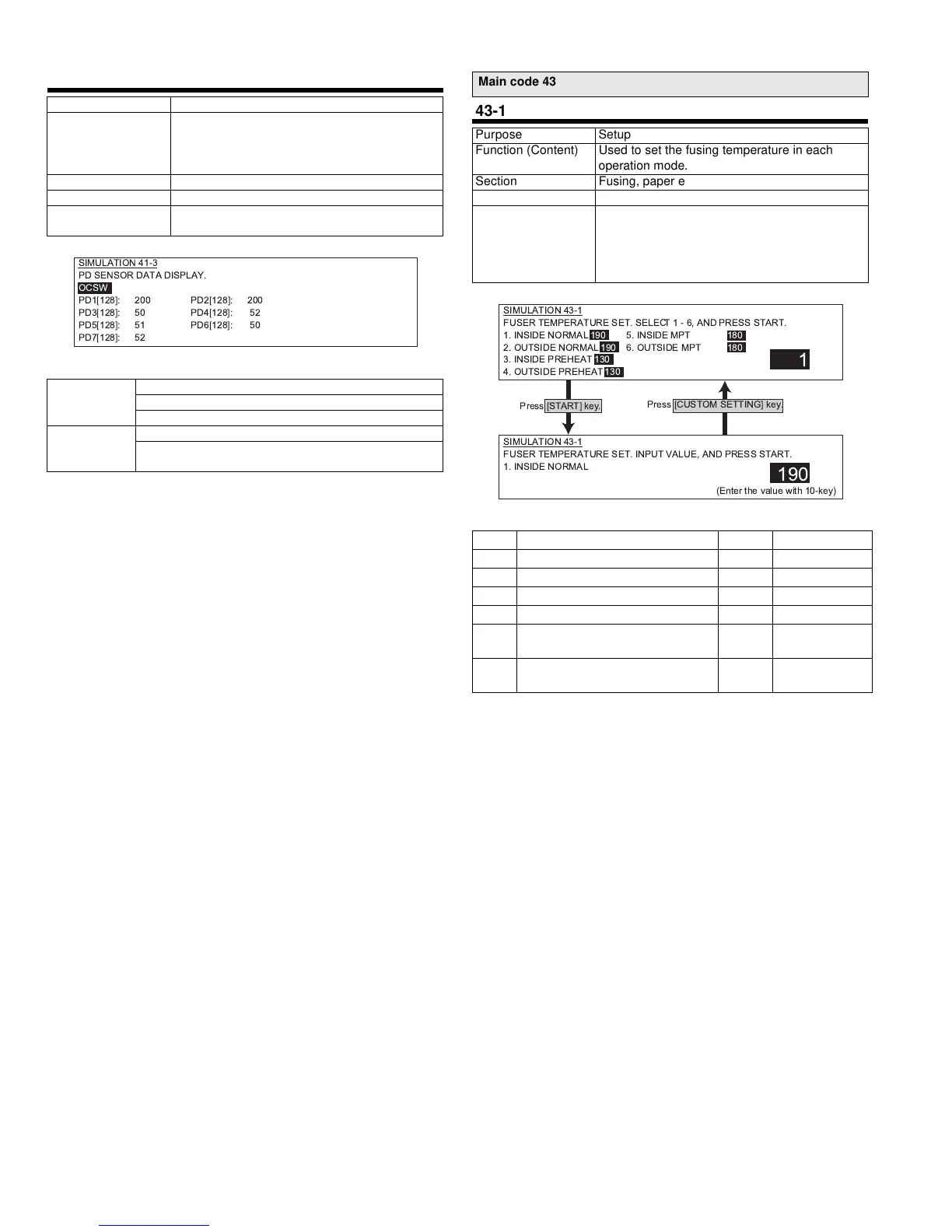
SIMULATION 41-3
PD SENSOR DATA DISPLAY.
OCSW
PD1[128]: 200 PD2[128]: 200
PD3[128]: 50 PD4[128]: 52
PD5[128]: 51 PD6[128]: 50
PD7[128]: 52
Main code 43
43-1
Purpose Setup
Function (Content) Used to set the fusing temperature in each
operation mode.
Section Fusing, paper exit
Item Operation
Operation/Procedure The fusing control temperature is set.
The current set value is highlighted on the right
of each item. Select an item (1 - 6), and enter a
set value with 10 digit key pad. Press START key
to store the value.
Default Set range
1 Heater inside/Normal 190 165~210
2 Heater outside/Normal 190 165~210
3 Heater inside/Pre-heat 150 100~160
4 Heater outside/Pre-heat 150 100~160
5 Heater inside/Manual paper feed
used
190 165~210
6 Heater outside/Manual paper feed
used
190 165~210
1
SIMULATION 43-1
FUSER TEMPERATURE SET. INPUT VALUE, AND PRESS START.
1. INSIDE NORMAL
190
SIMULATION 43-1
FUSER TEMPERATURE SET. SELECT1-6,ANDPRESS START.
1. INSIDE NORMAL 190 5. INSIDE MPT 180
2. OUTSIDE NORMAL 190 6. OUTSIDE MPT 180
3. INSIDE PREHEAT 130
4. OUTSIDE PREHEAT 130
Press [CUSTOM SETTING] key.
Press [START] key.
(Enter the value with 10-key)
!" #$%&



 To Next Page