120
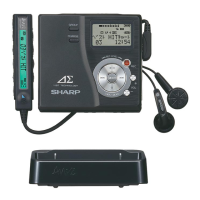
1-BIT PORTABLE MINIDISC RECORDER MD-DR77
ENGLISH OPERATION MANUAL
MD-DR77(J)
TINSJA019AWZZ
SWITCHING DISPLAYS
(pages 68 - 69)
Switching displays in the stop mode
(pages 68 - 69)
Switch the display of the unit and the remote control separately.
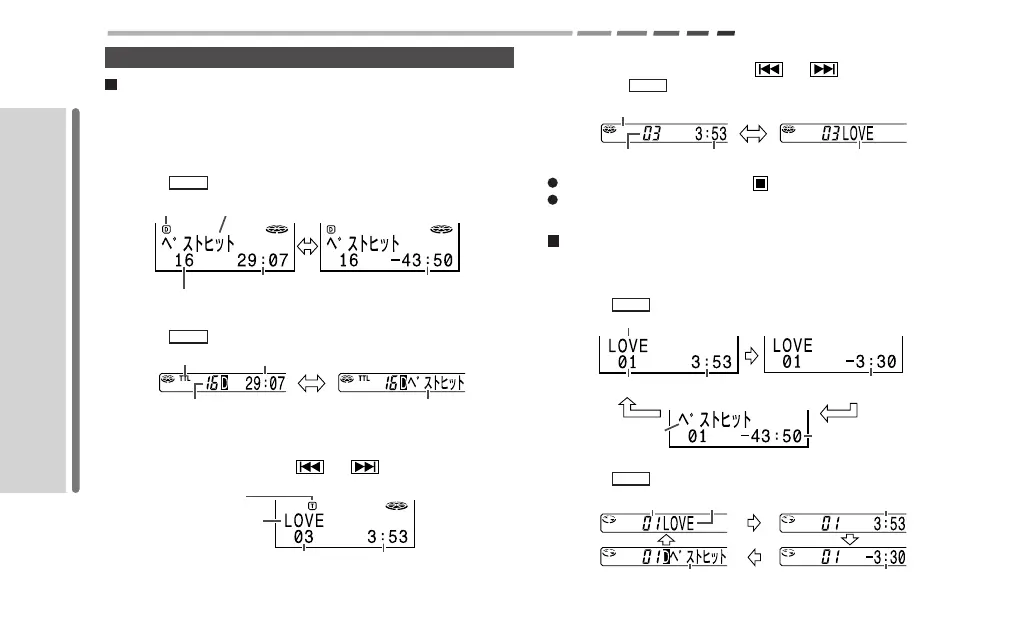
Checking all tracks
[On the main unit]
Press the DISP button.
Remaining recording time
Disc name
Total number of tracks
Total playing time
Lights up
[On the remote control]
Press the DISP button.
Lights up
Total playing time
Total number of tracks
Disc name
Checking track by track
[On the main unit]
Select a track by pressing the or button.
Track name
Track number
Playing time
Lights up
[On the remote control]
1. Select a track by pressing the or button.
2.
Press the DISP button.
Track number Playing time Track name
Disappears
To check all tracks, press the button.
The display varies according to the play mode (group, favorite
track, etc.).
Switching displays during playback or in the
pause mode (page 69)
[On the main unit]
Press the DISP button.
Track name
Track number
Elapsed time of
the current track
Remaining time
of the current track
Disc name
Total remaining
playback time
[On the remote control]
Press the DISP button.
Track number Track name
Disc name
Elapsed time of
the current track
Remaining time
of the current track


 To Next Page