6
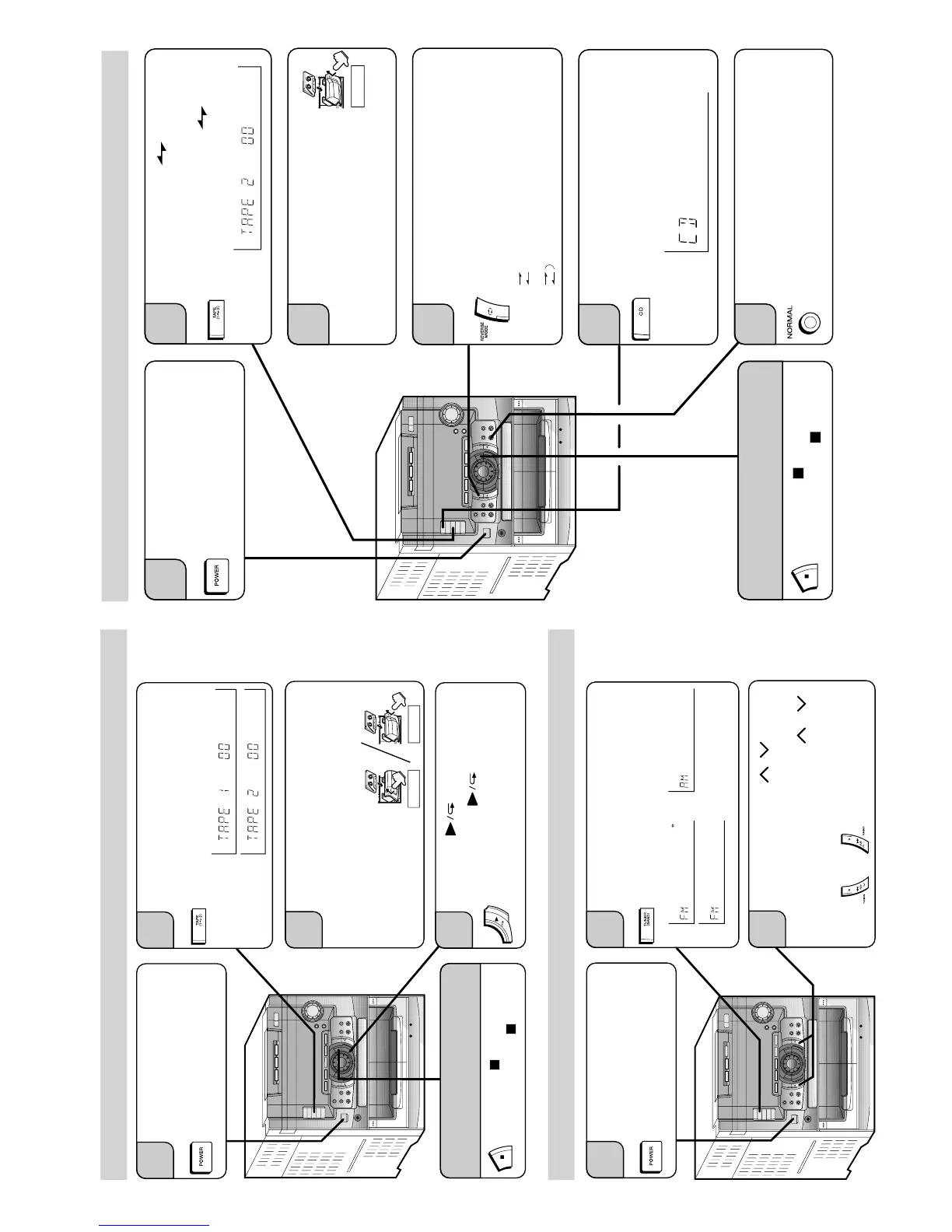
Listening to a tape /
Audición de una cinta
7
Listening to the radio /
Audición de la radio
Load a cassette into the cassette
compartment.
Inserte un casete en el
compartimiento del casete.
3
Press the POWER button to
turn the power on.
Pulse el botón POWER para
conectar la alimentación.
1
Press the TAPE button to select
"TAPE 1" or "TAPE 2".
Pulse el botón TAPE para
seleccionar "TAPE 1" o "TAPE 2".
2
TAPE 2
TAPE 1
Press the button.
Pulse el botón .
4
To stop the playback
Para detener la reproducción
Press the button.
Pulse el botón .
Press the TUNING ( / ) button
to tune in to the desired station.
Pulse el botón TUNING ( / )
para sintonizar la emisora
deseada.
3
Press the POWER button to
turn the power on.
Pulse el botón POWER para
conectar la alimentación.
1
Press the TUNER (BAND) button
to select "FM ST" ,"FM"or "AM".
Pulse el botón TUNER (BAND) para
seleccionar "FM ST", "FM", o "AM".
2
8
Recording from CDs /
Grabaciones de discos CD
Press the POWER button to
turn the power on.
Pulse el botón POWER para
conectar la alimentación.
1
Press the TAPE (1 2) button to
select the "TAPE 2".
Pulse el botón TAPE (1 2) para
seleccionar "TAPE 2".
2
3
Press the REVERSE MODE button
to select the reverse mode.
Pulse el botón REVERSE MODE
para seleccionar el modo de
inversión.
4
Press the CD button and load the
desired disc.
Pulse el botón CD y coloque el
disco deseado.
5
Press the NORMAL EDIT button.
Pulse el botón NORMAL EDIT.
6
•••••
One side /
Una cara
•••••
Both side /
Ambas caras
TAPE 2
Load a cassette into the
TAPE2 cassette compartment.
Inserte un casete en el
compartimiento del
casete de TAPE 2.
To stop the recording
Para detener la grabación
Press the button.
Pulse el botón .


 To Next Page