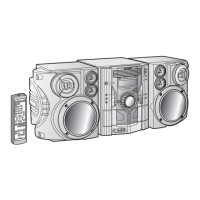
CD-M4000W/CP-M4000
– 42 –
Vp-p=1.0 V~1.3 V
0.5 mV/div,0.5 µsec/div
T
FDO
DRF
TE
Stopped
CH1=500 mV
DC 10:1
CH2=10 V
DC 10:1
CH3=1 V
DC 10:1
500 ms/div
(500 ms/div)
NORM:20 kS/s
1
2
3
=Record Length=
Smoothing : ON CH1 : 0.000 V
CH2 : 0.0 V
Main : 100 K
Zoom : 2 K
Mode : AUTO
Type : EDGE CH1
Delay : 0.0 ns
Hold off : 0.2 µs
CH3 : 0.00 V
CH4 : 0.00 V
BW : FULL
=Trigger==Filter= =Offset=
-3 div -1 div 0 div +1 div +3 div
CH Position To
CH2
Position
0.20 div
T
FDO
TDO
Stopped
CH1=500 mV
DC 10:1
CH3=500 mV
DC 10:1
500 ms/div
(500 ms/div)
NORM:20 kS/s
1
3
=Record Length=
Smoothing : ON CH1 : 0.000 V
CH2 : 0.0 V
Main : 100 K
Zoom : 2 K
Mode : AUTO
Type : EDGE CH1
Delay : 0.0 ns
Hold off : 0.2 µs
CH3 : 0.000 V
CH4 : 0.00 V
BW : FULL
=Trigger==Filter= =Offset=
CH1
v/DIV
500 mV
If the level is not normal.
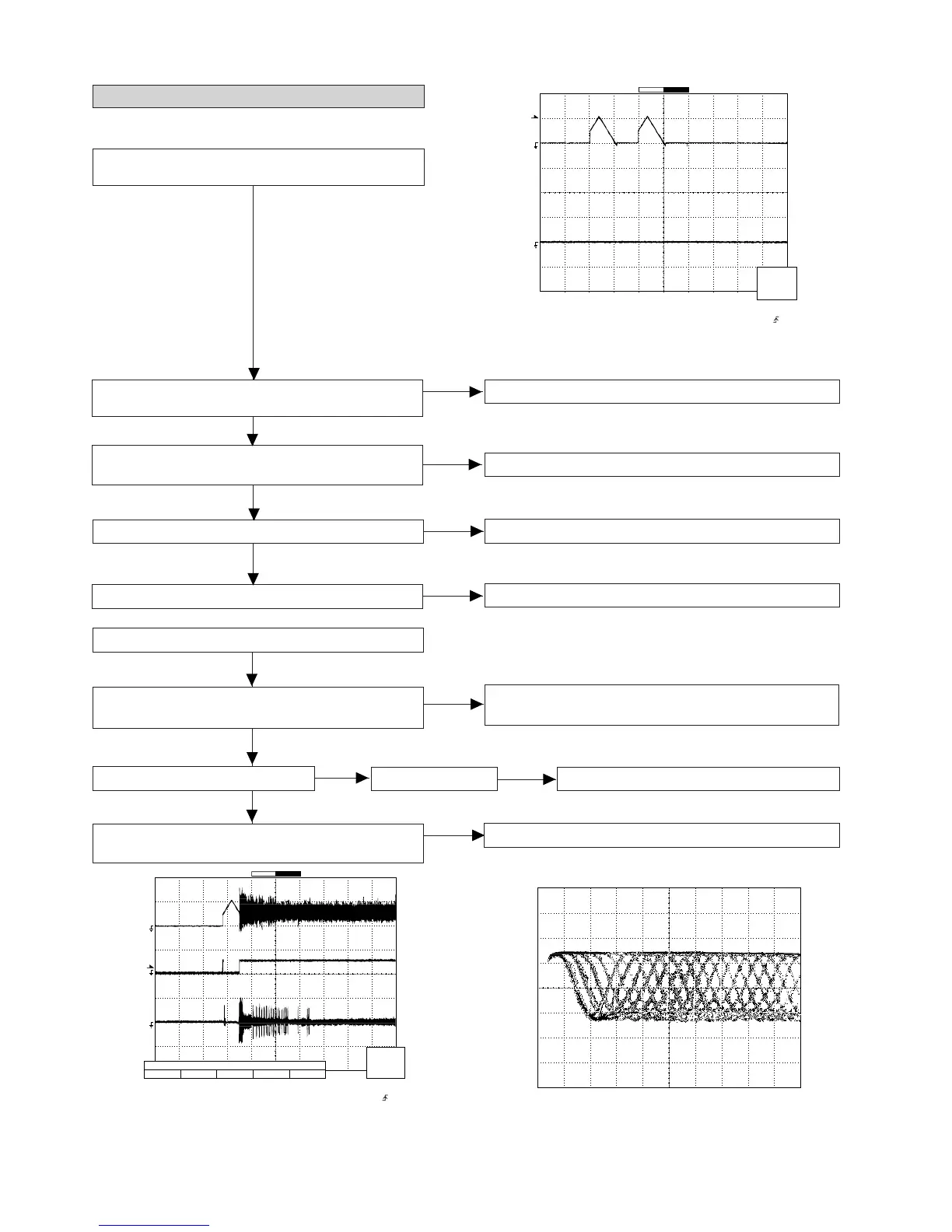
1. Is focus servo activated ?
(Waveform drawing Figure 42-2)
Pins 7~12, 79 and 80 on IC1
Check the laser diode driver Q1 peripheral circuit.
When a disc is loaded, start playback operation.
2. Does DRF change from "L" to "H" ?
Is the disc rotating ?
3. Is the HF waveform normal ? (Waveform drawing
Figure 42-3)
Check the spin system.
If the disc is spinning and a HF waveform is generated,
DRF will go H.
Figure 42-1
Check the laser diode driver Q1 peripheral circuit.
(1) Focus-HF system check.
Although a CD is inserted and the cover is closed, "NO
DISC" is displayed.
1. Does the pickup move to the PICKUP-IN Switch (SW4)
position ?
Sled motor (M2).
Press the OPEN/CLOSE switch (SW1) without inserting a
disc, and try starting the playback operation.
2. Does the focus (lens) move up and down ?
(Waveform drawing Figure 42-1)
Check the focus peripheral circuit.
3. Is the laser lit ?
Spindle motor (M1).
4. Is the turntable rotating ?
Figure 42-2
Figure 42-3
Yes
Yes
Yes
No
No
No
No
No
No
No
Yes
Yes
No


 To Next Page