32
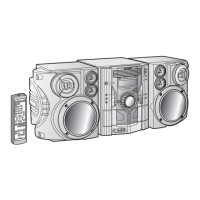
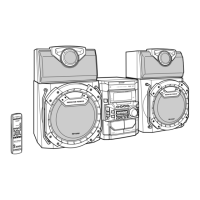
CD-MPS66
CD-MPS600
Advanced Features
Timer and sleep operation
Timer playback:
The unit turns on and plays the desired source (CD, MP3 disc, tuner,
tape) at a preset time.
Timer recording:
The unit turns on and starts recording from the tuner at the preset
time.
Using the once timer and daily timer in combination:
For example, use the once timer to record a radio program, and use
the daily timer to wake up.
Note:
When the setting times for the daily timer and once timer overlap,
the once timer takes priority. Allow an interval of at least 1 minute
between operations.
! Timer playback or timer recording
Before setting timer:
This unit has 2 types of timer: ONCE TIMER and DAILY TIMER.
Once timer: Once timer play or once timer recording works for
one time only at a preset time.
For example, if you are away but want to record a program on a ra-
dio station.
Daily timer: Daily timer play or daily timer recording works at
the same preset time everyday.
For example, set the timer as a wake up call every morning.
1 Set the daily timer (pages 32 - 34).
2 Set the once timer (pages 32 - 34).
Start
Daily timer
Once timer
1 minute or more
Stop Start Stop
1 Check that the clock is set to the correct time (refer to page 15).
If it is not set, you cannot use the timer function.
2 For timer playback: Load a cassette or discs to be played.
For timer recording: Load a cassette for recording in the cas-
sette compartment.
1 Press the ON/STAND-BY button to turn the power on.
2 Press the CLOCK/TIMER button.
3
Within 10 seconds, press the or button to select
"ONCE" or "DAILY", and press the MEMORY/SET button.
Set the clock to the correct time if "ONCE" or "DAILY" does not
appear.



 To Next Page