EasyManua.ls Logo

Sharp Conference Series - User Manual

Sharp Conference Series
92 pages
Print Icon
To Next Page IconTo Next Page
Loading...
Introduction Easy Start Setup
Connections
Basic
Operation
Useful
Features
Appendix
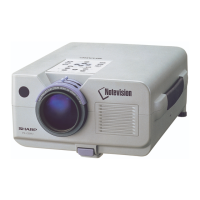
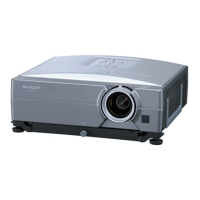
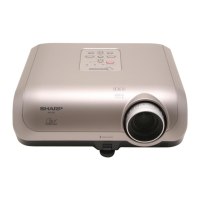
OPERATION MANUAL
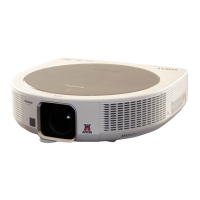
DATA PROJECTOR
MODEL
XG-SV100W
XG-SV200X

Table of Contents

Questions and Answers

  • H
    Heather SimonSep 8, 2025
    Why does the Sharp Projector image sometimes flicker?
    • J
      Jerome RobinsonSep 8, 2025
      If the image on your Sharp Projector sometimes flickers: * Check that the cables are correctly connected to the projector and that the connected equipment is working properly. * If flickering happens frequently, consider replacing the lamp.
  • C
    Chelsea MitchellSep 10, 2025
    Why does Sharp Projector lamp needs much time to turn on?
    • I
      ifritzSep 10, 2025
      If the lamp on your Sharp Projector takes a long time to turn on, it indicates that the lamp will eventually need to be replaced.
  • G
    Greg WeeksSep 12, 2025
    Why is my Sharp Conference Projector showing dark or bluish image?
    • J
      James BaileySep 12, 2025
      If your Sharp Projector is showing a dark or bluish image, check that “Wall Color” is configured correctly.
  • S
    Sharon BradleySep 14, 2025
    Why is Sharp Conference Projector 3D images flicker when watching in a room?
    • M
      Michael GrahamSep 14, 2025
      If 3D images flicker when watching your Sharp Projector in a room, it may be due to fluorescent light or ambient light entering your vision.
  • J
    juarezjenniferSep 15, 2025
    Why the lens shift function of Sharp Conference Projector does not work?
    • B
      Brandon MathisSep 16, 2025
      If the lens shift function on your Sharp Projector is not working, make sure the lens cover is correctly attached.
  • T
    Tina LambertSep 18, 2025
    Why the Rotate indicator of Sharp Conference does not light up?
    • T
      Tammy PierceSep 18, 2025
      If the Rotate indicator on your Sharp Projector does not light up: * Check if “Off” is selected in “Rotate Indicator”. * Check the connection of the ceiling-mount rotating module (AN-SV100T) and projector.

Sharp Conference Series Specifications

General IconGeneral
BrandSharp
ModelConference Series
CategoryProjector
LanguageEnglish

Related product manuals