EasyManua.ls Logo

Sharp XG-C55X - User Manual

Sharp XG-C55X
106 pages
Print Icon
To Next Page IconTo Next Page
Loading...
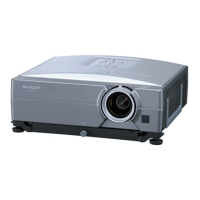
LCD PROJECTOR
MODEL
XG-C55X
OPERATION MANUAL
Introduction
Connections and Setup
Basic Operation
Easy to Use Functions
Appendix

Table of Contents

Other manuals for Sharp XG-C55X

Questions and Answers

  • G
    gonzalezjasmineAug 18, 2025
    What to do if my Sharp XG-C55X Projector has picture but no sound?
    • S
      Shawn SmithAug 18, 2025
      If your Sharp Projector shows a picture but no sound, there might be a problem with the cable connections at the rear panel. Check the cable connections to ensure they are properly connected. Alternatively, the volume might be set to the minimum or the MUTE function is on. Try increasing the volume to resolve the issue.
  • M
    Melissa CostaAug 20, 2025
    How to troubleshoot a Sharp XG-C55X Projector that has no picture, no sound, or doesn't start?
    • K
      kathleenburkeAug 20, 2025
      If your Sharp Projector shows no picture and no sound, and doesn't seem to start, first, check if the power cord is properly plugged into the wall outlet. Also, ensure that any external devices connected to the projector are powered on. Make sure the correct input mode is selected on the projector. Verify that all cables are correctly connected to the rear panel of the projector. Replace the remote control batteries. If you're connecting a notebook computer, ensure that the external output is properly set on the computer. Finally, confirm that the lamp unit cover is correctly installed.
  • C
    Christopher StevensAug 23, 2025
    Why is the picture blurred or noisy on my Sharp XG-C55X?
    • K
      Kelly AvilaAug 23, 2025
      If the picture on your Sharp Projector is blurred or noisy, try adjusting the focus. Also, the projection distance might be exceeding the focus range. If you are using computer input, adjust the Fine Sync settings (Clock and Phase). Noise may appear depending on the computer. Also, correct the DNR (Digital Noise Reduction) setting.
  • J
    johnsonnicholasAug 26, 2025
    Why does the color look faded or poor on my Sharp XG-C55X Projector?
    • J
      Jeffrey EverettAug 26, 2025
      If the color on your Sharp Projector appears faded or poor, try adjusting the picture settings. If you are using video input, the video input system or input signal type (RGB/Component) may be incorrectly set; correct the video input settings.
  • L
    Logan AyalaAug 28, 2025
    How to fix a Sharp XG-C55X picture that is too bright and whitish?
    • T
      Tracy PowellAug 28, 2025
      If your Sharp Projector's picture is too bright and whitish, you should adjust the picture settings.
  • S
    stevenjonesAug 30, 2025
    What to do if I hear sound but no picture on my Sharp XG-C55X Projector?
    • T
      Troy AndradeAug 30, 2025
      If you hear sound but see no picture on your Sharp Projector, start by checking the cable connections at the rear panel of the projector. Also, the brightness might be set to the minimum position; adjust the brightness setting.
  • M
    morgan88Sep 2, 2025
    Why is the picture green on my Sharp XG-C55X Projector's INPUT 1 or 2 COMPONENT?
    • T
      Timothy MitchellSep 2, 2025
      If your Sharp Projector displays a green picture on INPUT 1 or 2 COMPONENT, change the input signal type setting.
  • S
    Shannon TapiaSep 4, 2025
    Why can't my Sharp Projector capture an image?
    • K
      Kathy ObrienSep 4, 2025
      If your Sharp Projector cannot capture an image, ensure the signal in INPUT 1 or 2 is an RGB XGA (1024 × 768) signal. Images cannot be captured if the signals are different.
  • A
    amanda73Sep 6, 2025
    Why doesn't Pict in Pict work on my Sharp XG-C55X Projector?
    • K
      kbaileySep 6, 2025
      If the Pict in Pict function does not work on your Sharp Projector, it might be because the signal in INPUT 1 or 2 is set to a resolution that exceeds SXGA. Lower the resolution. It could also be that the signal in INPUT 1 or 2 is sending Component signals 480I, 480P, 540P, 580I, 580P, 720P, 1035I or 1080I. Change to a supported signal type. Finally, the signal in INPUT 1 or 2 might be set to interlace mode using RGB signals, so change to a different signal mode.
  • K
    Kenneth HallSep 9, 2025
    Why is there an unusual sound coming from my Sharp XG-C55X Projector?
    • M
      michael94Sep 9, 2025
      If you occasionally hear an unusual sound from the cabinet of your Sharp Projector, and the picture is normal, the sound is likely due to cabinet shrinkage caused by room temperature changes. This will not affect operation or performance, so no action is necessary.

Sharp XG-C55X Specifications

General IconGeneral
Contrast Ratio2000:1
Projection Size40 - 300 inches
Resolution1024 x 768 (XGA)
Input ConnectorsHDMI, VGA
Display TypeLCD

Related product manuals