EasyManua.ls Logo

Sharp XG-C55X - User Manual

Sharp XG-C55X
106 pages
Print Icon
To Next Page IconTo Next Page
Loading...
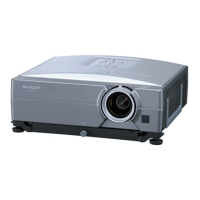
LCD PROJECTOR
MODEL
XG-C55X
OPERATION MANUAL
Introduction
Connections and Setup
Basic Operation
Easy to Use Functions
Appendix

Table of Contents

Other manuals for Sharp XG-C55X

Questions and Answers

  • W
    William WilliamsSep 12, 2025
    What to do if Sharp XG-C55X doesn't turn on using the power button?
    • J
      John JohnsonSep 12, 2025
      If the projector cannot be turned on or put into standby mode using the ON or STANDBY button on the projector, adjust the Keylock settings. If the Keylock level is set to Level B, all the buttons are locked. If the Keylock level is set to Level A, only the INPUT and VOLUME buttons are functional.
  • D
    David SmithSep 14, 2025
    How to solve the issue when a response code cannot be received when the Sharp XG-C55X Projector was attempted to be controlled using RS-232C commands from a computer during standby?
    • J
      Jennifer WardSep 14, 2025
      Set the response code waiting time of the computer to 30 seconds or more.

Sharp XG-C55X Specifications

General IconGeneral
Contrast Ratio2000:1
Projection Size40 - 300 inches
Resolution1024 x 768 (XGA)
Input ConnectorsHDMI, VGA
Display TypeLCD

Related product manuals