CVP09LX
2 – 3
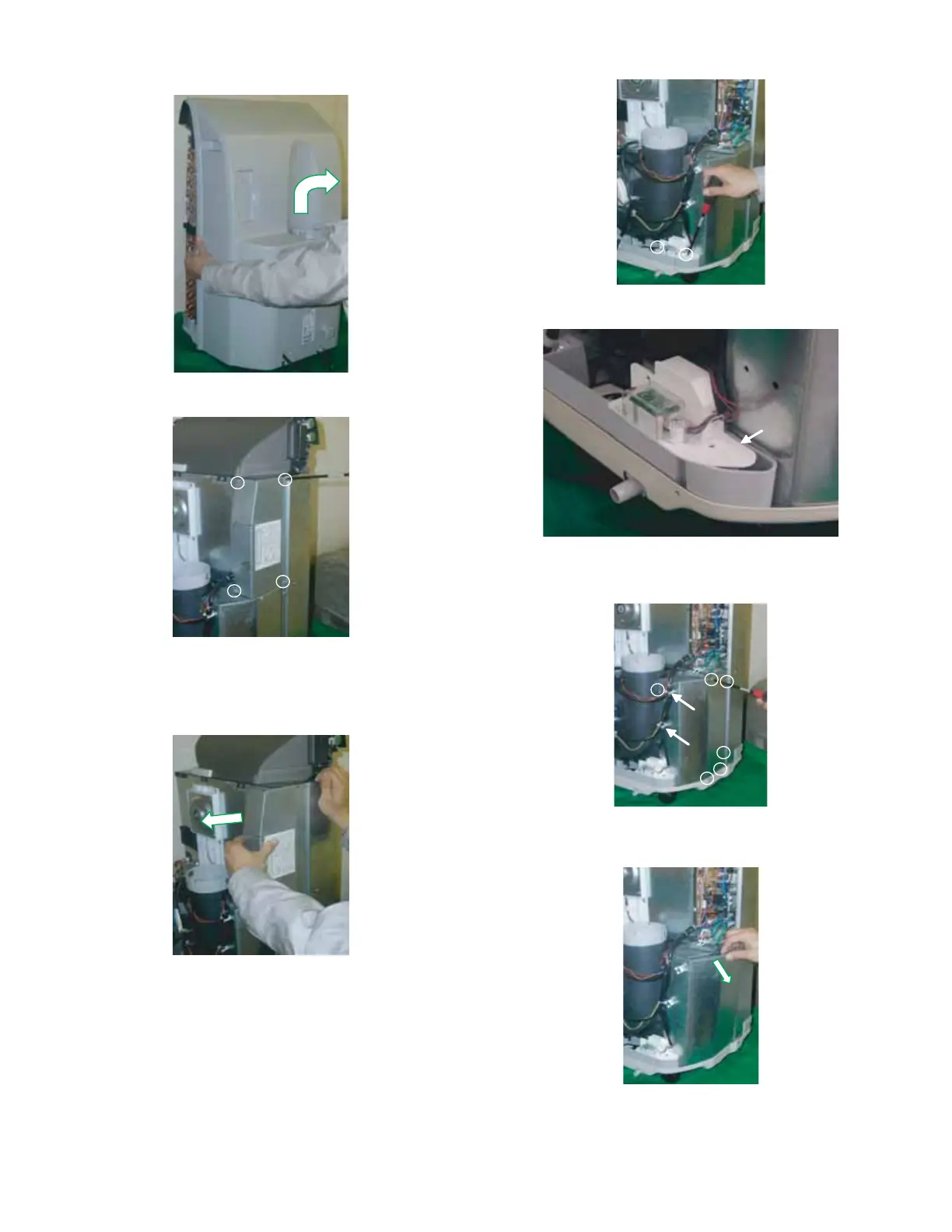
10.Remove the cabinet by lifting it up and pulling toward you as shown
in below figure.
11.Unscrew 4 screws holding the control box cover.
12.Remove the control box cover, as shown in below figure.
CAUTION: DISCHARGE THE FAN MOTOR CAPACITOR AND RUN-
NING CAPACITOR BEFORE TOUCHING THESE CAPAC-
ITORS OR OTHER COMPONENTS OR WIRING.
13.Unscrew 2 screws holding the float switch ass’y.
Then move the float switch a little from bulkhead L.
14.Unscrew 6 screws holding the bulkhead L.
Remove the wire from wire holder.(2 parts)
Then remove the bulkhead L by pulling it toward the arrow mark in
below figure and next lift it up toward you.


 To Next Page