1-1-5
E5753IB
[ DV-SL10 ]
AUDIO OUT VIDEO OUT
VIDEO
DIGITAL
RC
B
C
R
Y
COMPONENT
S-VIDEO
L
12
13
14
151110
REAR VIEW
243519876
OPERATE
OPEN/CLOSE PLAY STOP SKIP
REV FWD
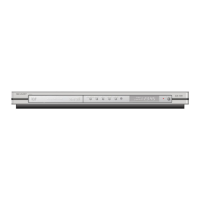
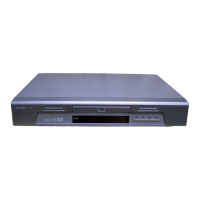
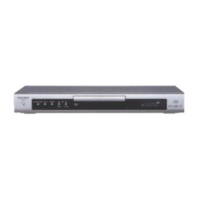
FRONT PANEL
REMOTE CONTROL
STILL/PAUSEDIRECT SKIP
RETURN
ZOOM
MODE
SUBTITLE
MARKER
MENU
SKIP
REPEAT
A-B REPEAT
ANGLE AUDIO
CLEAR
TITLE
STOP
PLAY
FWD
REV
SETUP
DIMMER
ENTER
OPEN/
CLOSE
GAMMA
ON
SCREEN
OPERATE
1 2 3
6
54
7
C 0
+
10
8 9
1
2
3
5
7
9
10
11
12
13
8
4
6
14
29
28
26
27
25
24
23
22
21
19
17
16
15
18
20
1. OPERATE
to switch the player to ON or OFF
2. OPEN/CLOSE
to open/close the disc tray
3. PLAY
to start or resume disc playback
4. STOP
to stop playback
5. SKIP H / REVh
goes to previous chapter or track during playback; press
and hold for 1.5 seconds for a reverse search
6. SKIP G / FWD g
goes to next chapter or track during playback; press and
hold for 1.5 seconds for a forward search
7. Disc tray
8. Remote sensor window
9. Display
10. MAIN (AC Power Cord)
connect to a standard AC outlet
11. DIGITAL AUDIO OUT (coaxial)
connect to AUDIO inputs of a digital (coaxial) audio
equipment
12. AUDIO OUT (Left/Right)
connect to AUDIO inputs of an amplifier, receiver or
stereo system
13. VIDEO OUT
connect to the Video Input of a TV
14. COMPONENT VIDEO OUT
connect to a TV with Component video in jacks
15. S-VIDEO OUT
connect to a TV with S-Video inputs
Caution: Do not touch the inner pins of the jacks on the
rear panel. Electrostatic discharge may cause permanen
damage to the player.
11. REV Button
Fast reverse playback to a desired point.
12. PLAY Button
Starts playback of the disc contents.
13. DIRECT SKIP Button
Press to locate a desired point.
14. STOP Button
Stops operation of the disc.
15. OPEN/CLOSE Button
Press to insert discs into or remove them from the tray.
16. SETUP Button
Press to enter the setup mode or to change setup items.
17. MARKER Button
Press to call back the Marker display.
18. MODE Button
Activates programme playback or random playbac
mode.(CD/MP3) Activates the 3D sound.(DVD)
19. AUDIO Button
Press to select a desired audio language or sound mode.
20. ANGLE Button
Press to change the camera angle to see the sequenc
being played back from a different angle.
21.
MENU Button
Displays the DVD menus.
22. Arrow Buttons (LKBs)
(left/right/up/down) select an item in the menu
23. ENTER Button
Press to accept a setting.
24. REPEAT Button
Repeats playback of the current disc, title, chapter or track
25. A-B REPEAT Button
Repeats playback of a selected section.
26. SKIP UP Button
Plays back from the beginning of the next chapter or track.
27.
SKIP DOWN Button
Plays back from the beginning of the current chapter or track
28. FWD Button
Fast forwards playback to a desired point.
29. STILL/PAUSE Button
Pause playback temporarily/frame-by-frame playback.
1. OPERATE Button
Press to turn the power on and off.
2. ON SCREEN Button
Displays the current status on the TV screen for checking purposes.
3. DIMMER Button
Press to change the Panel Display settings.
4. GAMMA Button
Press to adjust the black parts of the picture brighter.
5. ZOOM Button
Enlarges part of a DVD-reproduced image.
6. SUBTITLE Button
Press to select a desired subtitle language.
7. TITLE Button
Displays the title menu.
8. RETURN Button
Returns to the previous operation.
9. 0-9 numerical key pad
select numbered items in a menu
+10
use this button to enter number 10 and above
0. CLEAR Button
Resets a setting.


 To Next Page