EasyManua.ls Logo

Sharp EL-6660 - Page 21

Sharp EL-6660
50 pages
Print Icon
To Next Page IconTo Next Page
To Previous Page IconTo Previous Page
Loading...
Example:
Recall
the
schedule
listing
on
February
24,
1998.
1.
Press
to
display
the
date
entry
prompt.
2.
Enter
the
date.
02
241998
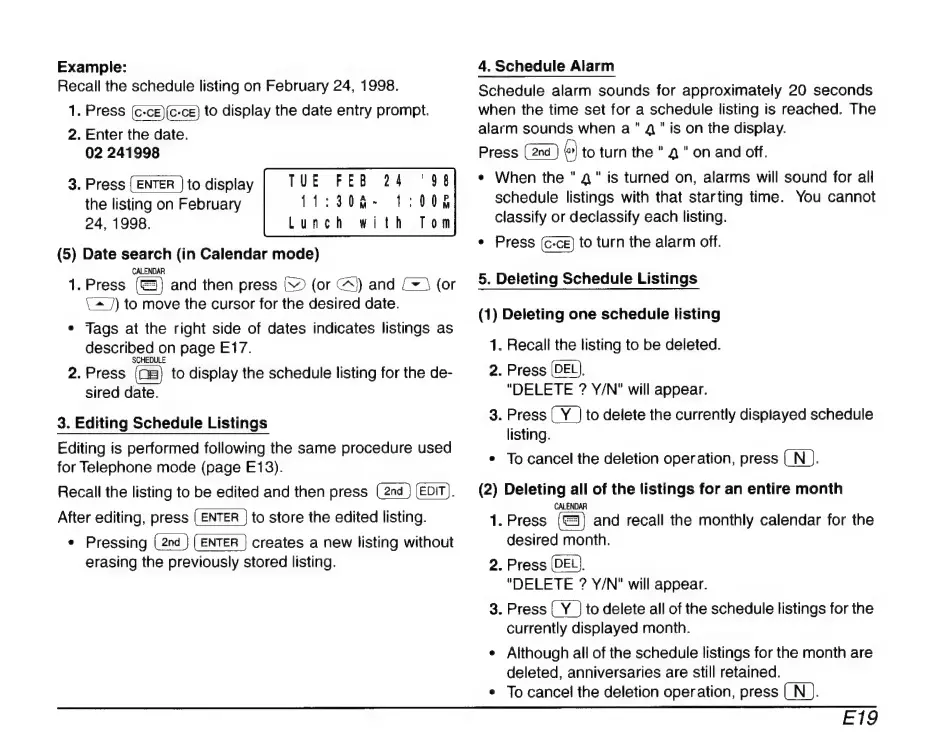
3.
Press
to
display
the
listing
on
February
24,
1998.
(5)
Date
search
(in
Calendar
mode)
CALENDAR
1.
Press
and
then
press
V
(or
C^)
and
(~
5
(or
C^
])
to
move
the
cursor
for
the
desired
date.
*
Tags
at
the
right
side
of
dates
indicates
listings
as
described
on
page
E17.
2.
Press
to
display
the
schedule
listing
for
the
de-
sired
date.
TUE
FEB
24
‘98
11:308-
1:008
with
Tom
Lunch
3.
Editing
Schedule
Listings
Editing
is
performed
following
the
same
procedure
used
for
Telephone
mode
(page
E13).
Recall
the
listing
to
be
edited
and
then
press
(EDIT).
After
editing,
press
to
store
the
edited
listing.
*
Pressing
(2nd
}
[ENTER
|
creates
a
new
listing
without
erasing
the
previously
stored
listing.
4.
Schedule
Alarm
Schedule
alarm
sounds
for
approximately
20
seconds
when
the
time
set
for
a
schedule
listing
is
reached.
The
alarm
sounds
when
a"
4"
is
on
the
display.
Press
to
turn
the
"
4
"
on
and
off.
*
When
the
"
4"
is
turned
on,
alarms
will
sound
for
all
schedule
listings
with
that
starting
time.
You
cannot
classify
or
declassify
each
listing.
*
Press
to
turn
the
alarm
off.
5.
Deleting
Schedule
Listings
(1)
Deleting
one
schedule
listing
1.
2.
Recall
the
listing
to
be
deleted.
Press
(DEL).
"DELETE
?
Y/N"
will
appear.
.
Press
to
delete
the
currently
displayed
schedule
listing.
To
cancel
the
deletion
operation,
press
(
N
).
(2)
Deleting
all
of
the
listings
for
an
entire
month
1.
CALENDAR
Press
and
recall
the
monthly
calendar
for
the
desired
month.
.
Press
(DEL),
"DELETE
?
Y/N"
will
appear.
.
Press
to
delete
all
of
the
schedule
listings
for
the
currently
displayed
month.
Although
all
of
the
schedule
listings
for
the
month
are
deleted,
anniversaries
are
still
retained.
To
cancel
the
deletion
operation,
press
(N
).
E19

Related product manuals