2/9
INTRODUCTION
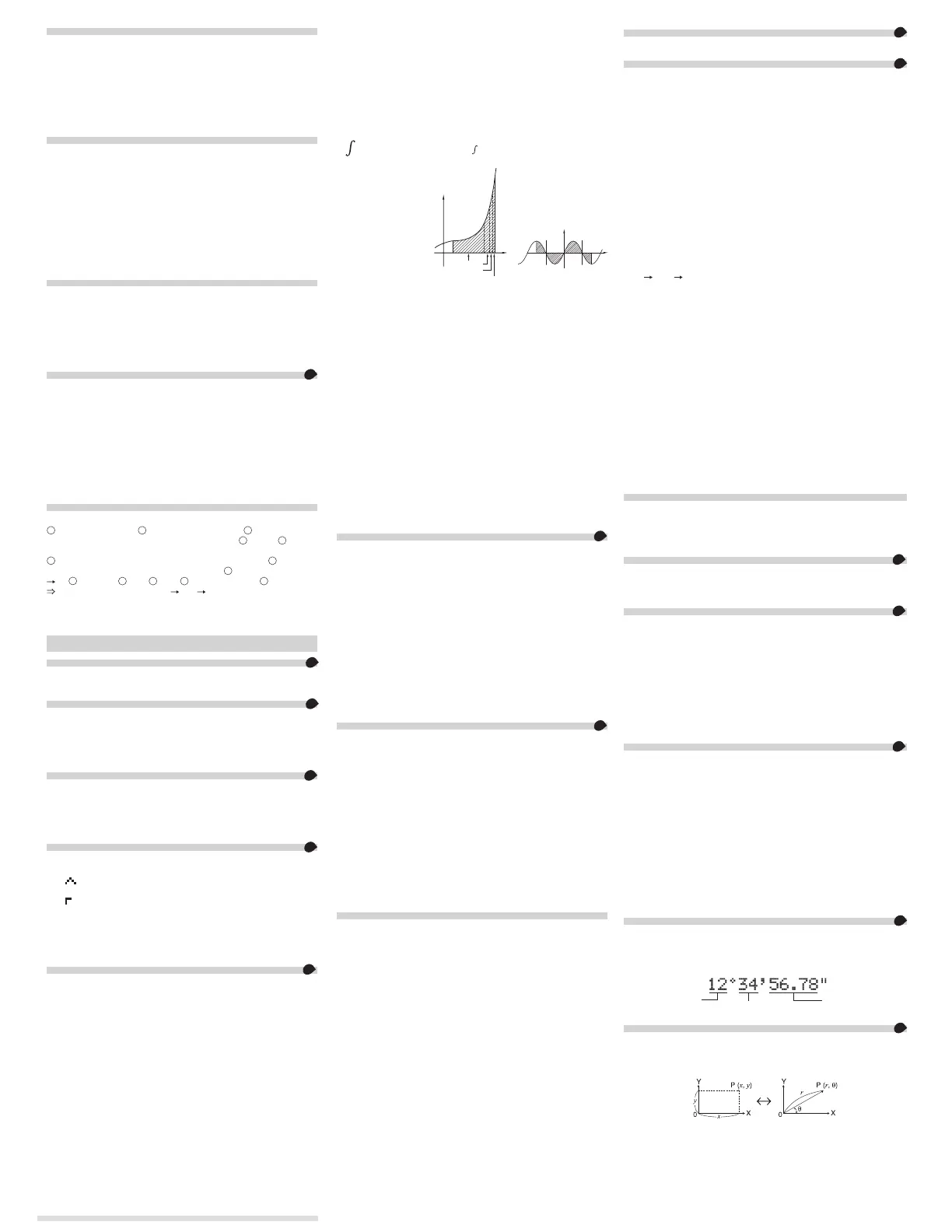
About the calculation examples (including some formulas and
tables), refer to the second half of this manual.
After reading this manual, store it in a convenient location for future
reference.
Note: Some of the models described in this manual may not be
available in some countries.
Operational Notes
• Donotcarrythecalculatoraroundinyourbackpocket,asitmay
breakwhenyousitdown.Thedisplayismadeofglassandis
particularlyfragile.
• Keepthecalculatorawayfromextremeheatsuchasonacar
dashboardornearaheater,andavoidexposingittoexcessively
humid or dusty environments.
• Sincethisproductisnotwaterproof,donotuseitorstoreitwhere
uids,forexamplewater,cansplashontoit.Raindrops,waterspray,
juice,coffee,steam,perspiration,etc.willalsocausemalfunction.
• Cleanwithasoft,drycloth.Donotusesolventsorawetcloth.Avoid
using a rough cloth or anything else that may cause scratches.
• Donotdropitorapplyexcessiveforce.
• Neverdisposeofbatteriesinare.
• Keepbatteriesoutofthereachofchildren.
• Forthesakeofyourhealth,trynottousethisproductforlong
periodsoftime.Ifyouneedtousetheproductforanextended
period,besuretoallowyoureyes,hands,arms,andbodyadequate
restperiods(about10–15minuteseveryhour).
Ifyouexperienceanypainorfatiguewhileusingthisproduct,
discontinueuseimmediately.Ifthediscomfortcontinues,please
consult a doctor.
• Thisproduct,includingaccessories,may
changeduetoupgrading
withoutpriornotice.
NOTICE
• SHARPstronglyrecommendsthatseparatepermanentwritten
recordsbekeptofallimportantdata.Datamaybelostor
alteredinvirtuallyanyelectronicmemoryproductundercertain
circumstances.Therefore,SHARPassumesnoresponsibilityfor
datalostorotherwiserenderedunusablewhetherasaresultof
improperuse,repairs,defects,batteryreplacement,useafterthe
speciedbatterylifehasexpired,oranyothercause.
• SHARPwillnotbeliablenorresponsibleforanyincidentalor
consequentialeconomicorpropertydamagecausedbymisuse
and/ormalfunctionsofthisproductanditsperipherals,unless
suchliabilityisacknowledgedbylaw.
♦PresstheRESETswitch(ontheback),withthetipofaball-point
penorsimilarobject,onlyinthefollowingcases.Donotusean
objectwithabreakableorsharptip.NotethatpressingtheRESET
switcherasesalldatastoredinmemory.
• Whenusingforthersttime
• Afterreplacingthebattery
• Toclearallmemorycontents
• Whenanabnormalconditionoccursandallkeysareinoperative
♦
Ifserviceshouldberequiredonthiscalculator,havethecalculator
servicedintheregion(country)whereyoupurchasedit.
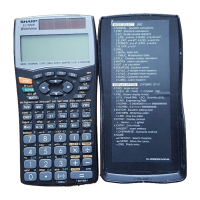
Hard Case
DISPLAY
Dot
matrix
display
Mantissa
Exponent
• Duringactualuse,notallsymbolsaredisplayedatthesametime.
• Onlythesymbolsrequiredfortheusagecurrentlybeingexplained
areshowninthedisplayandcalculationexamples.
: Indicatesthatsomecontentsarehiddeninthedirections
shown.
2ndF: Appearswhen@ispressed,indicatingthatthefunctions
showninthesamecoloras@ are enabled.
HYP: IndicatesthatHhasbeenpressedandthehyperbolic
functionsareenabled.If@ >ispressed,thesymbols
2ndF HYPappear,indicatingthatinversehyperbolic
functions are enabled.
ALPHA: Appearswhen;ispressed,indicatingthatthefunctions
showninthesamecoloras; are enabled.
Appearswhenx or tispressed,andentry(recall)
ofmemorycontentscanbeperformed.
FIX/SCI/ENG/N1/N2:Indicatesthenotationusedtodisplayavalue
andchangesbySETUPmenu.N1isdisplayedon-screen
as“NORM1”,andN2as“NORM2”.
DEG/RAD/GRAD:Indicatesangularunits.
BUSY: Appearsduringtheexecutionofacalculation.
W-VIEW:IndicatesthattheWriteVieweditorisselected.
M: Indicatesthatanumericalvalueisstoredintheindependent
memory(M).
/ : IndicatesthemodeofexpressionforresultsinCOMPLEX
mode.
BEFORE USING THE CALCULATOR
Pressjtoturnthecalculatoron.Thedatathatwason-screenwhen
thepowerwasturnedoffwillappearonthedisplay.
Press@ o to turn the calculator off.
Key Notations Used in this Manual
Tospecifye
x
:
@ "
Tospecifyln:
i
TospecifyE:
; E
• Functionsthatareprintedingrayadjacenttothekeysareeffectivein
specicmodes.
• Themultiplicationoperator“
”isdifferentiatedfromtheletter“X”inthis
manualasfollows:
Tospecifythemultiplicationoperator:k
Tospecifytheletter“X”:; X
• Incertaincalculationexamples,whereyouseetheo symbol, the
keyoperationsandcalculationresultsareshownastheywouldappear
intheLineeditor.
• Ineachexample,pressjtoclearthedisplayrst.Unlessotherwise
specied,calculationexamplesareperformedintheWriteVieweditor
(@ J 2 0 0)withthedefaultdisplaysettings(@
P 0).
Clearing the Entry and Memories
Operation Entry
(Display)
A–F,
M,X,Y
D1–D3 ANS
STAT*
1
matA–D
vectA–D
j
О
Х Х Х Х Х
@ Z
О
Х Х
О О О
Modeselection(b)
О
Х Х Х
Х
*
2
О
@ P 0
О
Х Х Х Х Х
@ P 1 0
О О О О О О
@ P 2 0
*3
О О О О О О
RESETswitch
*3
О О О О О О
О
:Clear
Х
:Retain
*1 Statisticaldata(entereddata)
*2 Clearedwhenchangingbetweensub-modesinSTATmode.
*3 TheRESEToperationwillerasealldatastoredinmemoryandrestore
thecalculator’sdefaultsettings.Theusernameyoustoredusingthe
name
displayfunctionwillbeclearedaswell.
Memory clear key
Press@ Ptodisplaythemenu.
• Toinitializethedisplaysettings,press0.Theparametersaresetas
follows:
• Angularunit:DEG
• Displaynotation:NORM1
• N-base:DEC
• Recurringdecimal:OFF
Mode Selection
NORMALmode:b 0
Usedtoperformarithmeticoperationsandfunctioncalculations.
STATmode:b 1
Usedtoperformstatisticaloperations.
TABLEmode:b 2
Usedtoillustratethechangesinvaluesofoneortwofunctionsintableformat.
COMPLEXmode:b 3
Usedtoperformcomplexnumbercalculations.
EQUATIONmode:b 4
Usedtosolveequations.
MATRIXmode:b 5
Usedtoperformmatrixcalculations.
VECTORmode:b 6
Usedtoperformvectorcalculations.
DISTRIBUTIONmode:b 7
Usedtoperformdistributioncalculations.
DRILLmode:b 8
Usedtopracticemathandmultiplicationtabledrills.
HOME Key
Press7toreturntoNORMALmodefromothermodes.
Note: Equationsandvaluescurrentlybeingenteredwilldisappear,inthe
samewayaswhenthemodeischanged.
SET UP Menu
Press@ JtodisplaytheSETUPmenu.
PressjtoexittheSETUPmenu.
Note: YoucanpressNtoreturntothepreviouslydisplayedparent
menu.
Determination of the angular unit (degrees, radians, and grades)
DEG(°): @ J 0 0(default)
RAD(rad):@ J 0 1
GRAD(g): @ J 0 2
Selecting the display notation and decimal places
1
TwosettingsofFloatingpoint(NORM1andNORM2),Fixeddecimalpoint
(FIX),Scienticnotation(SCI),andEngineeringnotation(ENG).
• When@ J 1 0(FIX)or@ J 1 2(ENG)is
pressed,thenumberofdecimalplaces(TAB)canbesettoanyvalue
between0and9.
• When@ J 1 1(SCI)ispressed,thenumberof
signicantdigitscanbesettoanyvaluebetween0and9.Entering0
willseta10-digitdisplay.
Setting the floating point number system in scientific notation
NORM1(thedefault)andNORM2.Anumberisautomaticallydisplayedin
scienticnotationoutsideapresetrange:
NORM1(@ J 1 3):0.000000001
≤|x|≤9,999,999,999
NORM2(@ J 1 4):0.01
≤|x|≤9,999,999,999
Selecting the editor and setting the answer display
2
ThiscalculatorhasthefollowingtwoeditorsinNORMALmode:
WriteViewandLine.
SetthedisplayformatfornumericalcalculationresultsinWriteVieweditor.
The WriteView editor
EXACT(a/b,r,
p
)@
J 2 0 0(default)
APPROX. @
J 2 0 1
The Line editor @
J 2 1
Notes:
• When“EXACT(a/b,r,
p
)”isset,resultswillappearinfractionformator
irrationalnumberformat(including
p
and r)whendisplayispossible.
• When“APPROX.”isset,resultswillbedecimaldisplayorfraction
display,andwillbenotshowninirrationalnumberformat(including
p
and r).
• PressU to change the calculation results to another format that can
bedisplayed.
Adjusting the display contrast
Press@ J 3, then + or &toadjustthecontrast.Press
jtoexit.
Insert and overwrite entry methods
WhenusingtheLineeditor,youcanchangetheentrymethodfrom
“INSERT”(thedefault)to“OVERWRITE”.
Afteryouswitchtotheoverwritemethod(bypressing@
J
4 1),
thetriangularcursorwillchangetoarectangularone,andthenumberor
functionunderneathitwillbeoverwrittenasyoumakeentries.
Setting the recurring decimal
3
InNORMALmode,calculationresultscanbeshowninarecurring
decimal format.
RecurringdecimalisOFF:@ J 5 0(default)
RecurringdecimalisON: @ J 5 1
• IntheWriteVieweditor,therecurringpartisindicatedby“
−
”.Inthe
Lineeditor,therecurringpartisindicatedinparentheses.
• Ifover10digits,includingtherecurringpart,theresultcannotbe
displayedinrecurringdecimalformat.
Setting of the decimal point
Yo u canshowthedecimalpointinthecalculationresultaseitheradot
or a comma.
DOT: J 6 0(default)
COMMA:J 6 1
• Duringentry,thedecimalpointisonlyshownasadot.
Name display function
Yo u cansaveausernameinthiscalculator.Whenyouturnthepoweroff,
thesavedusernameisdisplayedmomentarily.
Upto32charactersmaybesaved,splitovertwolines.
Enteringandeditingtheusername:
1. Press@ J 7.Theeditingscreenappearswithaashing
cursor.
2. Useu and d to scroll through the available characters.
3. Pressingl or r moves the cursor to the left or right.
Tomodifyacharacter,usel or r to move the cursor to the
character, then select another character using u or d.
4. Repeatsteps2and3abovetocontinueenteringcharacters.
5. Press=tosaveandquit.
Note: Press@ Z in the editing screen to clear all the
characters.
ENTERING, DISPLAYING, AND EDITING THE EQUATION
4
The WriteView Editor
Entry and display
IntheWriteVieweditor,youcanenteranddisplayfractionsorcertain
functionsasyouwouldwritethem.
• TheWriteVieweditorcanbeusedinNORMALmode.
Displaying calculation results (when EXACT is selected)
Whenpossible,calculationresultswillbedisplayedusingfractions,r,
and
p.WhenyoupressU,thedisplaywillcyclethroughthefollowing
displaystyles:
• Mixedfractions(withorwithout
p) improperfractions(withor
without
p) decimal numbers
• Properfractions(withorwithout
p) decimal numbers
• Irrationalnumbers(squareroots,fractionsmadeusingsquareroots)
decimal numbers
Notes:
•
Inthefollowingcases,calculationresultsmaybedisplayedusingr:
• Arithmeticoperationsandmemorycalculations
• Trigonometriccalculations
• Intrigonometriccalculations,when
entering values such as those in the
tabletotheright,resultsmaybeshown
using
r.
• Improper/properfractionswillbe
convertedtoanddisplayedasdecimal
numbers if the number of digits used in
theirexpressionisgreaterthannine.Inthecaseofmixedfractions,the
maximumnumberofdisplayabledigits(includingintegers)iseight.
• Ifthenumberofdigitsinthedenominatorofafractionalresultthatuses
pisgreaterthanthree,theresultisconvertedtoanddisplayedasa
decimal number.
Performing integral calculations
1. Press; F.
2.
Specifythefollowingparameters:rangeofintegral(initialvalue(a), end
value(
b)),functionwithvariablex,andnumberofsubintervals(n).
Yo u donotneedtospecifythenumberofsubintervals.Ifthe
numberofsubintervalsisnotspecied,thedefaultvalueof
n=100willbeused.
3. Press=.
Notes:
• Parametersareenteredinthefollowingway:
WriteVieweditor: Lineeditor:
a
b
function[, subintervals]dx (function, a, b[, subintervals])
• Integralcalculations,
dependingonthe
integrands and
subintervals included,
requirelonger
calculation time.
Duringcalculation,
the BUSY symbol
willbedisplayed.To
cancel calculation,
pressj.
Notethattherewill
begreaterintegralerrorswhentherearelargeuctuationsinthe
integral values during minute shifting of the integral range and for
periodicfunctions,etc.,wherepositiveandnegativeintegralvalues
existdependingontheinterval.
Fortheformercase,divideintegralintervalsassmallaspossible.
Forthelattercase,separatethepositiveandnegativevalues.
Followingthesetipswillallowyoutoobtainresultsfromcalculations
withgreateraccuracyandwillalsoshortenthecalculationtime.
Performing differential calculations
1. Press; G.
2. Specifythefollowingparameters:functionwithvariablex, value of
x,andminuteinterval(
dx).
Yo u donotneedtospecifytheminuteinterval.Iftheminuteinterval
isnotspecied,itwillautomaticallybesetto10
−
5
(whilex =0),or
|
x | × 10
−
5
(whilex ≠0).
3. Press=.
Note: Parametersareenteredinthefollowingway:
WriteVieweditor:
d(function)
–
dx
|
x = value of x[, minute interval]
Lineeditor:
d/dx(function, value of x[, minute interval])
∑ Function
11
The∑functionreturnsthecumulativesumofagivenexpressionfrom
aninitialvaluetoanendvalueinNORMALmode.
Performing ∑ calculations
1. Press; I.
2. Specifythefollowingparameters:initialvalue,endvalue,function
withvariable
x,andincrement(n).
Yo u donotneedtospecifytheincrement.Iftheincrementisnot
specied,thedefaultvalueof
n=1willbeused.
3. Press=.
Note: Parametersareenteredinthefollowingway:
WriteVieweditor:
end value
Σ
(
function[, increment])
x
=
initial value
Lineeditor:
Σ
(function, initial value, end value[, increment])
Π Function
12
TheΠfunctionreturnstheproductofagivenexpressionfroman
initialvaluetoanendvalueinNORMALmode.
Performing Π calculations
1. Press; ;.
2. Specifythefollowingparameters:initialvalue,endvalue,function
withvariable
x,andincrement(n).
Youdonotneedtospecifytheincrement.Iftheincrementisnot
specied,thedefaultvalueof
n=1willbeused.
3. Press=.
Note: Parametersareenteredinthefollowingway:
WriteVieweditor:
end value
Π
(
function[, increment])
x
=
initial value
Lineeditor:
Π
(function, initial value, end value[, increment])
Random Function
Therandomfunctionhasfoursettings.(Thisfunctioncannotbe
selectedwhileusingtheN-basefunction.)To generatefurtherrandom
numbersinsuccession,presse.Pressjtoexit.
Random numbers
Apseudo-randomnumber,withthreesignicantdigitsfrom0upto
0.999,canbegeneratedbypressing@ w 0 e.
Note: IntheWriteVieweditor,iftheresultisnot0itcanbeshownas
a fraction or decimal using U.
Random dice
Tosimulateadie-rolling,arandomintegerbetween1and6canbe
generatedbypressing@ w 1 e.
Random coin
Tosimulateacoinip,0(heads)or1(tails)canberandomly
generatedbypressing@ w 2 e.
Random integer
Yo u canspecifyarangefortherandomintegerwith“R.Int(”only.
R.Int(minimum value, maximum value)
Forexample,ifyouenter@ w 31
H
99) e, a
randomintegerfrom1to99willbegenerated.
Angular Unit Conversions
13
Eachtime@ ]ispressed,theangularunitchangesinsequence.
Memory Calculations
14
Temporary memories (A–F, X and Y)
Pressxandavariablekeytostoreavalueinmemory.
Presstandavariablekeytorecallthevaluefromthatmemory.To
placeavariableinanequation,press;andavariablekey.
Independent memory (M)
Inadditiontoallthefeaturesoftemporarymemories,avaluecanbe
addedtoorsubtractedfromanexistingmemoryvalue.
Pressj x Mtocleartheindependentmemory(M).
Last answer memory (ANS)
Thecalculationresultobtainedbypressing= or any other calculation
endinginstructionisautomaticallystoredinthelastanswermemory.
Whenthecalculationresultisinmatrixorvectorform,thefullmatrix
orvectorisnotstoredintoANSmemory.Onlythevalueoftheelement
covered by the cursor is stored.
Notes:
• Calculationresultsfromthefunctionsindicatedbelowareautomatically
storedintheXorYmemoriesreplacinganyexistingvalues.
•
rq,
xy
:Xmemory(r or x),Ymemory(q or y)
• Two
x´valuesfromaquadraticregressioncalculationinSTAT mode:
Xmemory(1:),Ymemory(2:)
• Useoft or ;willrecallthevaluestoredinmemoryusingupto
14digits.
• A-F, X,YmemorycannotbeusedinCOMPLEXmode.
Definable memories (D1–D3)
Yo u canstorefunctionsoroperationsindenablememories(D1–D3).
• Tostoreafunctionoroperation,pressx,followedbyadenable
memorykey(I, J, or K),followedbytheoperationyou
wanttostore.Menu-relatedoperations,suchas@ J, cannot be
stored.Pressjtoreturntothepreviousdisplay.
• Tocallastoredfunctionoroperation,pressthecorrespondingmemory
key.Callingastoredfunctionwillnotworkifthefunctionthatiscalled
wouldbeunusableinthecurrentcontext.
• Anyfunctionsoroperationsthatarestoredinadenablememorywill
bereplacedwhenyousaveanewoneintothatmemory.
• Functionscannotbesavedinadenablememoryfromthesimulation
calculationsandsolverfunctionsofNORMALmode,orfromtheitem
andvalueinputscreensofothermodes.
Memory List
Press
;
9
todisplayalistofthevaluessavedinmemory.
Thevaluesareshownina9-characterrange.
Applicablememories:A,B,C,D,E,F, X,Y, M
• InCOMPLEXmode,onlyMmemoryisdisplayed.
Chain Calculations
15
Thepreviouscalculationresultcanbeusedinthesubsequent
calculation.However,itcannotberecalledafterenteringmultiple
instructionsorwhenthecalculationresultisinmatrix/vectorformat.
Fraction Calculations
16
Arithmeticoperationsandmemorycalculationscanbeperformedusing
fractions.InNORMALmode,conversionbetweenadecimalnumberand
afractioncanbeperformedbypressingU.
Notes:
• Improper/properfractionswillbeconvertedtoanddisplayedasdecimal
numbersifthenumberofdigitsusedintheirexpressionisgreater
thannine.Inthecaseofmixedfractions,themaximumnumberof
displayabledigits(includingintegers)iseight.
• Toconvertasexagesimalvaluetoafraction,rstconvertitbypressing
@ :.
Binary, Pental, Octal, Decimal, and Hexadecimal
Operations (N-base)
17
ConversionscanbeperformedbetweenN-basenumbersinNORMAL
mode.Thefourbasicarithmeticoperations,calculationswith
parentheses,andmemorycalculationscanalsobeperformed,alongwith
thelogicaloperationsAND,OR,N OT,NEG,XOR,andXNORonbinary,
pental,octal,andhexadecimalnumbers.
Note: ThehexadecimalnumbersA–Fareenteredbypressingm
A
,
*
B
, A
C
, l
D
, i
E
, and H
F
.
Inthebinary,pental,octal,andhexadecimalsystems,fractionalparts
cannotbeentered.Whenadecimalnumberhavingafractionalpart
isconvertedintoabinary,pental,octal,orhexadecimalnumber,the
fractionalpartwillbetruncated.Likewise,whentheresultofabinary,
pental,octal,orhexadecimalcalculationincludesafractionalpart,
thefractionalpartwillbetruncated.Inthebinary,pental,octal,and
hexadecimalsystems,negativenumbersaredisplayedasacomplement.
Time, Decimal, and Sexagesimal Calculations
18
Yo u canconvertbetweendecimalandsexagesimalnumbers,andfrom
sexagesimalnumberstosecondsorminutes.Inaddition,thefourbasic
arithmeticoperationsandmemorycalculationscanbeperformedusing
thesexagesimalsystem.Notationforsexagesimalisasfollows:
Degree
Minute
Second
Coordinate Conversions
19
• Beforeperformingacalculation,selecttheangularunit.
• Theresultsofcoordinateconversionswillbedisplayedasdecimal
numbersevenintheWriteVieweditor.
Rectangularcoord. Polarcoord.
Physical Constants and Metric Conversions
20
Calculations using physical constants
Torecallaconstant,press; :,thenselectaphysicalconstant
fromthelist.(Eachitemislabeledwitha2-digitnumber.)
• Toscrollupordownthelistofconstants,pressu(l)ord(r).
Use@ u(l)or@ d(r)tojumptotherstor
lastpage.
• Entertherstdigitofthe2-digititemnumbertojumptothepage
containingthenumberthatbeginswiththatdigit.
• Whenyouentertheseconddigit,theconstantisdisplayed
automaticallyaccordingtothedisplayanddecimalplacementsettings.
• PhysicalconstantscanberecalledinNORMAL(excludingN-base),
STAT,COMPLEX,MATRIX,VECTORandEQUATIONmodes.
Note: Physicalconstantsandmetricconversionsarebasedonthe
2014CODATArecommendedvalues,oronthe2008Edition
ofthe“GuidefortheUseoftheInternationalSystemofUnits
(SI)”releasedbyNIST(NationalInstituteofStandardsand
Technology).
No. Constant No. Constant
01
02
03
04
05
06
07
08
09
10
11
12
13
14
15
16
17
18
19
20
21
22
23
24
25
26
Speedoflightinvacuum
Newtonianconstantofgravitation
Standard acceleration of gravity
Electronmass
Protonmass
Neutron mass
Muon mass
Atomicmassunit-kilogram
relationship
Elementarycharge
Planckconstant
Boltzmannconstant
Magnetic constant
Electricconstant
Classicalelectronradius
Fine-structureconstant
Bohrradius
Rydbergconstant
Magneticux
quantum
Bohrmagneton
Electronmagneticmoment
Nuclear magneton
Protonmagneticmoment
Neutron magnetic moment
Muon magnetic moment
Comptonwavelength
ProtonComptonwavelength
27
28
29
30
31
32
33
34
35
36
37
38
39
40
41
42
43
44
45
46
47
48
49
50
51
52
Stefan-Boltzmannconstant
Avogadro constant
Molar volume of ideal gas
(273.15K,101.325kPa)
Molar gas constant
Faradayconstant
VonKlitzingconstant
Electronchargetomassquotient
Quantumofcirculation
Protongyromagneticratio
Josephsonconstant
Electronvolt
CelsiusTemperature
Astronomical unit
Parsec
Molarmassofcarbon-12
Planckconstantover2pi
Hartreeenergy
Conductancequantum
Inversene-structureconstant
Proton-electronmassratio
Molar mass constant
NeutronComptonwavelength
Firstradiationconstant
Second radiation constant
Characteristicimpedanceofvacuum
Standardatmosphere
Metric conversions
Enteravaluetobeconverted,thenpress; L, and select a metric
conversionbyenteringits2-digitnumber.
• Themetricconversionlistisusedinthesamemannerasthelistof
physicalconstants.
• UnitconversionscanbeperformedinNORMAL(excludingN-base),
STAT,MATRIX,VECTOR,andEQUATIONmodes.
No. Remarks No. Remarks
01 in : inch 23
oz(US) :uidounce
(US)
02 cm : centimeter 24 mL :milliliter
03 ft : foot 25 oz(UK) :uidounce(UK)
04 m : meter 26 mL :milliliter
05 yd : yard 27 cal
th
: calorie
th
06 m : meter 28 J : joule
07 mi : mile 29 cal
15
:calorie(15°C)
08 km :kilometer 30 J : joule
09 n mi : nautical mile 31 cal
IT
: calorie
IT
10 m : meter 32 J : joule
11 acre:acre*
1
33 hp
:horsepower(UK)
12 m
2
:squaremeter 34 W :watt
13 oz
:
ounce(avoirdupois)
35 ps
:horsepower(metric)
14
g : gram
36 W :watt
15 lb
:pound(avoirdupois)
37 (kgf/cm
2
)
16
kg :kilogram
38 Pa :pascal
17 °F
:degreeFahrenheit
39 atm :atmosphere
18 °C :degreeCelsius 40 Pa :pascal
19 gal(US) :gallon(US) 41 (1mmHg=1Torr)
20 L :liter 42 Pa :pascal
21 gal(UK) :gallon(UK) 43 (kgf·m)
22 L :liter 44 N·m :newtonmeter
*1 basedonUSsurveyfoot
Calculations Using Engineering Prefixes
21
CalculationcanbeexecutedinNORMALmode(excludingN-base)using
thefollowing9typesofprexes.
Prex Unit Prex Unit
k
M
G
T
(kilo)
(Mega)
(Giga)
(Tera)
10
3
10
6
10
9
10
12
m
µ
n
p
f
(milli)
(micro)
(nano)
(pico)
(femto)
10
–3
10
–6
10
–9
10
–12
10
–15
Modify Function
22
Decimalcalculationresultsareinternallyobtainedinscienticnotation,
withupto14digitsinthemantissa.However,sincecalculationresultsare
displayedintheformdesignatedbythedisplaynotationandthenumber
ofdecimalplacesindicated,theinternalcalculationresultmaydifferfrom
thatshowninthedisplay.Byusingthemodifyfunction(@ n),
theinternalvalueisconvertedtomatchthatofthedisplay,sothatthe
displayedvaluecanbeusedwithoutchangeinsubsequentoperations.
• WhenusingtheWriteVieweditor,ifthecalculationresultisdisplayed
usingfractionsorirrationalnumbers,pressU to convert it to
decimalformrst.
• ThemodifyfunctioncanbeusedinNORMAL,STAT,MATRIX,or
VECTORmodes.
The Line Editor
Entry and display
IntheLineeditor,youcanenteranddisplayequationslinebyline.
Notes:
• Uptothreelinesoftextmaybeviewedonthescreenatonetime.
• IntheLineeditor,calculationresultsaredisplayedindecimalform
orlinefractionnotationifpossible.
• UseUtoswitchthedisplayformattofractionalformordecimal
form(ifpossible).
Editing the Equation
Justafterobtainingananswer,pressingl brings you to the end
oftheequationandpressingrbringsyoutothebeginning.Press
l, r, u, or dtomovethecursor.Press@ l
or @ rtojumpthecursortothebeginningortheendofthe
equation.
Back space and delete key
Todeleteanumberorfunction,movethecursortotherightofit,then
pressN.Yo u canalsodeleteanumberorfunctionthatthecursoris
directlyoverbypressing@ y.
Note: Inamulti-levelmenu,youcanpressNtobacktothe
previousmenulevel.
MATH Menu
Otherfunctionsmaybeavailableonthiscalculatorbesidesthose
printedonthekeypad.ThesefunctionsareaccessedusingtheMATH
menu.TheMATHmenuhasdifferentcontentsforeachmode.
PressNtodisplaytheMATHmenu.
Note:TheNkeycannotbe
usedinthesimulationcalculationsand
solverfunctionsofNORMALmode,orintheitemandvalue
inputscreensofothermodes.
Multi-line Playback Function
5
Thiscalculatorisequippedwithafunctiontorecallpreviousequations
andanswersinNORMALorCOMPLEXmodes.Pressinguwill
displaythepreviousequation.Thenumberofcharactersthatcanbe
savedislimited.Whenthememoryisfull,storedequationswillbe
deletedtomakeroom,startingwiththeoldest.
• Toeditanequationafterrecallingit,pressl or r.
• Themulti-linememorywillbeclearedbythefollowingoperations:
@ Z,modechange,RESET,N-baseconversion,angularunit
conversion,editorchange(@ J 2 0 0, @ J
2 0 1 or @ J 2 1),andmemoryclear
(@ P 1 0).
Priority Levels in Calculation
Thiscalculatorperformsoperationsaccordingtothefollowingpriority:
1
Fractions(1m4,etc.)
2
∠,Engineeringprexes
3
Functions
precededbytheirargument(
x
−
1
, x
2
,n!,(%),etc.)
4
y
x
,
x
r
5
Implied
multiplicationofamemoryvalue(2Y,etc.)
6
Functionsfollowedbytheirargument(sin,cos,(−),etc.)
7
Implied
multiplicationofafunction(2sin30,A
1
4
,etc.)
8
nCr,nPr,GCD,LCM,
cv
9
×, ÷, int÷
10
+, −
11
AND
12
OR,XOR,XNOR
13
=, M+, M−,
M, ►DEG,►RAD,►GRAD, rq,
xy
, and other calculation
ending instructions
• Ifparenthesesareused,parenthesizedcalculationshave
precedenceoveranyothercalculations.
SCIENTIFIC CALCULATIONS
Arithmetic Operations
6
• Theclosingparenthesis) just before = or m may be
omitted.
Constant Calculations
7
• Inconstantcalculations,theaddendbecomesaconstant.
Subtractionanddivisionareperformedinthesamemanner.For
multiplication,themultiplicandbecomesaconstant.
• Inconstantcalculations,constantswillbedisplayedasK.
•
ConstantcalculationscanbeperformedinNORMALorSTATmodes.
Conversion to Engineering notation
8
Yo u canuse; < or ; > to convert the calculation result
to engineering notation.
• Press; <todecreasetheexponent.Press; > to
increasetheexponent.
• Thesettings(FSE)intheSETUPmenudonotchange.
Functions
9
• Refertothecalculationexamplesforeachfunction.
• IntheLineeditor,thefollowingsymbolsareused:
•
:toindicateanexpression’spower.(m, @ ", @
Y)
•
:toseparateintegers,numerators,anddenominators.(W,
@ k)
• Whenusing@ O or @ WintheLineeditor,valuesare
enteredinthefollowingway:
• logn(base, value)
• absvalue
Integral/Differential Functions
10
IntegralanddifferentialcalculationscanbeperformedinNORMAL
mode.
Note: Sinceintegralanddifferentialcalculationsareperformed
basedonthefollowingequations,correctresultsmaynot
beobtained,incertainrarecases,whenperformingspecial
calculationsthatcontaindiscontinuouspoints.
Integralcalculation(Simpson’srule):
( )
h
=
b
−
a
N
a
≤
x
≤
b
N
=
2
n
S
=
1
3
h
{
f
(
a
)
+
4{
f
(
a
+
h
)
+
f
(
a
+
3
h
)
+
...
+
f
(
a
+
(N
−
1)
h
)}
+
2{
f
(
a
+
2
h
)
+
f
(
a
+
4
h
)
+
...
+
f
(
a
+
(N
−
2)
h
)}
+
f
(
b
)}
Differentialcalculation:
f´(x)
=
f
(
x
+
dx
2
)
−
f
(
x
−
dx
2
)
—
dx
Various functions
23
• Refertothecalculationexamplesforeachfunction
GCD (the Greatest Common Divisor)
WhatistheGCDof
24and36?
j
24
@
=
36
=
12
.
LCM (the Least Common Multiple)
WhatistheLCMof
15and9?
j
15
@
?
9
=
45
.
int÷
• ”Q”indicates“Quotient”,and“R”indicates“Remainder”.
• Pressing@ 6cannotbefollowedbypressingakeyfor
anotheroperationsuchas(+,–,×,÷),otherwiseanerrorwillresult.
• Thequotientandremainderareshownin“NORM1”format.Ifnot
alldigitscanbedisplayedin“NORM1”format,normaldivisionis
performed.
ipart
Returnsonlytheintegerpartofadecimalnumber.
fpart
Returnsonlythefractionpartofadecimalnumber.
int
Returnsthehighestintegervaluethatdoesnotexceedthevalue
specied.
(%)
Whenspeciedimmediatelyafteravalue,thevalueistreatedasa
percentage.
Note: Forcalculationusing@
a
, refer to the calculation
examples(No.9).Yo u canuse@
a
toperformpremium,
discount, and other calculations.
Prime Factorization
24
InNORMALmode,thecalculationresultcanbeshownasaproduct
ofprimenumbers.
•Apositiveintegergreaterthan2andnomorethan10digitscanbe
factoredintoprimes.
•Anumberthatcannotbefactoredintoaprimenumberwith3digits
orshorterisshowninparentheses.
•Thecalculationresultofprimefactorizationisdisplayedaccordingto
theeditorsetting(W-VIEWorLINE).
• Thecalculationresultofprimefactorizationmayextendoffthe
edgesofthescreen.Yo u canseethosepartsbypressingl or
r.Tojumptotheleftendorrightend,press@ l or @
r.
Simulation Calculation (ALGB)
25
Ifyouhavetondvaluesconsecutivelyusingthesameexpression,
suchasplottingacurvelinefor2x
2
+1,orndingthevariablevalues
for2
x+2y=14,onceyouentertheexpression,allyouhavetodoisto
specifythevalueforthevariableintheequation.
Usablevariables:A–F,M,XandY
• SimulationcalculationscanonlybeexecutedinNORMALmode.
• Calculationendinginstructionsotherthan= cannot be used.
Performing calculations
1. Pressb 0.
2. Inputanexpressionwithatleastonevariable.
3. Press@ 2.
4. Thevariableentryscreenwillappear.Enteravalue,thenpress
etoconrm.
• Aftercompletingthecalculation,press@ 2toperform
calculationsusingthesameequation.
Solver Function
26
Thesolverfunctionndsthevalueforx that reduces the entered
expressiontozero.
• ThisfunctionusesNewton’smethodtoobtainanapproximation.
Dependingonthefunction(e.g.periodic)orstartvalue,anerror
mayoccur(ERROR02)duetotherebeingnoconvergencetothe
solutionfortheequation.
• Thevalueobtainedbythisfunctionmayincludeamarginoferror.
• Changethe“Start”value(e.g.toanegativevalue)ordxvalue(e.g.
toasmallervalue)if:
• nosolutioncanbefound(ERROR02).
•
morethantwosolutionsappeartobepossible(e.g.acubicequation)
.
• toimprovearithmeticprecision.
• ThecalculationresultisautomaticallystoredintheXmemory.
• Pressjtoexitthesolverfunction.
Performing solver function
1. Pressb 0.
2. Inputanexpressionwithanx variable.
3. Press@ 3.
4. Entera“Start”valueandpresse.Thedefaultvalueis“0”.
5. Entera
dxvalue(minuteinterval).
6. Presse.
Entryvalue
DEG multiplesof15
RAD
multiplesof
1
12
p
GRAD
multiplesof
50
3
y
x
b
xx
xx
a
0
INTRODUCTION
About the calculation examples (including some formulas and
tables), refer to the second half of this manual.
After reading this manual, store it in a convenient location for future
reference.
Note: Some of the models described in this manual may not be
available in some countries.
Operational Notes
• Donotcarrythecalculatoraroundinyourbackpocket,asitmay
breakwhenyousitdown.Thedisplayismadeofglassandis
particularlyfragile.
• Keepthecalculatorawayfromextremeheatsuchasonacar
dashboardornearaheater,andavoidexposingittoexcessively
humid or dusty environments.
• Sincethisproductisnotwaterproof,donotuseitorstoreitwhere
uids,forexamplewater,cansplashontoit.Raindrops,waterspray,
juice,coffee,steam,perspiration,etc.willalsocausemalfunction.
• Cleanwithasoft,drycloth.Donotusesolventsorawetcloth.Avoid
using a rough cloth or anything else that may cause scratches.
• Donotdropitorapplyexcessiveforce.
• Neverdisposeofbatteriesinare.
• Keepbatteriesoutofthereachofchildren.
• Forthesakeofyourhealth,trynottousethisproductforlong
periodsoftime.Ifyouneedtousetheproductforanextended
period,besuretoallowyoureyes,hands,arms,andbodyadequate
restperiods(about10–15minuteseveryhour).
Ifyouexperienceanypainorfatiguewhileusingthisproduct,
discontinueuseimmediately.Ifthediscomfortcontinues,please
consult a doctor.
• Thisproduct,includingaccessories,may
changeduetoupgrading
withoutpriornotice.
NOTICE
• SHARPstronglyrecommendsthatseparatepermanentwritten
recordsbekeptofallimportantdata.Datamaybelostor
alteredinvirtuallyanyelectronicmemoryproductundercertain
circumstances.Therefore,SHARPassumesnoresponsibilityfor
datalostorotherwiserenderedunusablewhetherasaresultof
improperuse,repairs,defects,batteryreplacement,useafterthe
speciedbatterylifehasexpired,oranyothercause.
• SHARPwillnotbeliablenorresponsibleforanyincidentalor
consequentialeconomicorpropertydamagecausedbymisuse
and/ormalfunctionsofthisproductanditsperipherals,unless
suchliabilityisacknowledgedbylaw.
♦PresstheRESETswitch(ontheback),withthetipofaball-point
penorsimilarobject,onlyinthefollowingcases.Donotusean
objectwithabreakableorsharptip.NotethatpressingtheRESET
switcherasesalldatastoredinmemory.
• Whenusingforthersttime
• Afterreplacingthebattery
• Toclearallmemorycontents
• Whenanabnormalconditionoccursandallkeysareinoperative
♦
Ifserviceshouldberequiredonthiscalculator,havethecalculator
servicedintheregion(country)whereyoupurchasedit.
Hard Case
DISPLAY
Dot
matrix
display
Mantissa
Exponent
• Duringactualuse,notallsymbolsaredisplayedatthesametime.
• Onlythesymbolsrequiredfortheusagecurrentlybeingexplained
areshowninthedisplayandcalculationexamples.
: Indicatesthatsomecontentsarehiddeninthedirections
shown.
2ndF: Appearswhen@ispressed,indicatingthatthefunctions
showninthesamecoloras@ are enabled.
HYP: IndicatesthatHhasbeenpressedandthehyperbolic
functionsareenabled.If@ >ispressed,thesymbols
2ndF HYPappear,indicatingthatinversehyperbolic
functions are enabled.
ALPHA: Appearswhen;ispressed,indicatingthatthefunctions
showninthesamecoloras; are enabled.
Appearswhenx or tispressed,andentry(recall)
ofmemorycontentscanbeperformed.
FIX/SCI/ENG/N1/N2:Indicatesthenotationusedtodisplayavalue
andchangesbySETUPmenu.N1isdisplayedon-screen
as“NORM1”,andN2as“NORM2”.
DEG/RAD/GRAD:Indicatesangularunits.
BUSY: Appearsduringtheexecutionofacalculation.
W-VIEW:IndicatesthattheWriteVieweditorisselected.
M: Indicatesthatanumericalvalueisstoredintheindependent
memory(M).
/ : IndicatesthemodeofexpressionforresultsinCOMPLEX
mode.
BEFORE USING THE CALCULATOR
Pressjtoturnthecalculatoron.Thedatathatwason-screenwhen
thepowerwasturnedoffwillappearonthedisplay.
Press@ o to turn the calculator off.
Key Notations Used in this Manual
Tospecifye
x
:
@ "
Tospecifyln:
i
TospecifyE:
; E
• Functionsthatareprintedingrayadjacenttothekeysareeffectivein
specicmodes.
• Themultiplicationoperator“
”isdifferentiatedfromtheletter“X”inthis
manualasfollows:
Tospecifythemultiplicationoperator:k
Tospecifytheletter“X”:; X
• Incertaincalculationexamples,whereyouseetheo symbol, the
keyoperationsandcalculationresultsareshownastheywouldappear
intheLineeditor.
• Ineachexample,pressjtoclearthedisplayrst.Unlessotherwise
specied,calculationexamplesareperformedintheWriteVieweditor
(@ J 2 0 0)withthedefaultdisplaysettings(@
P 0).
Clearing the Entry and Memories
Operation Entry
(Display)
A–F,
M,X,Y
D1–D3 ANS
STAT*
1
matA–D
vectA–D
j
О
Х Х Х Х Х
@ Z
О
Х Х
О О О
Modeselection(b)
О
Х Х Х
Х
*
2
О
@ P 0
О
Х Х Х Х Х
@ P 1 0
О О О О О О
@ P 2 0
*3
О О О О О О
RESETswitch
*3
О О О О О О
О
:Clear
Х
:Retain
*1 Statisticaldata(entereddata)
*2 Clearedwhenchangingbetweensub-modesinSTATmode.
*3 TheRESEToperationwillerasealldatastoredinmemoryandrestore
thecalculator’sdefaultsettings.Theusernameyoustoredusingthe
name
displayfunctionwillbeclearedaswell.
Memory clear key
Press@ Ptodisplaythemenu.
• Toinitializethedisplaysettings,press0.Theparametersaresetas
follows:
• Angularunit:DEG
• Displaynotation:NORM1
• N-base:DEC
• Recurringdecimal:OFF
Mode Selection
NORMALmode:b 0
Usedtoperformarithmeticoperationsandfunctioncalculations.
STATmode:b 1
Usedtoperformstatisticaloperations.
TABLEmode:b 2
Usedtoillustratethechangesinvaluesofoneortwofunctionsintableformat.
COMPLEXmode:b 3
Usedtoperformcomplexnumbercalculations.
EQUATIONmode:b 4
Usedtosolveequations.
MATRIXmode:b 5
Usedtoperformmatrixcalculations.
VECTORmode:b 6
Usedtoperformvectorcalculations.
DISTRIBUTIONmode:b 7
Usedtoperformdistributioncalculations.
DRILLmode:b 8
Usedtopracticemathandmultiplicationtabledrills.
HOME Key
Press7toreturntoNORMALmodefromothermodes.
Note: Equationsandvaluescurrentlybeingenteredwilldisappear,inthe
samewayaswhenthemodeischanged.
SET UP Menu
Press@ JtodisplaytheSETUPmenu.
PressjtoexittheSETUPmenu.
Note: YoucanpressNtoreturntothepreviouslydisplayedparent
menu.
Determination of the angular unit (degrees, radians, and grades)
DEG(°): @ J 0 0(default)
RAD(rad):@ J 0 1
GRAD(g): @ J 0 2
Selecting the display notation and decimal places
1
TwosettingsofFloatingpoint(NORM1andNORM2),Fixeddecimalpoint
(FIX),Scienticnotation(SCI),andEngineeringnotation(ENG).
• When@ J 1 0(FIX)or@ J 1 2(ENG)is
pressed,thenumberofdecimalplaces(TAB)canbesettoanyvalue
between0and9.
• When@ J 1 1(SCI)ispressed,thenumberof
signicantdigitscanbesettoanyvaluebetween0and9.Entering0
willseta10-digitdisplay.
Setting the floating point number system in scientific notation
NORM1(thedefault)andNORM2.Anumberisautomaticallydisplayedin
scienticnotationoutsideapresetrange:
NORM1(@ J 1 3):0.000000001
≤|x|≤9,999,999,999
NORM2(@ J 1 4):0.01
≤|x|≤9,999,999,999
Selecting the editor and setting the answer display
2
ThiscalculatorhasthefollowingtwoeditorsinNORMALmode:
WriteViewandLine.
SetthedisplayformatfornumericalcalculationresultsinWriteVieweditor.
The WriteView editor
EXACT(a/b,r,
p
)@
J 2 0 0(default)
APPROX. @
J 2 0 1
The Line editor @
J 2 1
Notes:
• When“EXACT(a/b,r,
p
)”isset,resultswillappearinfractionformator
irrationalnumberformat(including
p
and r)whendisplayispossible.
• When“APPROX.”isset,resultswillbedecimaldisplayorfraction
display,andwillbenotshowninirrationalnumberformat(including
p
and r).
• PressU to change the calculation results to another format that can
bedisplayed.
Adjusting the display contrast
Press@ J 3, then + or &toadjustthecontrast.Press
jtoexit.
Insert and overwrite entry methods
WhenusingtheLineeditor,youcanchangetheentrymethodfrom
“INSERT”(thedefault)to“OVERWRITE”.
Afteryouswitchtotheoverwritemethod(bypressing@
J
4 1),
thetriangularcursorwillchangetoarectangularone,andthenumberor
functionunderneathitwillbeoverwrittenasyoumakeentries.
Setting the recurring decimal
3
InNORMALmode,calculationresultscanbeshowninarecurring
decimal format.
RecurringdecimalisOFF:@ J 5 0(default)
RecurringdecimalisON: @ J 5 1
• IntheWriteVieweditor,therecurringpartisindicatedby“
−
”.Inthe
Lineeditor,therecurringpartisindicatedinparentheses.
• Ifover10digits,includingtherecurringpart,theresultcannotbe
displayedinrecurringdecimalformat.
Setting of the decimal point
Yo u canshowthedecimalpointinthecalculationresultaseitheradot
or a comma.
DOT: J 6 0(default)
COMMA:J 6 1
• Duringentry,thedecimalpointisonlyshownasadot.
Name display function
Yo u cansaveausernameinthiscalculator.Whenyouturnthepoweroff,
thesavedusernameisdisplayedmomentarily.
Upto32charactersmaybesaved,splitovertwolines.
Enteringandeditingtheusername:
1. Press@ J 7.Theeditingscreenappearswithaashing
cursor.
2. Useu and d to scroll through the available characters.
3. Pressingl or r moves the cursor to the left or right.
Tomodifyacharacter,usel or r to move the cursor to the
character, then select another character using u or d.
4. Repeatsteps2and3abovetocontinueenteringcharacters.
5. Press=tosaveandquit.
Note: Press@ Z in the editing screen to clear all the
characters.
ENTERING, DISPLAYING, AND EDITING THE EQUATION
4
The WriteView Editor
Entry and display
IntheWriteVieweditor,youcanenteranddisplayfractionsorcertain
functionsasyouwouldwritethem.
• TheWriteVieweditorcanbeusedinNORMALmode.
Displaying calculation results (when EXACT is selected)
Whenpossible,calculationresultswillbedisplayedusingfractions,r,
and
p.WhenyoupressU,thedisplaywillcyclethroughthefollowing
displaystyles:
• Mixedfractions(withorwithout
p) improperfractions(withor
without
p) decimal numbers
• Properfractions(withorwithout
p) decimal numbers
• Irrationalnumbers(squareroots,fractionsmadeusingsquareroots)
decimal numbers
Notes:
•
Inthefollowingcases,calculationresultsmaybedisplayedusingr:
• Arithmeticoperationsandmemorycalculations
• Trigonometriccalculations
• Intrigonometriccalculations,when
entering values such as those in the
tabletotheright,resultsmaybeshown
using
r.
• Improper/properfractionswillbe
convertedtoanddisplayedasdecimal
numbers if the number of digits used in
theirexpressionisgreaterthannine.Inthecaseofmixedfractions,the
maximumnumberofdisplayabledigits(includingintegers)iseight.
• Ifthenumberofdigitsinthedenominatorofafractionalresultthatuses
pisgreaterthanthree,theresultisconvertedtoanddisplayedasa
decimal number.
Performing integral calculations
1. Press; F.
2.
Specifythefollowingparameters:rangeofintegral(initialvalue(a), end
value(
b)),functionwithvariablex,andnumberofsubintervals(n).
Yo u donotneedtospecifythenumberofsubintervals.Ifthe
numberofsubintervalsisnotspecied,thedefaultvalueof
n=100willbeused.
3. Press=.
Notes:
• Parametersareenteredinthefollowingway:
WriteVieweditor: Lineeditor:
a
b
function[, subintervals]dx (function, a, b[, subintervals])
• Integralcalculations,
dependingonthe
integrands and
subintervals included,
requirelonger
calculation time.
Duringcalculation,
the BUSY symbol
willbedisplayed.To
cancel calculation,
pressj.
Notethattherewill
begreaterintegralerrorswhentherearelargeuctuationsinthe
integral values during minute shifting of the integral range and for
periodicfunctions,etc.,wherepositiveandnegativeintegralvalues
existdependingontheinterval.
Fortheformercase,divideintegralintervalsassmallaspossible.
Forthelattercase,separatethepositiveandnegativevalues.
Followingthesetipswillallowyoutoobtainresultsfromcalculations
withgreateraccuracyandwillalsoshortenthecalculationtime.
Performing differential calculations
1. Press; G.
2. Specifythefollowingparameters:functionwithvariablex, value of
x,andminuteinterval(
dx).
Yo u donotneedtospecifytheminuteinterval.Iftheminuteinterval
isnotspecied,itwillautomaticallybesetto10
−
5
(whilex =0),or
|
x | × 10
−
5
(whilex ≠0).
3. Press=.
Note: Parametersareenteredinthefollowingway:
WriteVieweditor:
d(function)
–
dx
|
x = value of x[, minute interval]
Lineeditor:
d/dx(function, value of x[, minute interval])
∑ Function
11
The∑functionreturnsthecumulativesumofagivenexpressionfrom
aninitialvaluetoanendvalueinNORMALmode.
Performing ∑ calculations
1. Press; I.
2. Specifythefollowingparameters:initialvalue,endvalue,function
withvariable
x,andincrement(n).
Yo u donotneedtospecifytheincrement.Iftheincrementisnot
specied,thedefaultvalueof
n=1willbeused.
3. Press=.
Note: Parametersareenteredinthefollowingway:
WriteVieweditor:
end value
Σ
(
function[, increment])
x
=
initial value
Lineeditor:
Σ
(function, initial value, end value[, increment])
Π Function
12
TheΠfunctionreturnstheproductofagivenexpressionfroman
initialvaluetoanendvalueinNORMALmode.
Performing Π calculations
1. Press; ;.
2. Specifythefollowingparameters:initialvalue,endvalue,function
withvariable
x,andincrement(n).
Youdonotneedtospecifytheincrement.Iftheincrementisnot
specied,thedefaultvalueof
n=1willbeused.
3. Press=.
Note: Parametersareenteredinthefollowingway:
WriteVieweditor:
end value
Π
(
function[, increment])
x
=
initial value
Lineeditor:
Π
(function, initial value, end value[, increment])
Random Function
Therandomfunctionhasfoursettings.(Thisfunctioncannotbe
selectedwhileusingtheN-basefunction.)To generatefurtherrandom
numbersinsuccession,presse.Pressjtoexit.
Random numbers
Apseudo-randomnumber,withthreesignicantdigitsfrom0upto
0.999,canbegeneratedbypressing@ w 0 e.
Note: IntheWriteVieweditor,iftheresultisnot0itcanbeshownas
a fraction or decimal using U.
Random dice
Tosimulateadie-rolling,arandomintegerbetween1and6canbe
generatedbypressing@ w 1 e.
Random coin
Tosimulateacoinip,0(heads)or1(tails)canberandomly
generatedbypressing@ w 2 e.
Random integer
Yo u canspecifyarangefortherandomintegerwith“R.Int(”only.
R.Int(minimum value, maximum value)
Forexample,ifyouenter@ w 31
H
99) e, a
randomintegerfrom1to99willbegenerated.
Angular Unit Conversions
13
Eachtime@ ]ispressed,theangularunitchangesinsequence.
Memory Calculations
14
Temporary memories (A–F, X and Y)
Pressxandavariablekeytostoreavalueinmemory.
Presstandavariablekeytorecallthevaluefromthatmemory.To
placeavariableinanequation,press;andavariablekey.
Independent memory (M)
Inadditiontoallthefeaturesoftemporarymemories,avaluecanbe
addedtoorsubtractedfromanexistingmemoryvalue.
Pressj x Mtocleartheindependentmemory(M).
Last answer memory (ANS)
Thecalculationresultobtainedbypressing= or any other calculation
endinginstructionisautomaticallystoredinthelastanswermemory.
Whenthecalculationresultisinmatrixorvectorform,thefullmatrix
orvectorisnotstoredintoANSmemory.Onlythevalueoftheelement
covered by the cursor is stored.
Notes:
• Calculationresultsfromthefunctionsindicatedbelowareautomatically
storedintheXorYmemoriesreplacinganyexistingvalues.
•
rq,
xy
:Xmemory(r or x),Ymemory(q or y)
• Two
x´valuesfromaquadraticregressioncalculationinSTAT mode:
Xmemory(1:),Ymemory(2:)
• Useoft or ;willrecallthevaluestoredinmemoryusingupto
14digits.
• A-F, X,YmemorycannotbeusedinCOMPLEXmode.
Definable memories (D1–D3)
Yo u canstorefunctionsoroperationsindenablememories(D1–D3).
• Tostoreafunctionoroperation,pressx,followedbyadenable
memorykey(I, J, or K),followedbytheoperationyou
wanttostore.Menu-relatedoperations,suchas@ J, cannot be
stored.Pressjtoreturntothepreviousdisplay.
• Tocallastoredfunctionoroperation,pressthecorrespondingmemory
key.Callingastoredfunctionwillnotworkifthefunctionthatiscalled
wouldbeunusableinthecurrentcontext.
• Anyfunctionsoroperationsthatarestoredinadenablememorywill
bereplacedwhenyousaveanewoneintothatmemory.
• Functionscannotbesavedinadenablememoryfromthesimulation
calculationsandsolverfunctionsofNORMALmode,orfromtheitem
andvalueinputscreensofothermodes.
Memory List
Press
;
9
todisplayalistofthevaluessavedinmemory.
Thevaluesareshownina9-characterrange.
Applicablememories:A,B,C,D,E,F, X,Y, M
• InCOMPLEXmode,onlyMmemoryisdisplayed.
Chain Calculations
15
Thepreviouscalculationresultcanbeusedinthesubsequent
calculation.However,itcannotberecalledafterenteringmultiple
instructionsorwhenthecalculationresultisinmatrix/vectorformat.
Fraction Calculations
16
Arithmeticoperationsandmemorycalculationscanbeperformedusing
fractions.InNORMALmode,conversionbetweenadecimalnumberand
afractioncanbeperformedbypressingU.
Notes:
• Improper/properfractionswillbeconvertedtoanddisplayedasdecimal
numbersifthenumberofdigitsusedintheirexpressionisgreater
thannine.Inthecaseofmixedfractions,themaximumnumberof
displayabledigits(includingintegers)iseight.
• Toconvertasexagesimalvaluetoafraction,rstconvertitbypressing
@ :.
Binary, Pental, Octal, Decimal, and Hexadecimal
Operations (N-base)
17
ConversionscanbeperformedbetweenN-basenumbersinNORMAL
mode.Thefourbasicarithmeticoperations,calculationswith
parentheses,andmemorycalculationscanalsobeperformed,alongwith
thelogicaloperationsAND,OR,N OT,NEG,XOR,andXNORonbinary,
pental,octal,andhexadecimalnumbers.
Note: ThehexadecimalnumbersA–Fareenteredbypressingm
A
,
*
B
, A
C
, l
D
, i
E
, and H
F
.
Inthebinary,pental,octal,andhexadecimalsystems,fractionalparts
cannotbeentered.Whenadecimalnumberhavingafractionalpart
isconvertedintoabinary,pental,octal,orhexadecimalnumber,the
fractionalpartwillbetruncated.Likewise,whentheresultofabinary,
pental,octal,orhexadecimalcalculationincludesafractionalpart,
thefractionalpartwillbetruncated.Inthebinary,pental,octal,and
hexadecimalsystems,negativenumbersaredisplayedasacomplement.
Time, Decimal, and Sexagesimal Calculations
18
Yo u canconvertbetweendecimalandsexagesimalnumbers,andfrom
sexagesimalnumberstosecondsorminutes.Inaddition,thefourbasic
arithmeticoperationsandmemorycalculationscanbeperformedusing
thesexagesimalsystem.Notationforsexagesimalisasfollows:
Degree
Minute
Second
Coordinate Conversions
19
• Beforeperformingacalculation,selecttheangularunit.
• Theresultsofcoordinateconversionswillbedisplayedasdecimal
numbersevenintheWriteVieweditor.
Rectangularcoord. Polarcoord.
Physical Constants and Metric Conversions
20
Calculations using physical constants
Torecallaconstant,press; :,thenselectaphysicalconstant
fromthelist.(Eachitemislabeledwitha2-digitnumber.)
• Toscrollupordownthelistofconstants,pressu(l)ord(r).
Use@ u(l)or@ d(r)tojumptotherstor
lastpage.
• Entertherstdigitofthe2-digititemnumbertojumptothepage
containingthenumberthatbeginswiththatdigit.
• Whenyouentertheseconddigit,theconstantisdisplayed
automaticallyaccordingtothedisplayanddecimalplacementsettings.
• PhysicalconstantscanberecalledinNORMAL(excludingN-base),
STAT,COMPLEX,MATRIX,VECTORandEQUATIONmodes.
Note: Physicalconstantsandmetricconversionsarebasedonthe
2014CODATArecommendedvalues,oronthe2008Edition
ofthe“GuidefortheUseoftheInternationalSystemofUnits
(SI)”releasedbyNIST(NationalInstituteofStandardsand
Technology).
No. Constant No. Constant
01
02
03
04
05
06
07
08
09
10
11
12
13
14
15
16
17
18
19
20
21
22
23
24
25
26
Speedoflightinvacuum
Newtonianconstantofgravitation
Standard acceleration of gravity
Electronmass
Protonmass
Neutron mass
Muon mass
Atomicmassunit-kilogram
relationship
Elementarycharge
Planckconstant
Boltzmannconstant
Magnetic constant
Electricconstant
Classicalelectronradius
Fine-structureconstant
Bohrradius
Rydbergconstant
Magneticux
quantum
Bohrmagneton
Electronmagneticmoment
Nuclear magneton
Protonmagneticmoment
Neutron magnetic moment
Muon magnetic moment
Comptonwavelength
ProtonComptonwavelength
27
28
29
30
31
32
33
34
35
36
37
38
39
40
41
42
43
44
45
46
47
48
49
50
51
52
Stefan-Boltzmannconstant
Avogadro constant
Molar volume of ideal gas
(273.15K,101.325kPa)
Molar gas constant
Faradayconstant
VonKlitzingconstant
Electronchargetomassquotient
Quantumofcirculation
Protongyromagneticratio
Josephsonconstant
Electronvolt
CelsiusTemperature
Astronomical unit
Parsec
Molarmassofcarbon-12
Planckconstantover2pi
Hartreeenergy
Conductancequantum
Inversene-structureconstant
Proton-electronmassratio
Molar mass constant
NeutronComptonwavelength
Firstradiationconstant
Second radiation constant
Characteristicimpedanceofvacuum
Standardatmosphere
Metric conversions
Enteravaluetobeconverted,thenpress; L, and select a metric
conversionbyenteringits2-digitnumber.
• Themetricconversionlistisusedinthesamemannerasthelistof
physicalconstants.
• UnitconversionscanbeperformedinNORMAL(excludingN-base),
STAT,MATRIX,VECTOR,andEQUATIONmodes.
No. Remarks No. Remarks
01 in : inch 23
oz(US) :uidounce
(US)
02 cm : centimeter 24 mL :milliliter
03 ft : foot 25 oz(UK) :uidounce(UK)
04 m : meter 26 mL :milliliter
05 yd : yard 27 cal
th
: calorie
th
06 m : meter 28 J : joule
07 mi : mile 29 cal
15
:calorie(15°C)
08 km :kilometer 30 J : joule
09 n mi : nautical mile 31 cal
IT
: calorie
IT
10 m : meter 32 J : joule
11 acre:acre*
1
33 hp
:horsepower(UK)
12 m
2
:squaremeter 34 W :watt
13 oz
:
ounce(avoirdupois)
35 ps
:horsepower(metric)
14
g : gram
36 W :watt
15 lb
:pound(avoirdupois)
37 (kgf/cm
2
)
16
kg :kilogram
38 Pa :pascal
17 °F
:degreeFahrenheit
39 atm :atmosphere
18 °C :degreeCelsius 40 Pa :pascal
19 gal(US) :gallon(US) 41 (1mmHg=1Torr)
20 L :liter 42 Pa :pascal
21 gal(UK) :gallon(UK) 43 (kgf·m)
22 L :liter 44 N·m :newtonmeter
*1 basedonUSsurveyfoot
Calculations Using Engineering Prefixes
21
CalculationcanbeexecutedinNORMALmode(excludingN-base)using
thefollowing9typesofprexes.
Prex Unit Prex Unit
k
M
G
T
(kilo)
(Mega)
(Giga)
(Tera)
10
3
10
6
10
9
10
12
m
µ
n
p
f
(milli)
(micro)
(nano)
(pico)
(femto)
10
–3
10
–6
10
–9
10
–12
10
–15
Modify Function
22
Decimalcalculationresultsareinternallyobtainedinscienticnotation,
withupto14digitsinthemantissa.However,sincecalculationresultsare
displayedintheformdesignatedbythedisplaynotationandthenumber
ofdecimalplacesindicated,theinternalcalculationresultmaydifferfrom
thatshowninthedisplay.Byusingthemodifyfunction(@ n),
theinternalvalueisconvertedtomatchthatofthedisplay,sothatthe
displayedvaluecanbeusedwithoutchangeinsubsequentoperations.
• WhenusingtheWriteVieweditor,ifthecalculationresultisdisplayed
usingfractionsorirrationalnumbers,pressU to convert it to
decimalformrst.
• ThemodifyfunctioncanbeusedinNORMAL,STAT,MATRIX,or
VECTORmodes.
The Line Editor
Entry and display
IntheLineeditor,youcanenteranddisplayequationslinebyline.
Notes:
• Uptothreelinesoftextmaybeviewedonthescreenatonetime.
• IntheLineeditor,calculationresultsaredisplayedindecimalform
orlinefractionnotationifpossible.
• UseUtoswitchthedisplayformattofractionalformordecimal
form(ifpossible).
Editing the Equation
Justafterobtainingananswer,pressingl brings you to the end
oftheequationandpressingrbringsyoutothebeginning.Press
l, r, u, or dtomove
thecursor.Press@ l
or @ rtojumpthecursortothebeginningortheendofthe
equation.
Back space and delete key
Todeleteanumberorfunction,movethecursortotherightofit,then
pressN.Yo u canalsodeleteanumberorfunctionthatthecursoris
directlyoverbypressing@ y.
Note: Inamulti-levelmenu,youcanpressNtobacktothe
previousmenulevel.
MATH Menu
Otherfunctionsmaybeavailableonthiscalculatorbesidesthose
printedonthekeypad.ThesefunctionsareaccessedusingtheMATH
menu.TheMATHmenuhasdifferentcontentsforeachmode.
PressNtodisplaytheMATHmenu.
Note:TheNkeycannotbeusedinthesimulationcalculationsand
solverfunctionsofNORMALmode,orintheitemandvalue
inputscreensofothermodes.
Multi-line Playback Function
5
Thiscalculatorisequippedwithafunctiontorecallpreviousequations
andanswersinNORMALorCOMPLEXmodes.Pressinguwill
displaythepreviousequation.Thenumberofcharactersthatcanbe
savedislimited.Whenthememoryisfull,storedequationswillbe
deletedtomakeroom,startingwiththeoldest.
• Toeditanequationafterrecallingit,pressl or r.
• Themulti-linememorywillbeclearedbythefollowingoperations:
@ Z,modechange,RESET,N-baseconversion,angularunit
conversion,editorchange(@ J 2 0 0, @ J
2 0 1 or @ J 2 1),andmemoryclear
(@ P 1 0).
Priority Levels in Calculation
Thiscalculatorperformsoperationsaccordingtothefollowingpriority:
1
Fractions(1m4,etc.)
2
∠,Engineeringprexes
3
Functions
precededbytheirargument(
x
−
1
, x
2
,n!,(%),etc.)
4
y
x
,
x
r
5
Implied
multiplicationofamemoryvalue(2Y,etc.)
6
Functionsfollowedbytheirargument(sin,cos,(−),etc.)
7
Implied
multiplicationofafunction(2sin30,A
1
4
,etc.)
8
nCr,nPr,GCD,LCM,
cv
9
×, ÷, int÷
10
+, −
11
AND
12
OR,XOR,XNOR
13
=, M+, M−,
M, ►DEG,►RAD,►GRAD, rq,
xy
, and other calculation
ending instructions
• Ifparenthesesareused,parenthesizedcalculationshave
precedenceoveranyothercalculations.
SCIENTIFIC CALCULATIONS
Arithmetic Operations
6
• Theclosingparenthesis) just before = or m may be
omitted.
Constant Calculations
7
• Inconstantcalculations,theaddendbecomesaconstant.
Subtractionanddivisionareperformedinthesamemanner.For
multiplication,themultiplicandbecomesaconstant.
• Inconstantcalculations,constantswillbedisplayedasK.
•
ConstantcalculationscanbeperformedinNORMALorSTATmodes.
Conversion to Engineering notation
8
Yo u canuse; < or ; > to convert the calculation result
to engineering notation.
• Press; <todecreasetheexponent.Press; > to
increasetheexponent.
• Thesettings(FSE)intheSETUPmenudonotchange.
Functions
9
• Refertothecalculationexamplesforeachfunction.
• IntheLineeditor,thefollowingsymbolsareused:
•
:toindicateanexpression’spower.(m, @ ", @
Y)
•
:toseparateintegers,numerators,anddenominators.(W,
@ k)
• Whenusing@ O or @ WintheLineeditor,valuesare
enteredinthefollowingway:
• logn(base, value)
• absvalue
Integral/Differential Functions
10
IntegralanddifferentialcalculationscanbeperformedinNORMAL
mode.
Note: Sinceintegralanddifferentialcalculationsareperformed
basedonthefollowingequations,correctresultsmaynot
beobtained,incertainrarecases,whenperformingspecial
calculationsthatcontaindiscontinuouspoints.
Integralcalculation(Simpson’srule):
( )
h
=
b
−
a
N
a
≤
x
≤
b
N
=
2
n
S
=
1
3
h
{
f
(
a
)
+
4{
f
(
a
+
h
)
+
f
(
a
+
3
h
)
+
...
+
f
(
a
+
(N
−
1)
h
)}
+
2{
f
(
a
+
2
h
)
+
f
(
a
+
4
h
)
+
...
+
f
(
a
+
(N
−
2)
h
)}
+
f
(
b
)}
Differentialcalculation:
f´(x)
=
f
(
x
+
dx
2
)
−
f
(
x
−
dx
2
)
—
dx
Various functions
23
• Refertothecalculationexamplesforeachfunction
GCD (the Greatest Common Divisor)
WhatistheGCDof
24and36?
j
24
@
=
36
=
12
.
LCM (the Least Common Multiple)
WhatistheLCMof
15and9?
j
15
@
?
9
=
45
.
int÷
• ”Q”indicates“Quotient”,and“R”indicates“Remainder”.
• Pressing@ 6cannotbefollowedbypressingakeyfor
anotheroperationsuchas(+,–,×,÷),otherwiseanerrorwillresult.
• Thequotientandremainderareshownin“NORM1”format.Ifnot
alldigitscanbedisplayedin“NORM1”format,normaldivisionis
performed.
ipart
Returnsonlytheintegerpartofadecimalnumber.
fpart
Returnsonlythefractionpartofadecimalnumber.
int
Returnsthehighestintegervaluethatdoesnotexceedthevalue
specied.
(%)
Whenspeciedimmediatelyafteravalue,thevalueistreatedasa
percentage.
Note: Forcalculationusing@
a
, refer to the calculation
examples(No.9).Yo u canuse@
a
toperformpremium,
discount, and other calculations.
Prime Factorization
24
InNORMALmode,thecalculationresultcanbeshownasaproduct
ofprimenumbers.
•Apositiveintegergreaterthan2andnomorethan10digitscanbe
factoredintoprimes.
•Anumberthatcannotbefactoredintoaprimenumberwith3digits
orshorterisshowninparentheses.
•Thecalculationresultofprimefactorizationisdisplayedaccordingto
theeditorsetting(W-VIEWorLINE).
• Thecalculationresultofprimefactorizationmayextendoffthe
edgesofthescreen.Yo u canseethosepartsbypressingl or
r.Tojumptotheleftendorrightend,press@ l or @
r.
Simulation Calculation (ALGB)
25
Ifyouhavetondvaluesconsecutivelyusingthesameexpression,
suchasplottingacurvelinefor2x
2
+1,orndingthevariablevalues
for2
x+2y=14,onceyouentertheexpression,allyouhavetodoisto
specifythevalueforthevariableintheequation.
Usablevariables:A–F,M,XandY
• SimulationcalculationscanonlybeexecutedinNORMALmode.
• Calculationendinginstructionsotherthan= cannot be used.
Performing calculations
1. Pressb 0.
2. Inputanexpressionwithatleastonevariable.
3. Press@ 2.
4. Thevariableentryscreenwillappear.Enteravalue,thenpress
etoconrm.
• Aftercompletingthecalculation,press@ 2toperform
calculationsusingthesameequation.
Solver Function
26
Thesolverfunctionndsthevalueforx that reduces the entered
expressiontozero.
• ThisfunctionusesNewton’smethodtoobtainanapproximation.
Dependingonthefunction(e.g.periodic)orstartvalue,anerror
mayoccur(ERROR02)duetotherebeingnoconvergencetothe
solutionfortheequation.
• Thevalueobtainedbythisfunctionmayincludeamarginoferror.
• Changethe“Start”value(e.g.toanegativevalue)ordxvalue(e.g.
toasmallervalue)if:
• nosolutioncanbefound(ERROR02).
•
morethantwosolutionsappeartobepossible(e.g.acubicequation)
.
• toimprovearithmeticprecision.
• ThecalculationresultisautomaticallystoredintheXmemory.
• Pressjtoexitthesolverfunction.
Performing solver function
1. Pressb 0.
2. Inputanexpressionwithanx variable.
3. Press@ 3.
4. Entera“Start”valueandpresse.Thedefaultvalueis“0”.
5. Entera
dxvalue(minuteinterval).
6. Presse.
Entryvalue
DEG multiplesof15
RAD
multiplesof
1
12
p
GRAD
multiplesof
50
3
y
x
b
xx
xx
a
0
2
y
a
b
x
x
x
x
1
0
2


 To Next Page
 Loading...