ER-A410/ER-A420 SPECIFICATIONS
– 3 –
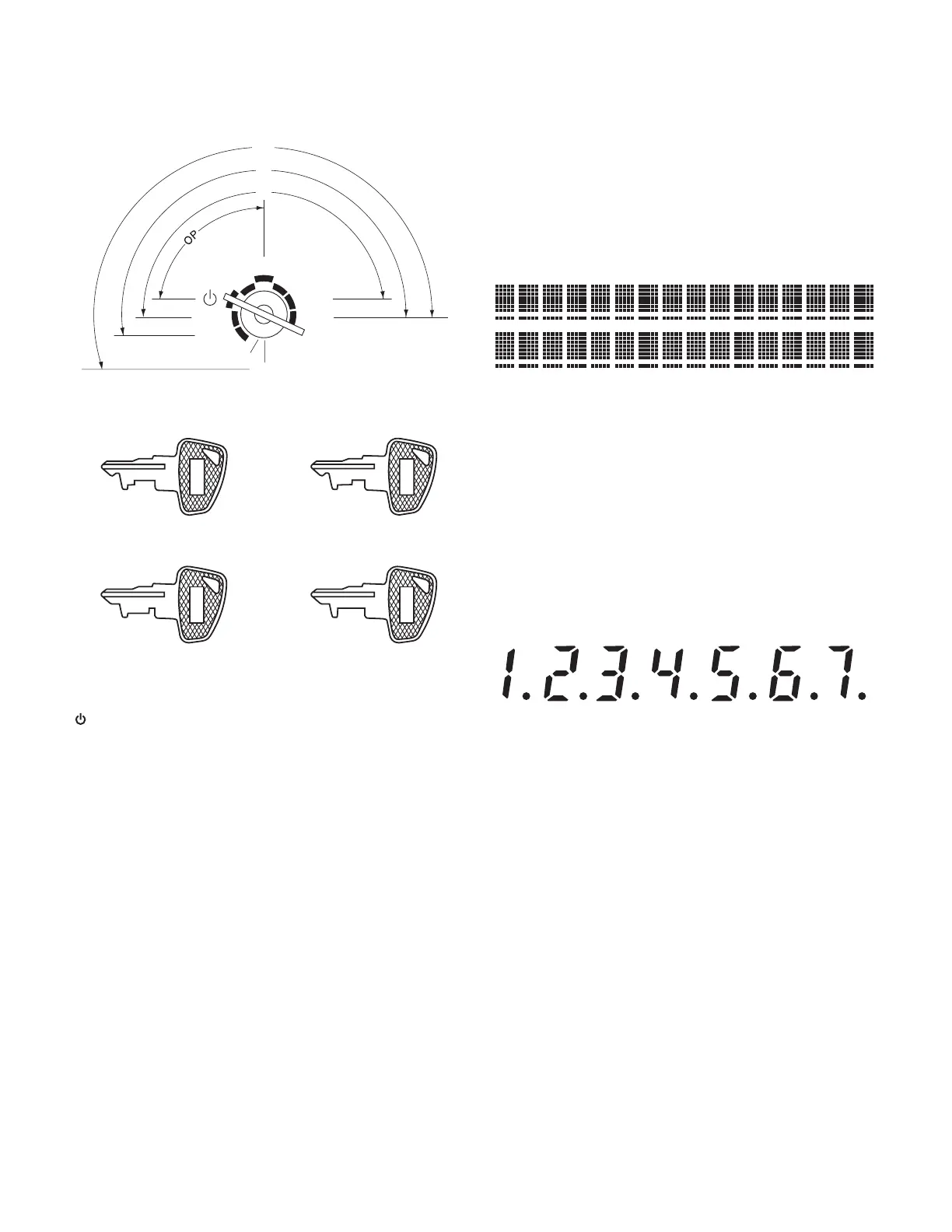
4. MODE SWITCH
4-1. MODE SWITCH AND MODE KEYS
The mode switch has these settings:
5. DISPLAY
5-1. OPERATOR DISPLAY
Layout:
5-2. CUSTOMER DISPLAY
Layout:
: This mode locks all register operations.
No change occurs to register data.
OP X/Z: This setting allows cashiers/clerks to take X or Z reports for
their sales information. (This setting may be used only when
your register has been programmed for “OP X/Z mode avail-
able” in the PGM2 mode.)
REG: For entering sales
PGM1: To program those items that need to be changed often: e.g.,
unit prices of departments, PLUs or EANs, and percentages
PGM2: To program all PGM1 items and those items that do not
require frequent changes: e.g., date, time, or a variety of reg-
ister functions
MGR: For manager’s and submanager’s entries
The manager can use this mode to make entries that are not
permitted to be made by cashiers -for example, after-transac-
tion voiding and override entry.
X1/Z1: To take the X/Z report for various daily totals
X2/Z2: To take the X/Z report for various periodic (weekly or monthly)
consolidation
REG
OP
X / Z
MGR
X
1
/Z
1
X
2
/Z
2
PGM
1
PGM
2
SRV
SRV'
SRV
MA
SM
MA
SM
SRV
• Manager key (MA)
• Submanager key (SM)
• Service key (SRV)
OP
• Operator key (OP)
Display device: LCD
Number of line: 2 line
Number of positions: 16 positions
Color of display: Yellow / Green
Character font: 5 x 7 dot
Character size: 4.84 (W) x 8.06 (H) mm
Display device: LED
Number of line: 1 line
Number of positions: 7 positions
Color of display: Yellow / Green
Style: Pop up type
Character form: 7 segment + Dp
Character size: 14.2mm (H) x 7.9mm (W)



 To Next Page