EasyManua.ls Logo

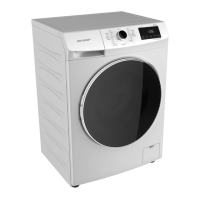
Sharp ES-FL77MS - User Manual

Sharp ES-FL77MS
19 pages
Print Icon
To Next Page IconTo Next Page
Loading...
Home Appliances
For Life
User Manual
Washing Machine
EN
Használati útmutató
MOSÓGÉP
HU
Návod k použití
Automatická pračka
CZ
Uporabniški priročnik
Pralni stroj
SI
Návod na použitie
Automatická práčka
SK
Upute za uporabu
Perilica rublja
HR
Käyttäjän ohjeet
Pyykinpesukone
FI
Laundry
Washing Machine
ES-FL77MS

Questions and Answers

  • M
    Mark FryeAug 15, 2025
    Why my Sharp Washer machine does not start?
    • C
      Charles MorseAug 15, 2025
      Your Sharp Washer might not start due to several reasons: it is not plugged in (plug it in); a fuse has blown (replace the fuses); there is an electricity cut-off (check mains power); the start/pause button was not pressed (press the start/pause button); the program dial is in the 'stop' position (switch the program button to the desired position); or the machine door is not completely closed (close the door).
  • J
    Jamie SmithAug 18, 2025
    What to do if my Sharp ES-FL77MS Washer machine does not intake water?
    • R
      Rachel JohnsonAug 18, 2025
      If your Sharp Washer isn't taking in water, it could be due to a few reasons. First, check if the water tap is turned off and turn it on. Also, inspect the water inlet hose for any twists and untwist it. Additionally, the water inlet hose or valve inlet filter might be clogged; clean these filters to resolve the issue. Finally, ensure the machine door is completely closed.
  • S
    Steven ThomasAug 21, 2025
    Why is my Sharp Washer machine vibrating so much?
    • M
      mirandabradyAug 21, 2025
      If your Sharp Washer is vibrating excessively, several factors could be the cause. Ensure the feet of your machine have been adjusted. Check that the safety stays fitted for transportation have been disassembled. Note that a less amount of laundry in the appliance will not block its operation. Avoid overloading your machine or unevenly distributing the laundry. Also, prevent your machine from resting on hard surfaces.
  • T
    tammytrevinoAug 25, 2025
    What to do if my Sharp Washer machine does not discharge water?
    • G
      gloverelizabethAug 25, 2025
      If your Sharp Washer isn't discharging water, check the discharging hose for clogs or twists, and clean or untwist it as necessary. Also, the pump filter might be clogged, so clean it. Ensure that laundry is spread evenly inside the machine.
  • E
    eholderAug 27, 2025
    Why is the spinning operation not performed or runs late in my Sharp ES-FL77MS?
    • K
      Kyle EwingAug 27, 2025
      If the spinning operation in your Sharp Washer is not performed or runs late, it may not be a fault. The unbalanced load control system might be activated, attempting to spread your laundries homogeneously. The wringing operation will begin after your laundry is spread. Place the laundry in the machine in a balanced fashion the next time.
  • K
    Kelly CookAug 30, 2025
    Why does my Sharp ES-FL77MS Washer machine have excessive foam in the detergent drawer?
    • R
      Robert CookAug 30, 2025
      Excessive foam in the detergent drawer of your Sharp Washer is usually due to using too much detergent or using the wrong type of detergent. To eliminate foam formation, mix a spoon of softener with half litres of water and pour the mixture in the detergent drawer. After 5-10 minutes, press on Start/Pause button again. In your next washing operation, adjust the detergent dose accordingly. Always use detergents specifically produced for automatic washing machines.
  • C
    campbellcharlesSep 2, 2025
    Why is the washing result unsatisfactory in my Sharp Washer?
    • S
      Sara ReedSep 2, 2025
      An unsatisfactory washing result from your Sharp Washer can stem from several issues: The contamination degree of your laundries does not match the programme you have chosen. Select the programme appropriate for the contamination degree of your laundries. You may have used insufficient detergent; adjust the amount based on the load size and soil level. Avoid overloading the machine. If you have hard water, adjust the detergent amount based on the detergent manufacturer's instructions. Ensure laundries are distributed evenly within the machine.
  • J
    Javier NguyenSep 5, 2025
    What to do if my Sharp ES-FL77MS discharges water as soon as it is loaded?
    • C
      Christopher OrozcoSep 5, 2025
      If your Sharp Washer discharges water immediately after being loaded, it's likely that the end of the water discharging hose is too low. To fix this, set the water discharging hose at an appropriate height.
  • C
    Christopher HensonSep 8, 2025
    Why do laundries have detergent residues on them after washing in my Sharp ES-FL77MS Washer?
    • S
      stricklandwilliamSep 9, 2025
      If your laundries have detergent residues after washing in your Sharp Washer, it could be due to non-dissolving particles of some detergents sticking to them as white spots. To resolve this, perform an extra rinsing cycle by setting your machine to the 'Rinsing' program, or clean the spots using a brush after your laundries dry.
  • C
    Christopher CarterSep 12, 2025
    Why do grey spots appear on the laundries after washing in my Sharp ES-FL77MS Washer?
    • J
      John SmithSep 12, 2025
      If grey spots appear on laundries after washing in your Sharp Washer, the cause may be oil, cream, or ointment. To address this, apply the maximum amount of detergent instructed by the detergent manufacturer in the next washing operation.

Summary

Before Using the Appliance

Safety Warnings

Crucial safety advice for operating the washing machine, covering voltage, current, pressure, power, and capacity.

Danger of Getting Burnt

Warnings about touching hot parts like the discharging hose and water during operation.

Electrical Current Death Risk

Precautions regarding electrical safety, including plugs, cords, and wet hands.

Flooding Risk

Advice on preventing water spills and ensuring proper hose placement during discharge.

Fire Danger

Warnings about keeping flammable liquids away and avoiding certain cleaning agents.

Fall and Injury Hazard

Precautions against climbing on the machine, tripping over cables, and improper lifting.

Child Safety

Guidelines for keeping children safe around the appliance, including supervision and keeping materials away.

General Warnings

General advice on ambient temperature, frozen hoses, foreign substances, initial wash, and long-term storage.

General Warnings Continued

Covers safe handling of packaging, appliance operation, maintenance, and installation guidelines for domestic use.

Usage and Maintenance Precautions

Advice on using the machine for specified laundries, removing transportation screws, warranty exclusions, and keeping the manual.

Technical Specifications Overview

General Appearance Overview

Installation Guide

Remove Transportation Safety Screws

Step-by-step guide on how to remove transportation safety screws before first use.

Adjusting Adjustable Stays

Instructions for leveling the machine using adjustable feet for stable and quiet operation.

Adjusting Stays Details

Further details on adjusting machine stays and avoiding unstable placement materials.

Electrical Connection

Guidelines for safely connecting the washing machine to the power supply, including voltage and grounding.

Water Inlet and Discharge Hose Connection

Instructions for connecting water inlet hoses and the water discharge hose to the machine.

Control Panel Introduction

Control Panel Sections Description

Detailed explanation of the detergent drawer compartments and their usage.

Programme Knob Operation

How to use the programme knob to select and operate washing cycles.

Electronic Display Guide

Explanation of the symbols, indicators, and information displayed on the electronic screen.

Laundry Preparation

Separating Laundries

Guidance on sorting laundry by type, color, temperature, and contamination level for optimal washing.

Adding Detergent

Instructions on how to correctly add detergent, softener, and other agents to the correct compartments.

Operating Your Washing Machine

Auxiliary Functions

Explanation of how to select and use additional washing features like delay start, temperature, easy ironing, and anti-allergic.

Delay Timer

How to set a delayed start for the washing cycle.

Temperature Selection

How to adjust the washing water temperature for different cycles.

Easy Ironing Feature

Using the easy ironing feature to reduce wrinkles.

Anti-Allergic Feature

Activating the anti-allergic function for an extra rinse.

Start;Pause Button

Functionality of the start/pause button to begin or suspend operations.

Child Lock Feature

How to activate and deactivate the child lock feature to prevent accidental changes.

Cancelling Programme

Steps to cancel a running washing program.

Finishing Programme

What happens when a program finishes and how to unload laundry.

Washing Program Table

Program Table Details

Continues the program table with more wash cycles and their specific uses.

Machine Maintenance and Cleaning

Water Inlet Filters Maintenance

How to clean and maintain the water inlet filters to prevent blockages and ensure water flow.

Pump Filter Maintenance

Guide on cleaning the pump filter to remove lint and foreign objects, preventing pump damage.

Detergent Drawer Cleaning

How to remove and clean the detergent drawer to prevent residue buildup.

Component Maintenance (Flush Stopper, Body, Drum)

Flush Stopper Cleaning

Instructions for disassembling and cleaning the flush stopper.

Body Cleaning

How to clean the exterior body of the washing machine.

Drum Cleaning

Advice on cleaning the drum to prevent rust stains from metallic objects.

Troubleshooting Common Issues

Machine Does Not Start

Possible causes and troubleshooting steps when the washing machine fails to start.

Machine Does Not Intake Water

Solutions for issues where the machine is not filling with water.

Machine Does Not Discharge Water

Troubleshooting steps for when the washing machine fails to drain water.

Machine Vibrates

Causes and solutions for excessive vibration during operation.

Excessive Foam in Detergent Drawer

How to address and prevent excessive foam formation in the detergent drawer.

Unsatisfactory Washing Result

Tips for improving washing performance and addressing poor cleaning results.

Water Discharges When Loaded

Diagnosing and fixing issues where water leaks when the machine is loaded.

No Water in Drum During Washing

Steps to resolve situations where no water appears in the drum during wash cycles.

Detergent Residues on Laundries

How to prevent or remove residual detergent from laundry after washing.

Grey Spots on Laundries

Identifying the cause and removing grey spots from laundry.

Spinning Operation Issues

Troubleshooting problems related to the spinning cycle or its delay.

Automatic Fault Warnings and Solutions

E01: Door Open Fault

How to resolve the E01 error code indicating the door is not properly closed.

E02: Water Level Fault

Steps to fix the E02 error code related to low water pressure or level.

E03: Pump or Filter Fault

Resolving the E03 error code associated with pump or filter issues.

E04: Excessive Water

Actions to take for the E04 error code, indicating excessive water in the machine.

Disposal of Old Machine

Sharp ES-FL77MS Specifications

General IconGeneral
TypeFront Load
Capacity7 kg
Energy RatingA
Water Level SelectionYes
Voltage220-240 V
Frequency50 Hz

Related product manuals