EasyManua.ls Logo

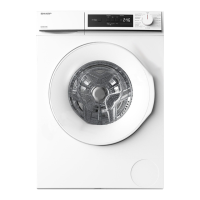
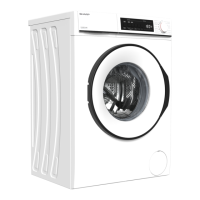
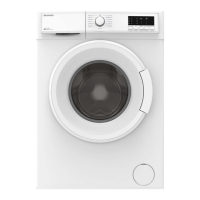
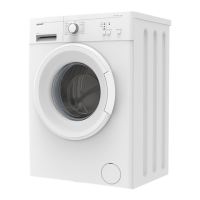
Sharp ES-FW70EW - User Manual

Sharp ES-FW70EW
34 pages
Print Icon
To Next Page IconTo Next Page
Loading...
Operation manual of front load washing machine
Operation manual
Thank you for purchasing our product.
Please read this manual carefully before use.
Please read "Safety precautions"carefully
before use.
Please keep this manual in a safe place.
Our product is specially designed for household
use only.
WASHING MACHINE
Table of contents Page
● Safety precautions
● Installation
Parts
Product specifications
Installation requirements
Unpacking the washing machine
Removing the shipping bolts
Adjusting the adjustable feet
Water inlet installation
Positioning the drain hose
● Before using the washing machine
I
nspection and preparation before washing
Using methods of detergents and additives
● Operations
Control panel
 Simple steps to start
 Program overview
 Available options list
 Function buttons
Icons
 Setting mode
● Maintaining the washing machine
Cleaning the detergent dispenser
Cleaning the enclosure
Drum clean
Cleaning the drain pump filter
Cleaning the water supply valve filter
Handling a frozen washing machine
Storing the washing machine
● Troubleshooting
Problems and solutions
Error messages description
1
6
6
7
8
10
11
12
13
14
15
15
17
18
18
19
19
21
22
22
23
24
24
24
25
25
27
28
28
29
29
32
ES-FW105SG
ES-FW85SG
ES-FW70EW
EC_2

Questions and Answers

  • A
    andersonrobertSep 9, 2025
    What to do if the buttons on my Sharp Washer don't respond?
    • B
      Brian MirandaSep 9, 2025
      If the buttons on your Sharp Washer aren't responding, ensure the control panel is clean by wiping off any water or dirt with a soft cloth and removing any stickers or tapes. Touch the panel directly with your finger, as operating with gloves, bandages, nails, or other sharp objects may not work. Press the center of the button and do not take your finger off the button immediately. Ensure multiple buttons aren't being pressed simultaneously.
  • B
    Barbara HardyAug 23, 2025
    What to do if my Sharp Washer does not drain and/or spin?
    • P
      Patricia GuerraAug 23, 2025
      If your Sharp Washer isn't draining or spinning, make sure the drain hose is fully straightened. If there's a drain restriction, consider calling for service. Ensure the drain pump filter isn't clogged. Close the door and press Start/Pause, as the washer won't tumble or spin unless the door is closed. Also, check that the drain hose isn't frozen or clogged and is correctly connected to a drain system that isn't clogged. If the washing machine does not have sufficient power, the washing machine temporarily will not drain or spin, until it regains sufficient power and operates normally.
  • J
    Jillian MartinAug 25, 2025
    What to do if the door of my Sharp Washer won't open?
    • D
      Diane BoydAug 25, 2025
      If your Sharp Washer door won't open, press Start/Pause to stop the washing machine. It may take a few moments for the door lock mechanism to disengage. Ensure all water in the drum is drained. If water remains, drain the drum manually. Make sure the door lock light is off, as it turns off after the washing machine has drained. Check if the washing machine is in cooling, and the door lock cannot be opened until the cooling is over. Check if the washing machine is in working, and the door lock cannot be opened until the motor stop.
  • J
    Jose ParkerAug 26, 2025
    Why is the spin time extended or spin speed low on my Sharp ES-FW70EW Washer?
    • P
      pamela68Aug 27, 2025
      If the spin time is extended or the spin speed is low in your Sharp Washer, it could be due to the Fuzzy control inspecting the balance during spinning. To protect the machine, it will expend the spinning time or reduce speed to keep the clothes balanced, or spin in a lower speed if the clothes are unbalanced. Also, when there are excessive foams, the time on the display will cease for a spell, meanwhile the machine is eliminating the foams rather than fault, and the machine will automatically return to normal program if finished.
  • D
    David PrestonAug 27, 2025
    How to reduce vibration and noise in my Sharp ES-FW70EW?
    • T
      Tracy HoldenAug 28, 2025
      If your Sharp Washer is vibrating excessively or is too noisy, check if it's placed on an uneven surface and adjust the adjustable feet to level it. Ensure the shipping bolts have been removed. Make sure the washing machine isn't touching any other objects. Check if the laundry load is balanced inside the inner drum.
  • D
    David DanielsAug 29, 2025
    Why is my Sharp ES-FW70EW leaking water?
    • W
      Wyatt GonzalesAug 29, 2025
      If your Sharp Washer is leaking water, ensure the door is properly closed and all hose connections are tight. Make sure the end of the drain hose is correctly inserted and secured to the drain system. Avoid overloading the machine and use “low foam” detergent to prevent oversudsing.
  • D
    Debbie KaufmanSep 18, 2025
    What causes the imbalance alarm on my Sharp Washer?
    • V
      Veronica MckinneySep 18, 2025
      To address an imbalance alarm on your Sharp Washer: ? The clothes have too large eccentricity or get tangled; arrange them in order and put them in the drum. ? Add more clothes for washing.
  • C
    cthompsonSep 18, 2025
    What should I do if there is a possibility of malfunction in my Sharp Washer?
    • R
      rebeccastephensSep 22, 2025
      If there is a possibility of malfunction in your Sharp Washer: ? Turn off power and pull out power plug.After waiting for 1 minute?plug the power plug?turn the washing machine on.
  • K
    Kyle MorganSep 7, 2025
    How do I troubleshoot abnormal draining in my Sharp ES-FW70EW Washer?
    • M
      Micheal ShieldsSep 8, 2025
      To fix abnormal draining in your Sharp Washer: ? Check whether the drain hose is clogged. ? Clean the filter cover of drainage pump. ? Check whether the drain hose is installed correctly.
  • R
    rebeccaperezSep 4, 2025
    How to fix 18:88 error on my Sharp ES-FW70EW?
    • W
      wayneandersonSep 4, 2025
      To address the 18:88 indication on the display of your Sharp Washer when it's turned on, hold the PROGRAM and Power buttons simultaneously for 3 seconds while 18:88 is displayed.

Summary

Safety Precautions

Important Safety Symbols and Precautions

Meanings of icons and symbols used in the manual for safety awareness.

General Precautions About This Product

General safety guidelines for using the washing machine, covering user responsibility and potential hazards.

Precautions About Installation

Safety measures to follow during the installation process of the washing machine.

Precautions About Operation

Safety advice for operating the washing machine, covering user actions and potential hazards.

Installation

Installation Requirements

Essential requirements for setting up the washing machine, including power and water.

Power Supply

Specifics regarding the electrical power supply requirements for safe operation.

Water Supply

Details on connecting the water supply, including pressure and faucet requirements.

Removing the Shipping Bolts

Procedure for removing shipping bolts to prepare the machine for use.

Before Using the Washing Machine

Inspection and Preparation Before Washing

Steps for inspecting laundry and preparing it for washing.

Operations

Troubleshooting

Problems and Solutions

Common issues encountered with the washing machine and their respective solutions.

Error Messages Description

Explanation of error codes displayed on the machine and troubleshooting steps.

Sharp ES-FW70EW Specifications

General IconGeneral
BrandSharp
ModelES-FW70EW
CategoryWasher
LanguageEnglish

Related product manuals