EasyManua.ls Logo

Sharp JC-AV1 - Page 8

Sharp JC-AV1
11 pages
Print Icon
To Next Page IconTo Next Page
To Previous Page IconTo Previous Page
Loading...
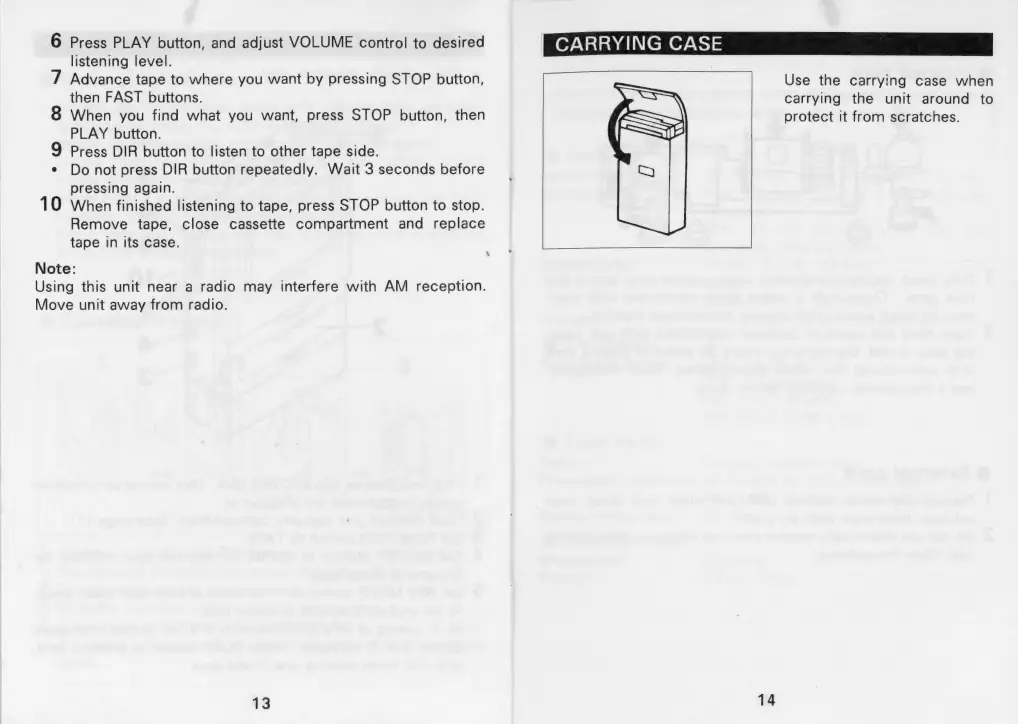
6
Press
PLAY
button,
and
adjust
VOLUME
control
to
desired
listening
level.
7
Advance
tape
to
where
you
want
by
pressing
STOP
button,
10
then
FAST
buttons.
When
you
find
what
you
want,
press
STOP
button,
then
PLAY
button.
Press
DIR
button
to
listen
to
other
tape
side.
Do
not
press
DIR
button
repeatedly.
Wait
3
seconds
before
pressing
again.
When
finished
listening
to
tape,
press
STOP
button
to
stop.
Remove
tape,
close
cassette
compartment
and
replace
tape
in
its
case.
Note:
Using
this
unit
near
a
radio
may
interfere
with
AM
reception.
Move
unit
away
from
radio.
13
1
CARRYING
CASE
Use
the
carrying
case
when
carrying
the
unit
around
to
protect
it
from
scratches.
14

Related product manuals