EasyManua.ls Logo

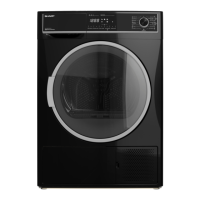
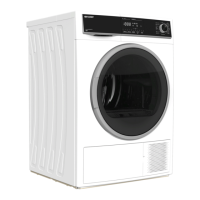
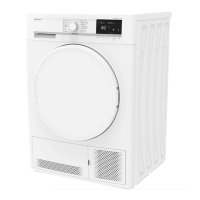
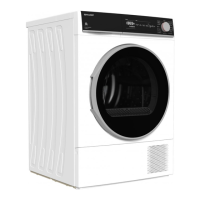
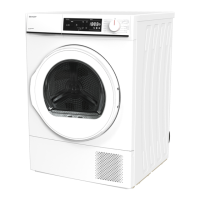
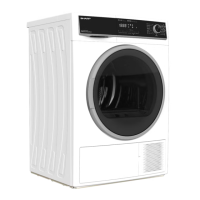
Sharp KD-HD9S7GW-W - User Manual

Sharp KD-HD9S7GW-W
31 pages
Print Icon
To Next Page IconTo Next Page
Loading...
Home Appliances
User Manual
EN
KD-HD9S7GW-W
Tumble Dryer

Questions and Answers

  • J
    Joshua AlvarezAug 14, 2025
    Why does my Sharp KD-HD9S7GW-W take so long to dry?
    • V
      vanessapetersAug 14, 2025
      Several factors can cause long drying times with your Sharp Dryer. The lint filter, heat exchanger, or humidity sensor might be clogged and need cleaning. Make sure the ventilation grills aren't blocked to prevent the room temperature from rising too much. Avoid overloading the dryer and select a higher spin speed on your washing machine to ensure laundry is sufficiently spun before drying. Washing the lint filter with lukewarm water, cleaning the heat exchanger and humidity sensor may resolve the issue.
  • J
    John NunezAug 18, 2025
    What to do if my Sharp KD-HD9S7GW-W Dryer won't start?
    • T
      Timothy MillerAug 18, 2025
      If your Sharp Dryer won't start, first, ensure it's properly plugged into the socket and that the loading door is fully closed. Check that you've set a programme and that the dryer isn't in Standby (Pause) mode. Also, verify whether the Child lock is active and deactivate it, if so. If there was a power failure, press the Start/Pause key to start the programme.
  • J
    jessicawaltersAug 21, 2025
    Why is my laundry still damp after using my Sharp KD-HD9S7GW-W Dryer?
    • J
      Jessica AnthonyAug 21, 2025
      If your laundry is still damp after a drying cycle in your Sharp Dryer, it could be due to several reasons. Remember that laundry that comes out hot may feel more humid. Ensure that the programme you selected is appropriate for the type of laundry you're drying; check the care labels and consider using the time programmes. A clogged lint filter or heat exchanger can also cause this issue, so wash the filter with lukewarm water and clean the heat exchanger. Avoid overloading the dryer, and ensure your laundry is adequately spun in the washing machine by selecting a higher spin speed.
  • K
    Kathryn OrtegaAug 25, 2025
    What does the water tank warning symbol mean on my Sharp Dryer?
    • I
      ihurstAug 25, 2025
      If the water tank warning symbol is on or flashing on your Sharp Dryer, the water tank might be full, so empty it. Also, if the product is connected directly to the water outlet, check the water discharge hose to ensure it is not bent.
  • W
    wsimpsonAug 28, 2025
    How to fix the filter cleaning warning symbol on Sharp Dryer?
    • S
      Sharon EdwardsAug 28, 2025
      If the filter cleaning warning symbol is illuminated on your Sharp Dryer, clean the filter. The filter seat might also be clogged by lint, so clean the filter seat as well. Additionally, a layer of obstruction might have formed on the surface of the lint filter; in this case, wash the filter with lukewarm water.
  • J
    Jonathan VelezAug 31, 2025
    Why are my clothes shrinking in my Sharp Dryer?
    • B
      billysnyderAug 31, 2025
      If your clothes have shrunk, felted, or deteriorated after drying in your Sharp Dryer, the programme used might not be suitable for the type of laundry. Check the care labels on your laundry items and select a suitable programme.
  • Y
    ykirkSep 3, 2025
    What does the heat exchanger cleaning warning symbol mean on my Sharp Dryer?
    • S
      Sergio WatsonSep 3, 2025
      If the heat exchanger cleaning warning symbol is on for your Sharp Dryer, clean the heat exchanger.
  • M
    Michael DavisSep 7, 2025
    Why is my Sharp Dryer leaking water from the loading door?
    • N
      nicholas00Sep 7, 2025
      If you notice water leaking from the loading door of your Sharp Dryer, there might be lint accumulated on the inner surfaces of the loading door and on the surfaces of the gasket of the loading door. Clean these surfaces to resolve the issue.
  • S
    Stephen BrennanSep 10, 2025
    Why does the loading door on my Sharp KD-HD9S7GW-W Dryer open by itself?
    • J
      Joseph GutierrezSep 10, 2025
      If the loading door of your Sharp Dryer opens on its own, it might not be closed properly. Push the loading door until you hear the closing sound.

Summary

Primary Considerations

Disposing the Old Product

Safety Instructions

Electrical Safety

Details electrical connections and safety measures to prevent shocks.

Childrens Safety

Guidelines to prevent children from appliance-related hazards.

Product Safety

Lists items and conditions to avoid for safe drying and product integrity.

Correct Use and Operation

Operating guidelines for optimal performance and safety.

Installation on Washing Machine

Instructions for safely stacking the dryer on a washing machine.

Installation

Water Outlet Connection

Connects the dryer to a water outlet for drainage.

Adjusting the Feet

Level the dryer using adjustable feet for stability.

Electrical Connection

Connects the dryer safely to the power supply.

Under Counter Installation

Requirements for installing the dryer beneath a worktop.

Overview and Components

Preparing the Laundry

Sorting Laundry for Drying

Sort clothes by care labels and fabric types for optimal drying.

Preparing Laundry for Drying

Prepare laundry by removing pocket items and securing fasteners.

Load Capacity Guidelines

Maximum laundry weight capacity for the dryer.

Using the Tumble Dryer

Control Panel Overview

Explains the dryer's control panel and its buttons.

Electronic Indicators and Functions

Details display symbols, warning lights, and functions.

Programme Selection and Consumption

Drying programmes, settings, and energy consumption details.

Auxiliary Functions Explained

Explains options like Drying Level, Anti-Crease, Delay Timer, Child Lock.

Starting and Running Programmes

Starts drying programmes and provides general operation guidelines.

Programme Progress and End

Monitor programme progress and end-of-cycle actions.

Drum Light Information

Information on the automatic drum light feature.

Cleaning and Care

Cleaning the Lint Filters

Clean lint filters after each use with this guide.

Emptying the Water Tank

Remove and empty the water tank following these steps.

Cleaning the Heat Exchanger

Clean the heat exchanger for optimal performance.

Cleaning the Humidity Sensor

Clean humidity sensors for accurate drying.

Cleaning the Loading Door

Clean the inside of the loading door and gasket.

Technical Specifications

Troubleshooting

Automatic Fault Warnings

Service and Support

Sharp KD-HD9S7GW-W Specifications

General IconGeneral
BrandSharp
ModelKD-HD9S7GW-W
CategoryDryer
LanguageEnglish

Related product manuals