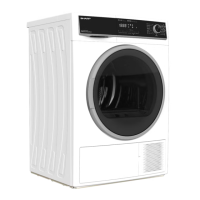
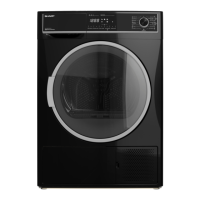
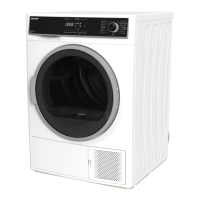
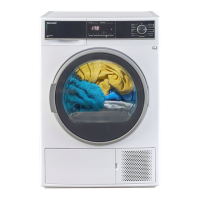
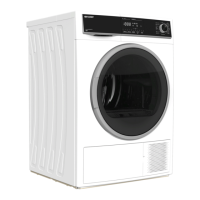
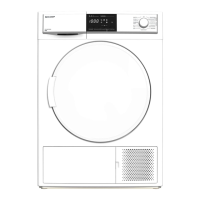
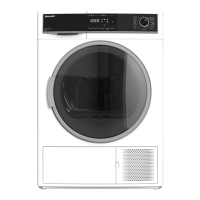
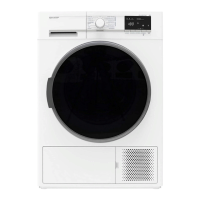
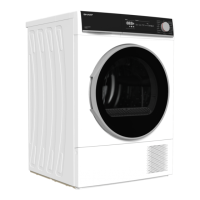
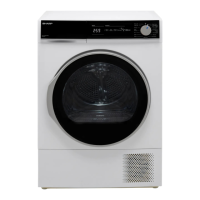
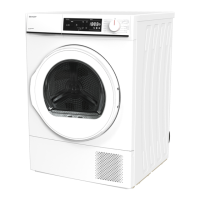
This document is an operation manual for SHARP Heat Pump Dryers, specifically models KD-HT9JP-G and KD-HT10JP-G. It provides comprehensive instructions for installation, operation, maintenance, and troubleshooting.
Function Description:
The device is a heat pump dryer designed for drying clothes. It utilizes a heat pump system, which is generally more energy-efficient than conventional dryers. The dryer offers various drying programs tailored to different fabric types and drying needs, including Mix, Cotton, Synthetic, Down, Hygiene, Quick, Baby Care, Bedding, Warm Air, and Cool Air. It features a control panel with keys for Power, Start/Pause, Delay, Dry Level (with anti-crease option), Time (with buzzer mute option), and Program (with child lock function). The display screen shows remaining time, delay time, and error codes, along with icons for "Empty Water Container" and "Clean the filter," prompting user action when necessary.
Important Technical Specifications:
The manual provides specifications for both KD-HT9JP-G and KD-HT10JP-G models:
- Rated voltage: 220V-240V~ for both models.
- Rated frequency: 50Hz for both models.
- Rated Power: 680W for both models.
- Operating ambient temperature: 5~35°C for both models.
- Rated dry clothing capacity: 9.0kg for KD-HT9JP-G and 10.0kg for KD-HT10JP-G.
- Net weight: 50kg for both models.
- Dimensions (W x D x H): 850 x 598 x 660mm for both models.
- Refrigerant: R134a for both models.
- Quantity of refrigerant: 310g for both models.
The dryer requires a three-core socket with fuses or circuit breakers for 220V-240V~, 50Hz, 15A. It must be installed on a hard, flat, level floor to prevent abnormal vibration and noise.
Usage Features:
The dryer is designed for ease of use with clear steps:
- Plug in the power plug.
- Open the door and put in clothes.
- Close the door.
- Select the program.
- Press Start/Pause.
- Take out the clothes.
- Pull off power plug.
- Clean the filter and empty the Water container.
Key operational features include:
- Power Management: The power key switches the power supply. If left idle for 5 minutes, the power automatically switches off. A 3-second press turns the machine off.
- Delay Start: Drying time can be delayed. Set the delay time in standby state.
- Dry Level: Options include "very," "normal," and "iron."
- Anti-crease Function: Pressing the Dry Level key for 3 seconds activates or deactivates anti-crease, indicated by a light.
- Program Duration Adjustment: For Warm Air and Cool Air programs, the duration can be adjusted using the Time key.
- Buzzer Mute: The buzzer function can be turned on or off by pressing the Time key for 3 seconds.
- Child Lock: During operation, pressing the Program key for 3 seconds activates child lock, disabling all keys except the power key to prevent accidental changes to the drying program.
- Drying Program Selection: Users should confirm laundry labels and select the recommended drying mode. Clothes should be classified by type, size, color, and material. New towels or synthetic fibers should be dried separately. Clothes with zippers or buttons should be flipped, zippers pulled, and buttons fastened to reduce noise.
- Pre-use Confirmation: Ensure the power plug is in, the drain hose is properly installed, and the dryer is placed horizontally.
- Safety Symbols: The manual uses symbols to indicate "Drying," "Standard Dry Clothes," "Do not use clothes dryer," "Spread dry clothes evenly," "Non-drying," "Dry in the shade," "Dry cleaning (available in various solvents)," and "Non-dry cleaning (with gasoline, pure alcohol)."
Maintenance Features:
Regular maintenance is crucial for optimal performance and longevity:
- Unplugging: Always unplug the power supply before servicing or cleaning.
- Cleaning the Dryer:
- Do not use volatile substances like diluents, gasoline, or bleach, as they can cause discoloration or damage.
- Do not use synthetic or benzene-containing detergents.
- Do not sprinkle water directly on the machine surface to avoid electric shock or product failure.
- Clean the top of the dryer with a wet cleaning cloth, avoiding detergent. For general cleaning, spray mild detergent on a clean cloth and wipe.
- Empty Water Container:
- Empty the water container after each use.
- If the "Empty Water Container" icon flashes and the dryer pauses, empty the container and press Start.
- Use both hands to pull out and reinsert the container.
- Do not drink condensate water.
- Clean the Filter:
- Clean the filter before and after each use to reduce drying time and save energy.
- Open the door, pull out the external filter, then the internal filter.
- Clean both filters with a brush and wash with clean water.
- Ensure the dried filter is assembled correctly, paying attention to the direction.
- Do not use the dryer without filters.
- Clean Heat Exchanger:
- Recommended monthly cleaning.
- Open the heat exchanger cover by pressing and pulling it outward.
- Rotate the two locking fasteners.
- Pull out the handle.
- Clean the surface of the heat exchanger with a brush.
- Caution: The surface of the heat exchanger is sharp; wear protective gloves. Do not clean directly by hand. Do not exert pressure on the fins to avoid deformation. Do not sprinkle water directly.
- Cooling Air Inlet Cleaning:
- Clean dust accumulated at the front air inlet with a wet cloth to prevent abnormal operation or fire.
- Humidity Sensor Cleaning:
- Clean the sensor surface periodically with a soft cloth to ensure good drying effect. Dust buildup can interfere with drying and increase drying time.
- Door Cleaning:
- Clean any dust or fluff accumulated inside the door with a soft cloth and brush.
- Caution: Do not remove rubber from the door.
- Freezing Treatment (in winter):
- If the temperature is below 0°C and the dryer freezes, an "oF" error and "empty water container" prompt will appear.
- Drain Hose Treatment: Place a hot towel on the drain hose. Clean residual water from the pipe after use to prevent freezing.
- Water Container Treatment: Place the water container in warm water.
- Caution: Condensate water in the hose freezing due to low temperatures can cause product failure.
Troubleshooting:
The manual includes a troubleshooting section for common issues, with error codes and resolutions:
- "oF" (Water container full/condensate water frozen/drainage pump improper operation): Empty water container and restart. Refer to Winter Freezing Treatment if applicable. Contact after-sales service if persistent.
- "dE" (Motor abnormity alarm): Unplug and wait before restarting. Contact after-sales service if persistent.
- "cE" (Motor communication failure): Unplug and wait before restarting. Contact after-sales service if persistent.
- "Ed" (Compressor exhaust pipe temperature sensor error): Unplug and wait before restarting. Contact after-sales service if persistent.
- "Ec" (Condenser exhaust pipe temperature sensor error): Unplug and wait before restarting. Contact after-sales service if persistent.
- "HE" (Drying heating abnormality): No specific resolution provided, implies contacting service.
- "FF" (Filter blockage or motor failure): Clean the filter and restart. Contact after-sales service if persistent.
- "dO" (Door open during operation): Close the door and restart. Reduce clothes amount if overloaded. Contact after-sales service if persistent.
- "EF" (Abnormality of ambient temperature): If below 0°C, move to 5~35°C environment. Contact after-sales service if persistent.
General troubleshooting tips cover issues like:
- Dryer not working: Check power plug, circuit breaker/fuse, door closure, press Start, empty water container, clean filter.
- No heating: Check circuit breaker/fuse, clean filters/heat exchangers, choose a heat program (not Cool Air).
- Drying time too long: Select correct program, do not overload, clean heat exchanger, ensure proper environment/ventilation, clean filter.
- Noise: Remove objects from drum, ensure dryer is horizontal. A hairdryer-like buzz is normal.
- Distortion of clothes: Check wash/dry labels, some clothes may not dry properly.
- Lint on clothes: Clean filter before use, dry lint-prone clothes separately, ensure pockets are empty.
- Clothes wrinkled: Select correct program, reduce clothes amount.
- Unevenly/residual moisture: Reduce clothes amount, use Warm Air program again, dry clothes of similar thickness together.
- Has a smell: Ventilate if strong detergents, paints, or varnishes are in the air.


 To Next Page
 General