EasyManua.ls Logo

Sharp LC-32DH77E - Service Manual

Sharp LC-32DH77E
76 pages
Print Icon
To Next Page IconTo Next Page
Loading...
SERVICE MANUAL
Parts marked with " " are important for maintaining the safety of the set. Be sure to replace these parts with specified ones for maintaining the
safety and performance of the set.
This document has been published to be used for
after sales service only.
The contents are subject to change without notice.
OUTLINE AND LIST OF CHANGED PARTS
OUTLINE.............................................................i
LIST OF CHANGED PARTS
(LC-32DH77E/RU/S)..........................................ii
LIST OF CHANGED PARTS
(LC-42DH77E/RU/S)..........................................ii
LIST OF CHANGED PARTS
(LC-46DH77E/RU/S)..........................................ii
SAFETY PRECAUTION
IMPORTANT SERVICE SAFETY PRE-
CAUTION .......................................................... iii
Precautions for using lead-free solder ..............iv
End of life disposal .............................................v
CHAPTER 1. OPERATION MANUAL
[1] SPECIFICATIONS ......................................... 1-1
CHAPTER 2. REMOVING OF MAJOR PARTS
(LC-32DH77E/RU/S ONLY)
[1] REMOVING OF MAJOR PARTS ................... 2-1
CHAPTER 3. ADJUSTMENT PROCEDURE
[1] ADJUSTMENT PROCEDURE ....................... 3-1
CHAPTER 4. BLOCK DIAGRAM/WIRING DIAGRAM
[1] MAIN BLOCK DIAGRAM...............................4-1
[2] SYSTEM BLOCK DIAGRAM
(LC-32DH77E/RU/S) .....................................4-2
[3] SYSTEM BLOCK DIAGRAM
(LC-42/46DH77E/RU/S) ................................4-3
[4] OVERALL WIRING DIAGRAM
(LC-32DH77E/RU/S) .....................................4-4
[5] OVERALL WIRING DIAGRAM
(LC-42DH77E/RU/S) .....................................4-5
[6] OVERALL WIRING DIAGRAM
(LC-46DH77E/RU/S) .....................................4-6
CHAPTER 5. PRINTED WIRING BOARD
[1] MAIN UNIT PRINTED WIRING BOARD........5-1
CHAPTER 6. SCHEMATIC DIAGRAM
[1] DESCRIPTION OF SCHEMATIC DIA-
GRAM............................................................6-1
[2] SCHEMATIC DIAGRAM ................................6-2
Parts Guide
TopPage
CONTENTS
CONTENTS
In the interests of user-safety (Required by safety regulations in some countries) the set should be restored to its original condition
and only parts identical to those specified should be used.
OUTLINE
LC-32/42/46DH77E/RU/S
This Service Manual covers the differences from LC-32DH77E/RU/S, LC-42/46DH77E/RU/S/V. For other technical information, refer
to the LC-32DH77E/RU/S (No. S19V4LC32D77E) Service Manual and LC-42/46DH77E/RU/S/V (No. S19W3LC42DH77) Service
Manual.
For LED Unit and KEY Unit, refer to the Service Manual for LC-52DH77E/RU/S (No. S49Z2LC52DH77E).
The previous models and the new model can be identified with the following markings.
The C character is added at the end of the model name on the model label.
The C character is also added at the end of the model name on the number label (barcode label) of the packing case.
The serial product numbers are 90511112 (LC-32DH77E/RU/S), 90511112 (LC-42DH77E/RU/S), 90611112 (LC-46DH77E/RU/S)
and on.
SUPPLEMENT
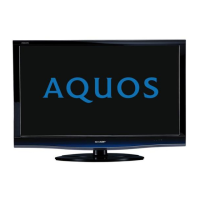
LCD COLOUR TELEVISION
MODELS
LC-32DH77E/RU/S
LC-42DH77E/RU/S
LC-46DH77E/RU/S
No. S59Z5LC32D77C

Other manuals for Sharp LC-32DH77E

Questions and Answers

  • A
    andrerobinsonSep 10, 2025
    Why does my Sharp Lcd colour television suddenly turn off?
    • L
      lindsaywilliamsSep 10, 2025
      The TV may be turning off due to several reasons. It's possible the TV's internal temperature has increased; in this case, remove any obstructions blocking the vents or clean them. Check if the “Sleep Timer” is active and set it to “Off” if needed. Also, verify if either “No Signal Off” or “No Operation Off” is activated.
  • K
    Kelly SandersAug 22, 2025
    What to do if my Sharp LCD TV has no sound?
    • G
      Gregory McdonaldAug 22, 2025
      If your Sharp LCD TV displays no sound, first ensure that the volume isn't too low and that headphones are disconnected. Also, check if you accidentally pressed the mute button on the remote. If you're connecting devices to the HDMI2 or EXT4 terminal, verify that the correct item is selected in the 'PC Audio Select' menu.
  • S
    Sean AdamsAug 25, 2025
    What to do if my Sharp LC-32DH77E LCD TV has no picture?
    • S
      Stacy HallAug 25, 2025
      If your Sharp LCD TV shows no picture, ensure that all connections to external equipment are correct. Verify that the input signal type is correctly selected after making the connections. Confirm that you've selected the correct input source. Check if a non-compatible signal is being input. Also, ensure the picture adjustment is correct, the antenna is properly connected, and 'On' is not selected in 'Audio Only'.
  • R
    Richard SmithAug 27, 2025
    Why does my Sharp LC-32DH77E remote control not operate?
    • A
      alexander29Aug 27, 2025
      If the remote control for your Sharp LCD TV isn't working, check if the batteries are inserted correctly, aligning the polarity (+, -). If the batteries are old, replace them with new ones. Also, strong or fluorescent lighting may interfere with the remote's operation, especially if a fluorescent light is shining on the remote control sensor.
  • V
    Vanessa MorrisAug 27, 2025
    How to fix a Sharp LC-32DH77E with no power?
    • T
      Todd CookAug 28, 2025
      If your Sharp LCD TV is not getting power, first check if you have pressed the power button on the remote control. If the indicator light on the TV lights up red, press the power button on the TV itself. Also, verify that the AC cord is properly connected.
  • D
    Daniel CollinsAug 29, 2025
    How to fix a cut off picture on Sharp LCD TV?
    • J
      Jeffery HollowayAug 29, 2025
      If the picture on your Sharp LCD TV appears cut off, check if the image position is correct. Also, review your screen mode adjustments (WIDE MODE) settings to ensure the picture size is set correctly.
  • C
    Christopher WashingtonSep 18, 2025
    Why does my Sharp Lcd colour television sometimes make a cracking sound?
    • C
      christopherbeckerSep 18, 2025
      This sound is not a malfunction. It occurs when the cabinet slightly expands and contracts due to temperature changes.
  • C
    Cindy HughesSep 12, 2025
    Why does my Sharp Lcd colour television have no picture?
    • K
      Kylie ThomasSep 12, 2025
      Make sure the connections to any external equipment are correct. Verify that the input signal type is correctly selected after making connections. Ensure the correct input source is selected on your TV. Check if a non-compatible signal is being input. Also, verify that the picture adjustments are correct. Ensure the antenna is properly connected. Finally, check if “On” is selected in “Audio Only”.
  • M
    Mark TerrySep 8, 2025
    Why does my Sharp Lcd colour television have no sound?
    • C
      Corey LeeSep 8, 2025
      First, verify that the volume isn't set too low. Also, ensure that headphones are not connected to the TV. Check if you accidentally pressed the mute button (e) on the remote. Finally, if you're using HDMI2 or EXT4, ensure the correct item is selected in the “PC Audio Select” menu.
  • B
    Barbara PetersSep 5, 2025
    Why does my Sharp LC-32DH77E LCD TV sometimes make a cracking sound?
    • A
      amystrongSep 5, 2025
      This cracking sound from your Sharp LCD TV is not a malfunction. It occurs when the cabinet slightly expands and contracts due to temperature changes, and it does not affect the TV's performance.

Sharp LC-32DH77E Specifications

General IconGeneral
Screen Size32 inches
Resolution1366 x 768
Display TypeLCD
HDMI Ports3
USB Ports1
Audio OutputYes
HD TechnologyHD Ready
Aspect Ratio16:9
Brightness450 cd/m²
Response Time6 ms
Viewing Angle176°
SCART Ports2
Component Video Input1
Composite Video Input1
PC Input (D-Sub)1
Weight (with stand)13.5 kg
TunerDVB-T
Speaker Output20 W

Related product manuals