7
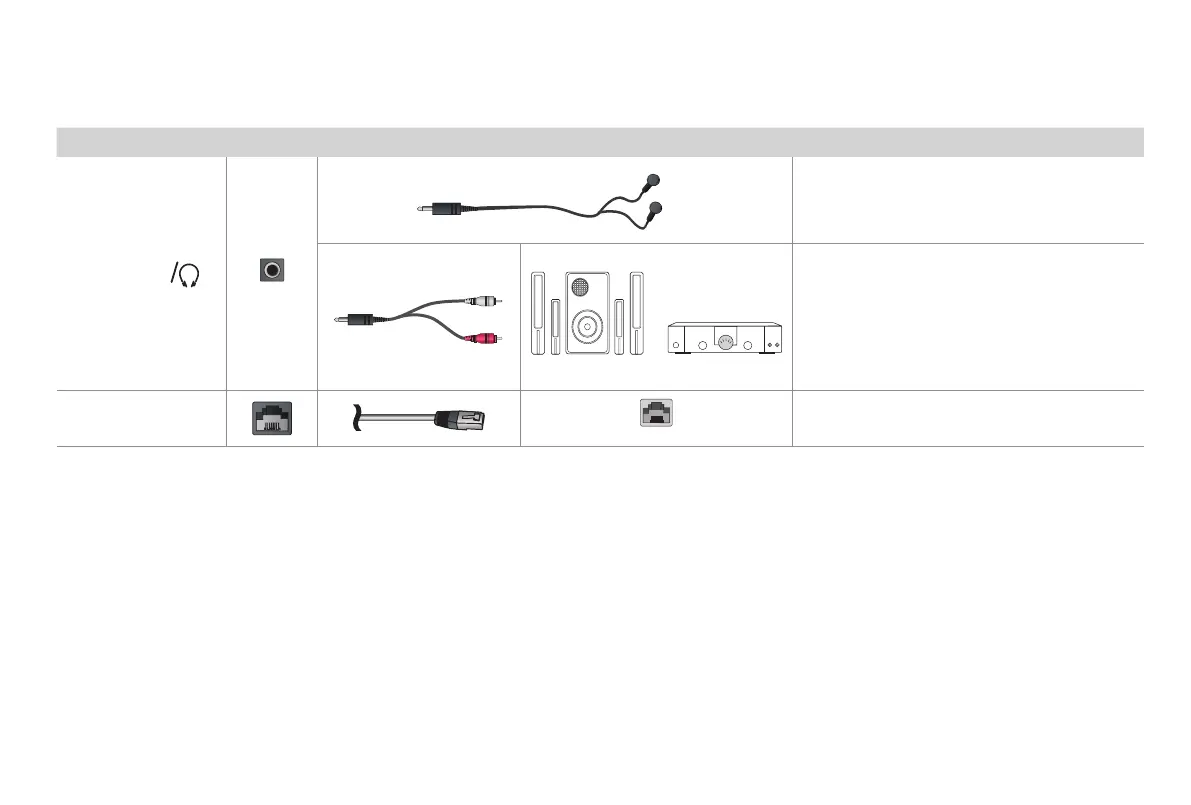
TV label Port Cable External Equipment Brief Description
AUDIO
OUT
Connect headphones to hear audio from the
TV.
Headphones with microphones are not
supported.
Connect an audio adapter (not provided) from
an external analog audio system.
LAN
LAN
Connect an Ethernet cable to access a network
or the Internet. The TV also has a wireless
connectivity feature.
White
Red
Speaker
Audio Amplier



 To Next Page