EasyManua.ls Logo

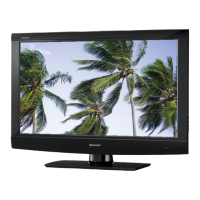
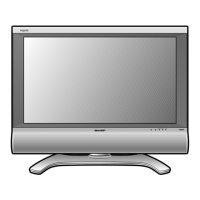
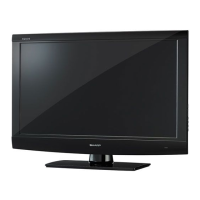
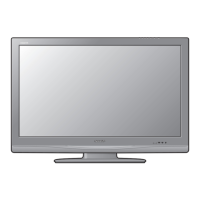
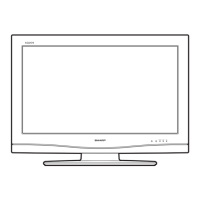
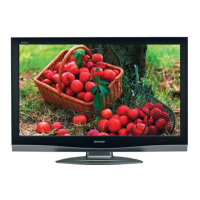
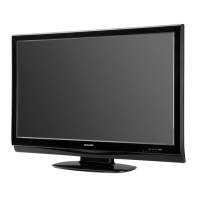
Sharp LC-32AV22U - User Manual

Sharp LC-32AV22U
46 pages
Print Icon
To Next Page IconTo Next Page
Loading...
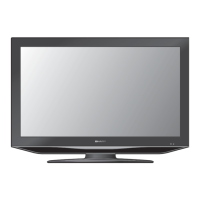
LC-32AV22U
LIQUID CRYSTAL TELEVISION
TÉLÉVISEUR ACL
TELEVISOR CON PANTALLA
DE CRISTAL LÍQUIDO
OPERATION MANUAL
MODE D’EMPLOI
MANUAL DE OPERACIÓN
ENGLISHFRANÇAISESPAÑOL

Table of Contents

Other manuals for Sharp LC-32AV22U

Questions and Answers

  • M
    Mary BrownJul 26, 2025
    How to troubleshoot no power on Sharp LC-32AV22U LCD TV?
    • K
      Kim FrankJul 26, 2025
      If your Sharp LCD TV has no power, first ensure that you have pressed the POWER button on the remote control. If the indicator on the TV does not light up, try pressing the POWER button directly on the TV itself. Also, check that the AC cord is properly connected. Finally, verify that the power is turned on.
  • C
    Craig SheltonAug 1, 2025
    Why Sharp LC-32AV22U LCD TV remote control is not working?
    • F
      floressethAug 1, 2025
      If your Sharp LCD TV remote control isn't working, ensure the batteries are correctly inserted with the proper polarity (+, –). If they are, try replacing them with new batteries. Also, check if you are using the remote under strong or fluorescent lighting, or if a fluorescent light is near the remote control sensor, as these can interfere with the signal.
  • Y
    ymcmillanAug 6, 2025
    What to do if there is no sound on Sharp LC-32AV22U?
    • D
      deborah62Aug 6, 2025
      If your Sharp LCD TV has no sound, first check if the volume is set too low. Then, verify that “OFF” is not selected in the “SPEAKERS” settings. Finally, ensure that you have not accidentally pressed the MUTE button on the remote control.
  • R
    raymond92Aug 13, 2025
    Why does my Sharp LC-32AV22U power off suddenly?
    • M
      Mr. Andrew AndersonAug 13, 2025
      If your Sharp LCD TV suddenly turns off, check if the sleep timer is set. Also, review the power control settings. If neither of these is the issue, the unit’s internal temperature may have increased; remove any objects blocking the vents or clean the vents to improve airflow.
  • A
    Ashley PerezSep 10, 2025
    How to fix no picture on Sharp LCD TV?
    • P
      Paige StaffordSep 12, 2025
      If your Sharp LCD TV shows no picture, verify that all connections to other components are correct. After making connections, ensure that the correct input signal source is selected. Also, check that the correct input is selected and the picture adjustments are properly configured.

Summary

IMPORTANT SAFETY INSTRUCTIONS

General Safety Precautions

Detailed safety instructions for TV installation, operation, and cleaning.

Placement and Handling Precautions

Precautions for water, heat, ventilation, transport, lightning, and power lines.

QUICK REFERENCE

Using External Equipment

Connecting HDMI Devices and Audio

Steps for connecting HDMI equipment and selecting audio input.

Watching TV

Changing Channels and Adjusting Volume

Methods for changing channels and adjusting the TV's sound level.

Initial TV Setup and Channel Scanning

Steps for language, clock, antenna setup, and auto channel scan.

Basic Adjustment Settings

Picture Adjustment Options

Customizing picture settings: brightness, contrast, color, temperature, backlight, cinema.

Sound and Digital Audio Output Settings

Fine-tuning audio quality and configuring digital audio output.

Useful Adjustment Settings

Parental Control and Password Management

Setting and changing passwords for parental controls and V-CHIP.

V-CHIP and Movie Rating Systems

Configuring V-CHIP content blocking based on TV and MPAA movie ratings.

Other Viewing Options

Connecting a PC (Personal Computer)

Appendix

Troubleshooting Common Issues

Solutions for general, digital broadcasting, and PC mode problems.

Calling for Service

Consumer Limited Warranty

Terms and conditions of the limited warranty for the Sharp TV product.

Clearing the Password

Sharp LC-32AV22U Specifications

General IconGeneral
Screen Size32 inches
Resolution1366 x 768
Display TypeLCD
Aspect Ratio16:9
HDMI Ports2
USB Ports0
Brightness450 cd/m²
Response Time6 ms
Weight24.3 lbs
Viewing Angle176°
InputsHDMI, Component, Composite, RF
Speakers2 x 10W

Related product manuals