9
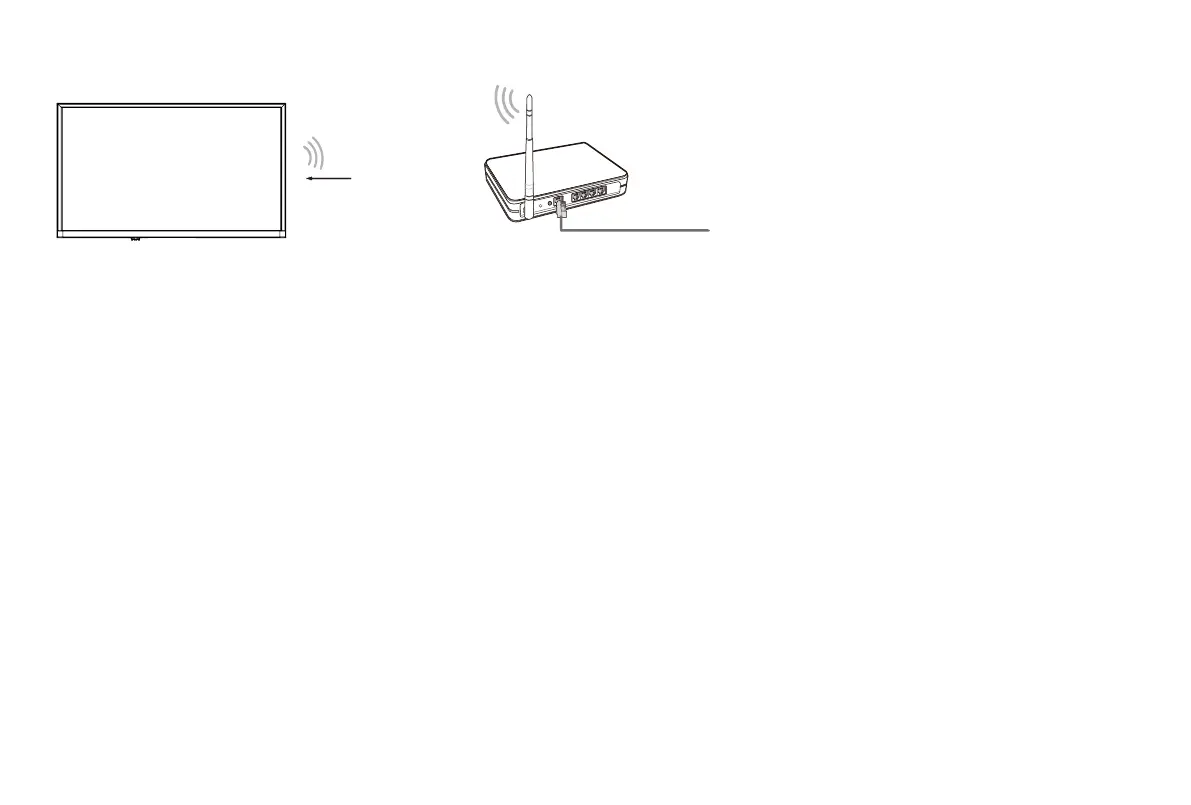
Establish a wireless network connection
TheTVcandirectlyreceivenetworksignalsviawirelessrouter
1. Select
Wireless
. The list of networks will be displayed automatically.
2. Select a wireless network from the list, input the password and select
Connect
.
3. If the network connection does not appear in the list, select
Refresh
to refresh the list or select
Add A Network
to manually enter
SSID and Security mode selection.
Close the network connection
Select
Off
. The network connection will close.
Wireless router with DHCP
LAN Cable
Wireless LAN Adapter



 To Next Page