EasyManua.ls Logo

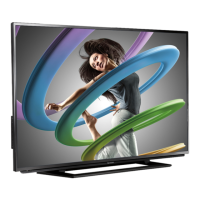
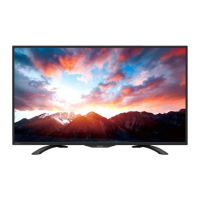
Sharp LC-42LB150U - User Manual

Sharp LC-42LB150U
83 pages
Print Icon
To Next Page IconTo Next Page
Loading...
LC-42LB150U
User Guide
42" LED TV
Before using your new product, please read these instructions to prevent any damage.

Table of Contents

Other manuals for Sharp LC-42LB150U

Questions and Answers

  • E
    Eric HarrisSep 23, 2025
    Why doesn't my device turn off when I turn off my Sharp LED TV?
    • R
      Robert WilliamsSep 23, 2025
      If your device does not turn off when you turn off your Sharp LED TV, ensure that the CEC Control feature is turned on in your TV's settings. Also, make sure that Device Auto Power Off is set to On in the CEC menu. Note that the device itself may not support this feature.
  • K
    Karen GarciaAug 25, 2025
    How to fix good picture but no sound on Sharp LED TV?
    • R
      rpalmerAug 25, 2025
      If your Sharp LED TV has good picture but no sound, try increasing the volume and ensure that the sound is not muted. Also, check that headphones are not connected, as this will disable the TV speakers. Verify that the correct audio mode is selected and that all audio cables are securely connected to your TV. Finally, ensure that the antenna or cable TV is properly connected. If you're using an antenna, check the digital channel signal strength. A bad audio cable may also be the cause, so try a new set.
  • S
    Susan PittmanAug 25, 2025
    What to do if Sharp LC-42LB150U LED TV says 'No signal'?
    • N
      Nicole SandersAug 26, 2025
      If your Sharp LED TV displays a 'No signal' error message, press the INPUT button on your remote to ensure you've selected the correct input for the device you're trying to use. If you're using a cable or satellite box, use its remote to change channels and make sure you've selected the correct input on your TV to view those channels.
  • A
    Aaron RussellAug 26, 2025
    How to troubleshoot no picture and no sound on Sharp LED TV?
    • W
      William LaneAug 27, 2025
      If your Sharp LED TV has no picture and no sound, first, press the power button on the TV or remote control. Make sure the 'Audio Only' option is set to 'Off'. Check that the video cables are securely connected. Adjust the contrast and brightness settings. Ensure the power cord is plugged in and the correct video input source is selected. Try another channel in case the station is experiencing issues. Confirm that the incoming signal is compatible and that the antenna or cable TV is correctly connected. Finally, check the closed caption settings, as some TEXT modes can block the screen.
  • A
    Anthony NavarroSep 23, 2025
    How to fix black bars around the picture on Sharp LC-42LB150U LED TV?
    • C
      Caroline NewtonSep 23, 2025
      Change the aspect ratio. An increasing amount of digital TV and movies are presented in wide screen (16:9).
  • M
    Mary WilliamsSep 13, 2025
    Why is my Sharp LC-42LB150U not displaying video or audio from my mobile device?
    • D
      Dr. John Lamb IISep 13, 2025
      If your Sharp LED TV isn't displaying video or playing audio from a connected mobile device, first, ensure the MHL cable is securely connected to both the TV and the mobile device. Verify that you're using an MHL cable, as it may be difficult to identify. Try adjusting the picture settings on your TV. Note that some apps may not be compatible with your TV, depending on the app developer's programming.
  • M
    michael02Sep 12, 2025
    How do I remove a retail banner from my Sharp LC-42LB150U?
    • L
      lisa19Sep 12, 2025
      If a retail banner is displayed on your Sharp LED TV, you likely selected “Store” mode during the initial setup. To remove it, reset your TV to the factory defaults and then select 'Home' on the 'What is your viewing environment' screen.
  • A
    Adam KaneSep 12, 2025
    Why isn't my mobile device charging when connected to my Sharp LC-42LB150U via MHL?
    • M
      Martha ReedSep 12, 2025
      If your mobile device isn't charging when connected to the HDMI 2/MHL jack on your Sharp LED TV, ensure that the MHL cable is securely connected to both your TV and the device. Also, verify that you are using an MHL cable, which may look like a micro USB-to-HDMI cable but is typically thinner.
  • K
    Kelsey BrownSep 4, 2025
    Why is the picture quality poor on my Sharp LED TV?
    • C
      Christopher PearsonSep 4, 2025
      If your Sharp LED TV has a poor picture, make sure the room isn't too bright, as light reflecting off the screen can make the picture difficult to see. If an S-VHS camera or camcorder is connected while another device is on, it may cause a poor picture; try turning off one or more devices.
  • M
    Mark BurchSep 2, 2025
    How do I resolve double images on my Sharp LC-42LB150U?
    • A
      Ann DrakeSep 2, 2025
      If you are experiencing double images on your Sharp LED TV, use a highly directional outdoor antenna, cable TV, or satellite TV.

Summary

CHILD SAFETY

Important Safety Instructions

Essential safety guidelines for proper product usage.

TV Installation

Installing the Stand or Wall-Mount Bracket

Instructions for attaching the stand or wall-mount bracket.

Connecting Devices

Connecting a Cable or Satellite Box

Guide to connecting cable/satellite boxes via various methods.

Computer and Audio Connections

Connecting a Computer

Guide for connecting computers via VGA, HDMI, or DVI.

Basic TV Operation

Using the Remote Control

Covers battery installation and remote operation.

Initial TV Setup (EZ SETUP)

Guides through first-time setup: language, time, source.

Advanced Features and Settings

Using CEC Control

Manage CEC features for connected devices.

Troubleshooting Common Issues

Guides for resolving common problems.

CHILD SAFETY

Tune into safety

Safety tips for TV placement and usage around children.

Wall mounting

Guidelines for safely mounting the TV to a wall.

Important Safety Instructions

Servicing and Electrical Safety

Information on electrical hazards and service requirements.

Safety Information

Servicing Precautions

Warnings for qualified service personnel.

Installing the Stand

Securing the Stand Column

Steps to attach the stand column to the TV.

Installing a Wall-Mount Bracket

Wall Mount Warning

Warning about using UL listed mounts and secure installation.

Removing the TV Stand

Detaching the Stand

Steps to remove the TV stand from the TV.

TV Components

Remote Control Sensor and Power Indicator

Explains the function of the remote sensor and power LED.

Side Panel Connectors

HDMI 3;DVI Jack

Connect HDMI or DVI devices.

Back Panel Connectors

COMPONENT;AV Jacks

Connect component or composite video/audio devices.

Remote Control Buttons

POWER, INPUT, SOUND MODE, CC Buttons

Basic TV control buttons.

Connection Types Overview

Video Quality and Cable Connectors

Compares video quality for HDMI, Component, Composite, Coaxial.

Connecting a Cable or Satellite Box

Using HDMI (best)

Step-by-step guide for HDMI connection.

Connecting a Cable or Satellite Box

Using component video (better)

Step-by-step guide for component video connection.

Connecting a Cable or Satellite Box

Connecting an Antenna or Cable TV (No Box)

Connecting a DVD or Blu-ray Player

Connecting a DVD or Blu-ray Player

Connecting an MHL-enabled Device

Connecting a Game Console

Connecting a Game Console

Connecting a Computer

Connecting a Computer

Connecting a basic home theater system

Connecting power

Using the remote control

Turning on your TV for the first time

EZ SETUP Wizard Guide

Steps to guide through initial TV setup.

Basic TV Operations

Picture Settings

Adjusting the TV Picture

Explains how to adjust picture quality and modes.

Sound Settings

Adjusting Sound Settings

Covers sound modes, balance, and audio output options.

Sound Settings

Computer Image Settings

Channel Settings

Parental Controls

Parental Controls

Setting Parental Control Levels

How to set parental control levels for US/Canada.

Parental Controls and Rating Information

Setting US V-CHIP; Canada V-CHIP

How to set rating levels for US/Canada.

Closed Captioning

Parental Controls

Setting or Changing the Password

How to set or change the parental control password.

Time Settings

CEC Control

Turning CEC Control On or Off

How to enable/disable CEC control.

CEC Control Features

CEC Control Features

MHL-enabled Device or Roku Streaming Stick

Roku Streaming Stick

Troubleshooting

Restoring Settings to Defaults

How to reset all TV settings to factory defaults.

Video and Audio Troubleshooting

Picture Not Filling Screen

Solutions for black bars or aspect ratio issues.

Good Picture, No Sound

Solutions when there's a picture but no sound.

No Picture or Sound Issues

Troubleshooting when the TV has no picture or sound.

Dark;Poor Picture with Sound

Solutions for dark or poor picture quality.

Video and Audio Troubleshooting

Remote Control and General Troubleshooting

Remote Control Not Working

Troubleshooting steps for a non-functional remote.

No Power Issue

Solutions for the TV not turning on.

Troubleshooting Specific Issues

No Signal Error Message

Solutions for the "No signal" error.

Lost Password Issue

How to reset a lost parental control password.

Troubleshooting Device Connections

CEC Device Video Issues

Troubleshooting video display from CEC devices.

CEC Device Audio Issues

Troubleshooting audio playback from CEC devices.

Sharp LC-42LB150U Specifications

General IconGeneral
BrandSharp
ModelLC-42LB150U
CategoryLED TV
LanguageEnglish

Related product manuals