EasyManua.ls Logo

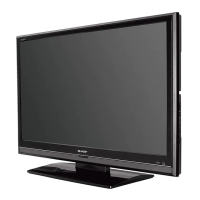
Sharp LC-42XD1E - User Manual

Sharp LC-42XD1E
42 pages
Print Icon
To Next Page IconTo Next Page
Loading...
LC-37XD1E
LC-42XD1E
LCD COLOUR TELEVISION
LCD-FARBFERNSEHGERÄT
TÉLÉVISION COULEUR À ÉCRAN
À CRISTAUX LIQUIDES (LCD)
TELEVISORE A COLORI LCD
LCD-KLEURENTELEVISIE
TELEVISIÓN EN COLOR LCD
ENGLISHDEUTSCHFRANÇAIS
SHARP CORPORATION
SHARP ELECTRÓNICA ESPAÑA S.A.
Polígono Industrial Can Sant Joan
Calle Sena s/n
08174 SANT CUGAT DEL VALLÉS
BARCELONA (ESPAÑA)
Printed in Spain
Gedruckt in Spanien
Imprimé en Espagne
Stampato in Spagna
Gedrukt in Spanje
Impreso en España
TINS-C723WJZZ
06P10-SP-NG
LC-37XD1E/LC-42XD1E OPERATION MANUAL / BEDIENUNGSANLEITUNG / MODE D'EMPLOI / MANUALE DI ISTRUZIONI / GEBRUIKSAANWIJZING / MANUAL DE MANEJO
Printed on environmentally friendly paper
Auf ökologischem Papier gedruckt
Imprimé sur papier écologique
Stampato su carta ecologica
Afgedrukt op ecologisch papier
Impreso en papel ecológico
ITALIANONEDERLANDSESPAÑOL
C723WJZZ
1
OPERATION MANUAL
BEDIENUNGSANLEITUNG
MODE D'EMPLOI
MANUALE DI ISTRUZIONI
GEBRUIKSAANWIJZING
MANUAL DE MANEJO
PIN
Downloaded From TV-Manual.com Manuals


Table of Contents

Questions and Answers

  • F
    Felicia RobinsonAug 13, 2025
    How to troubleshoot no power on my Sharp LC-42XD1E?
    • K
      Kayla FriedmanAug 13, 2025
      First, ensure that you have pressed the B button on the remote control. If the indicator light on your Sharp LCD TV illuminates red, press B again. Also, verify that the AC cord is securely connected. Finally, check if you have pressed the a button on the TV itself.
  • D
    Dr. Darren RichardsonAug 17, 2025
    What to do if there is no sound on Sharp LC-42XD1E?
    • B
      bellstephanieAug 17, 2025
      First, check the volume level to ensure it is not set too low. Also, verify that headphones are not connected to the TV. Finally, check if you have accidentally pressed the e button on the remote control, which might mute the sound on your Sharp LCD TV.
  • B
    Brittany MitchellAug 21, 2025
    Why is there no sound on my Sharp LCD TV?
    • L
      Lisa GoodwinAug 21, 2025
      Check the volume level to ensure it is not set too low. Also, verify that headphones are not plugged into the TV, as this will mute the speakers. Finally, check if you have accidentally pressed the mute button (e) on the remote.
  • G
    gary79Aug 25, 2025
    Why is my Sharp LC-42XD1E remote control not working?
    • B
      Brent PetersonAug 26, 2025
      First, check that the batteries are inserted correctly, paying attention to the polarity (e, f) alignment. If they are correctly aligned, replace the batteries with new ones, as the old ones may be worn out. Also, strong or fluorescent lighting or fluorescent light illuminated to remote control sensor may interfere with the remote's operation.
  • N
    Nicholas DavisAug 28, 2025
    Why does my Sharp LCD TV power off suddenly?
    • H
      Hunter TaylorAug 28, 2025
      If your Sharp LCD TV suddenly turns off, it could be due to a few reasons. The unit's internal temperature might have increased, so remove any objects blocking the vents or clean the vents to improve airflow. Also, check if the sleep timer is set. Press the SLEEP button on the remote control until it is set to off.
  • J
    jordanbreannaSep 1, 2025
    Why does my Sharp LCD TV have strange colors?
    • C
      Corey ThomasSep 1, 2025
      If you're experiencing strange, light, dark, or misaligned colors on your Sharp LCD TV, first adjust the picture tone. If the room is too bright, the picture may appear dark. Also, check the color system setting.
  • K
    Kevin KnightSep 5, 2025
    What to do if my Sharp LC-42XD1E LCD TV unit cannot be operated?
    • T
      Tina AlexanderSep 5, 2025
      If your Sharp LCD TV unit cannot be operated, it might be due to external influences such as lightning or static electricity. In this case, turn the power off, or unplug the AC cord and re-plug it in after 1 or 2 minutes, then try operating the unit again.
  • I
    imcculloughSep 8, 2025
    What to do if my Sharp LC-42XD1E has no power?
    • H
      hammondryanSep 8, 2025
      First, verify that you have pressed the power button (B) on the remote control. If the indicator light on the TV is red, pressing B again may solve the issue. Also, check that the AC cord is properly connected. Finally, make sure you've pressed the power button (a) on the TV itself.

Summary

Quick Guide

Attaching the Stand

Step-by-step instructions for physically attaching the TV stand.

Setting up the TV

Guide on connecting antenna, power, and initial TV placement.

Remote Control Unit Operations

Explains battery insertion, usage, and handling precautions for the remote.

Power and Installation Procedures

Covers turning the TV on, standby mode, and initial auto-installation steps.

Channel Selection and Station Management

Details on selecting channels, and managing station lists like deleting or renaming.

Using External Equipment

Input Source and Connection Guides

Instructions on connecting various external devices like VCRs, DVD players, and consoles.

AV Link Functionality

Describes the TV's AV Link features for seamless connection with other AV equipment.

Menu Operations

Picture and Sound Adjustments

Comprehensive guide to optimizing picture settings and sound profiles.

Connections and Setup Settings

Details on configuring external connections and general TV setup options.

DTV Menu Operations

DTV Menu Navigation and Controls

Explains how to navigate DTV menus, operation buttons, and on-screen displays.

Service Management and Setup

Covers setting up services, installation, carrier management, and favourites.

System Settings and Upgrades

Details on system setup, OSD, child lock, and software version management.

Program Guide and Content Features

Information on EPG, ESG, multi-audio, subtitles, and common interface usage.

Appendix

Troubleshooting Common Issues

Solutions for common problems like no power, picture issues, or remote control errors.

PC Compatibility and Communication

Information on PC compatibility, RS-232C specifications, and communication commands.

Specifications

LCD Panel and Video System Details

Technical specifications for the LCD panel, dot count, and video systems.

Terminals, Connectivity, and Audio

Overview of input/output terminals, connectivity options, and audio amplifier specs.

Power, Weight, and Operating Conditions

Details on power consumption, weight, and operating temperature ranges.

Optional Accessories Information

Listing of available optional accessories and part numbers for purchase.

Information on Disposal

Product Disposal for Private Households

Guidelines for disposing of the product correctly in the EU and other countries.

Product Disposal for Business Users

Information on how businesses should handle product disposal and take-back procedures.

Sharp LC-42XD1E Specifications

General IconGeneral
Screen Size42 inches
Resolution1920 x 1080
Display TechnologyLCD
Aspect Ratio16:9
Dynamic Contrast Ratio10000:1
Brightness450 cd/m²
Response Time6 ms
HDMI Ports2
Component Video Input1
Composite Video Input1
S-Video Input1
Audio Output2 x 10 W
Viewing Angle176°
PC Input1
USB Ports0

Related product manuals