EasyManua.ls Logo

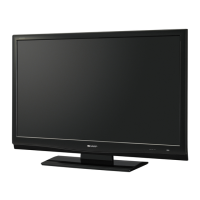
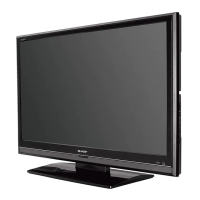
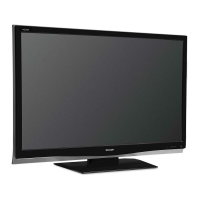
Sharp LC-42D83X - User Manual

Sharp LC-42D83X
76 pages
Print Icon
To Next Page IconTo Next Page
Loading...
MODEL
LC-42D83X
LC-46D83X
LC-52D83X
LCD COLOUR TELEVISION
OPERATION MANUAL
Cover_52D83X.indd 1Cover_52D83X.indd 1 2007/08/31 16:23:442007/08/31 16:23:44

Table of Contents

Questions and Answers

  • F
    fshieldsAug 13, 2025
    How to turn on Sharp LCD TV?
    • A
      Allison BrooksAug 13, 2025
      First, ensure you've pressed the POWER button on the remote. Check if the AC cord is properly connected. Finally, verify that the main power switch on the TV is turned on.
  • L
    Laura GilesAug 17, 2025
    Why Sharp LC-42D83X LCD TV remote control is not working?
    • P
      Paul HawkinsAug 17, 2025
      Make sure the batteries are inserted correctly, aligning the polarity (e, f). Replace the batteries if they are worn out. Avoid using the remote under strong or fluorescent lighting, and ensure no fluorescent light is shining on the remote control sensor.
  • M
    Michael HortonAug 20, 2025
    Why is there no sound on my Sharp LCD TV?
    • D
      David HayesAug 20, 2025
      Check if the volume is too low. Also, make sure that headphones are not connected.
  • J
    Jonathan BarajasAug 25, 2025
    What to do if there is no picture on Sharp LC-42D83X LCD TV?
    • M
      Matthew WilsonAug 25, 2025
      Check whether the connection to external equipment is correct and if the input signal setup has been performed correctly after the connection. Ensure the correct input is selected and the picture adjustment is correct. Also, verify the antenna is connected properly and that “On” is not selected in “Audio Only”.
  • L
    lgonzalesAug 28, 2025
    Why does my Sharp LC-42D83X power off suddenly?
    • T
      Thomas JohnsonAug 28, 2025
      The unit's internal temperature may have increased. Remove any objects blocking the vent or clean it. Also, check the power control setting and whether the sleep timer is set.
  • T
    Terry PittmanSep 1, 2025
    How to adjust Sharp LCD TV picture when it is cut off?
    • D
      Damon CannonSep 1, 2025
      Check if the image position is correct. Ensure that screen mode adjustments such as picture size are made correctly.
  • C
    Christopher RoseSep 4, 2025
    How to fix strange colors on Sharp LC-42D83X?
    • J
      Jessica SmallSep 4, 2025
      Adjust the picture tone. The picture may look dark if the room is too bright. Check the color system setting, the input signal setting, and the HDMI Auto View setting.
  • D
    Dylan JordanSep 8, 2025
    Why my Sharp LC-42D83X makes cracking sound?
    • J
      justintorresSep 9, 2025
      This is not a malfunction. This happens when the cabinet slightly expands and contracts according to changes in temperature.

Sharp LC-42D83X Specifications

General IconGeneral
BrandSharp
ModelLC-42D83X
CategoryLCD TV
LanguageEnglish

Related product manuals