29
LC-50LB150U Sharp 50" LED TV
www.sharpusa.com
Using HDMI (best)
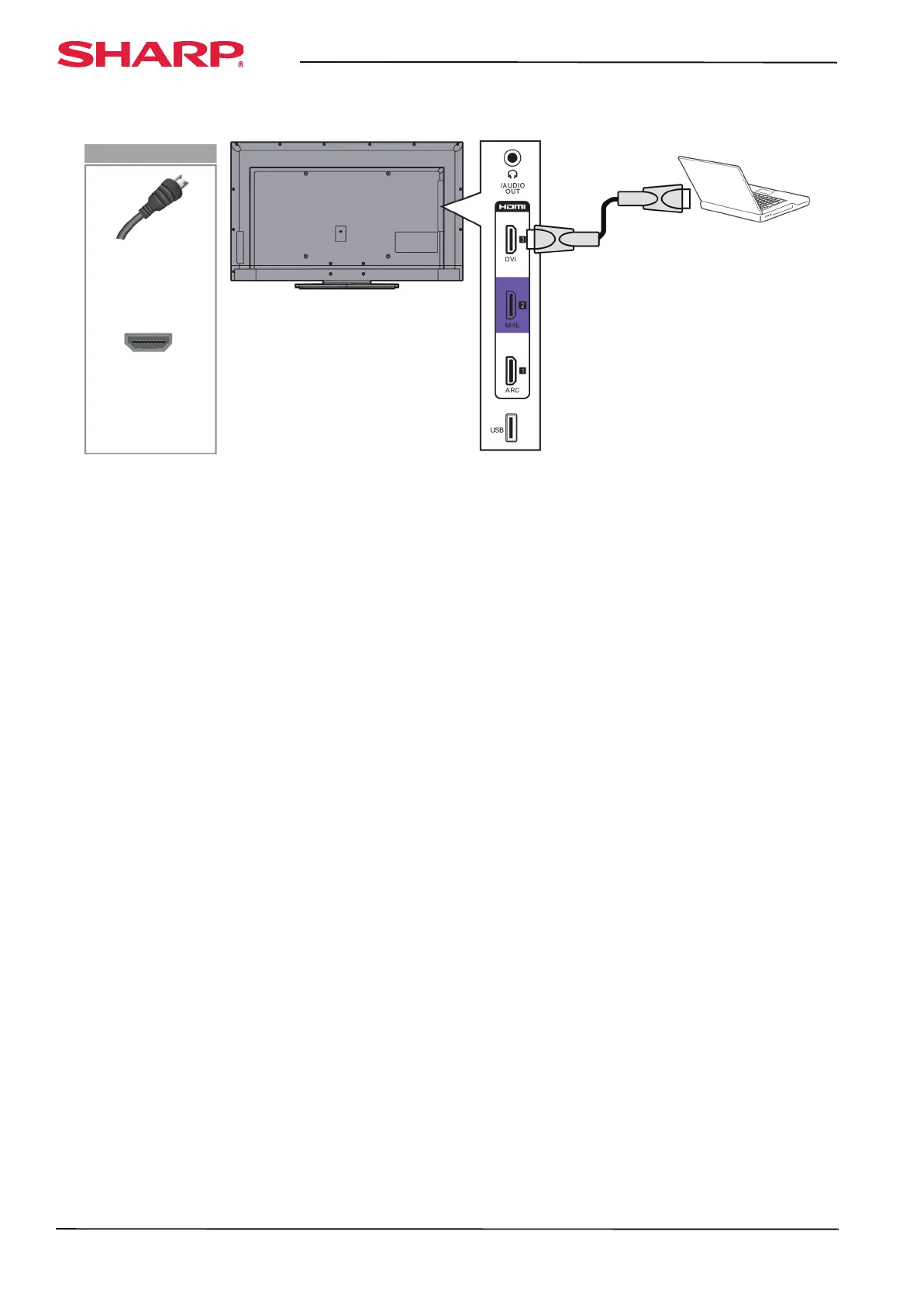
To connect a computer using HDMI:
1 Make sure that your TV’s power cord is unplugged and the computer is turned off.
2 Connect an HDMI cable (not provided) to one of the HDMI jacks on the side of your TV and to the HDMI OUT
jack on the computer.
3 Plug your TV’s power cord into a power outlet, then turn on your TV and the computer.
4 Press INPUT to open the INPUT SOURCE list.
5 Press
S or T to highlight HDMI 1, HDMI 2, or HDMI 3, then press ENTER.
6 Adjust the display properties on the computer, if necessary.
HDMI cable
Side of TV
HDMI cable
connector
HDMI jack
On your TV




 To Next Page