LC-60E77UN/LC-65E77UM/LC-C6077UN/LC-C6577UM
5 – 13
8.3.5 Component 33K signal adjustment
8.3.6 Analog RGB signal adjustment
8.3.7 Tuner/V-CHIP adjustment
Adjustment point Adjustment conditions Adjustment procedure
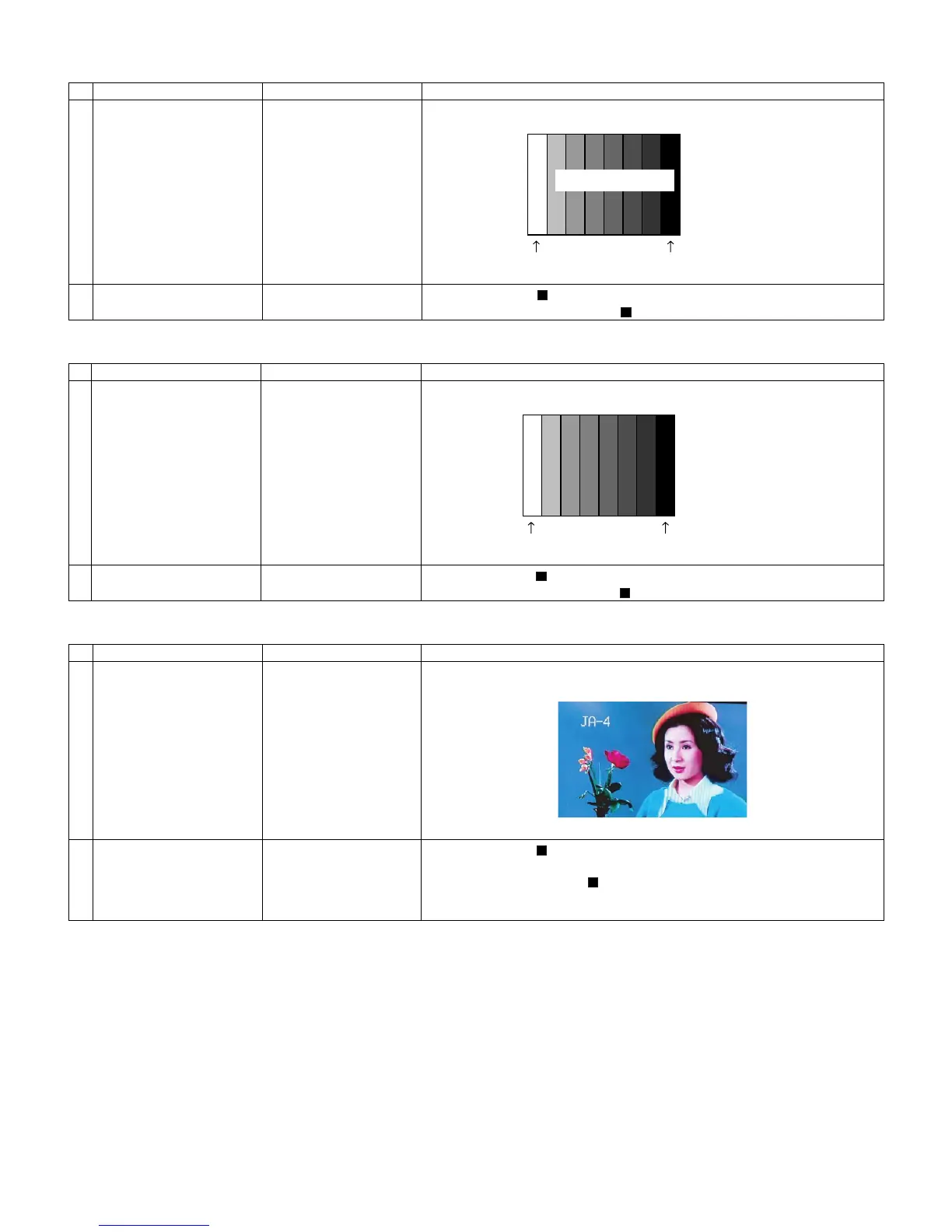
1 Setting 1080i signal •Send the 100% color bar signal to the Video 1 component input.
2 Automatic adjustment exe-
cution
Point the cursor to [ COMP33K ADJ(INPUT1)] and press the [Enter] key.
The adjustment is complete when [ COMP33K ADJ(INPUT1) OK] is displayed.
Adjustment point Adjustment conditions Adjustment procedure
1 Setting Analog RGB Signal: XGA •Send the 100% color bar signal to the Video 4 analog RGB input.
2 Automatic adjustment exe-
cution
Point the cursor to [ ANALOG RGB ADJ] and press the [Enter] key.
The adjustment is complete when [ ANALOG RGB ADJ OK] is displayed.
Adjustment point Adjustment conditions Adjustment procedure
1 Setting NTSC RF signal
US-7(AIR)ch
•Send the NTSC signal to the RF antenna input.
2 Automatic adjustment exe-
cution
Point the cursor to [ TUNER VCHIP TEST(*07ch)] and press the [Enter] key.
(* Adjust the selected channel to the in-house signal.)
The adjustment is OK when [ A-OK(***.**)/VM-OK] is displayed in Blue.
(NG when A-NG/VM-NG is displayed in Yellow or red.)
It is OK when the deviation from the center frequency is ±0.0625MHz or less.
100% white 0% black
1080i
100% color bar
100% Color saturation
100% white 0% black
XGA (1024x768)
100% color bar






 To Next Page