EasyManua.ls Logo

Sharp LC-60LE925X - User Manual

Sharp LC-60LE925X
96 pages
Print Icon
To Next Page IconTo Next Page
Loading...
MODEL
LC-60LE925X
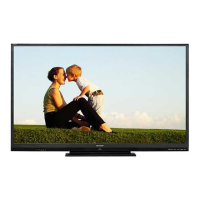
LCD COLOUR TELEVISION
OPERATION MANUAL
®
cover_60LE925X_au.indd 1cover_60LE925X_au.indd 1 2010/09/01 15:07:372010/09/01 15:07:37

Table of Contents

Questions and Answers

  • N
    Nicole BurtonAug 15, 2025
    How to troubleshoot no power on my Sharp LC-60LE925X TV?
    • S
      shane74Aug 16, 2025
      If your Sharp TV isn't turning on, there are a few things to check: First, ensure the AC cord is properly connected. Second, verify that the power switch is actually turned on. If the power switch isn't responding, try removing the power plug, waiting at least five seconds, and then reinserting it before pressing the POWER button on the TV.
  • C
    Carmen RosalesAug 18, 2025
    Why is my Sharp TV remote not working?
    • R
      Robert MunozAug 18, 2025
      If your Sharp TV remote control isn't working, make sure the batteries are inserted correctly, aligning the polarity (e, f). If they are, try replacing them with new batteries. Also, consider whether you're using the remote under strong or fluorescent lighting, or if a fluorescent light is shining on the remote control sensor, as these conditions can interfere with the signal.
  • G
    gparkerAug 21, 2025
    Why does my Sharp LC-60LE925X TV power off suddenly?
    • I
      ihowardAug 21, 2025
      If your Sharp TV suddenly turns off, it could be due to a few reasons. One possibility is that the unit's internal temperature has increased. In this case, remove any objects blocking the vent or clean the vent. Another reason might be related to the “ECO” setting, so you should check it. Also, check if the sleep timer is set.
  • A
    Amy BellAug 25, 2025
    Why is there no picture on my Sharp TV?
    • J
      Joseph TapiaAug 25, 2025
      If there is no picture on your Sharp TV, check the connection to external equipment. Also, ensure the correct input is selected. Verify that the picture adjustment is correct and that the antenna is connected properly. Finally, check whether “On” is selected in “Audio only”.
  • X
    Xavier GrimesAug 27, 2025
    What to do if there is no sound on my Sharp LC-60LE925X TV?
    • C
      courtney29Aug 27, 2025
      If you're not getting any sound from your Sharp TV, first ensure that the volume isn't set too low. Also, check to make sure that headphones are not connected.
  • T
    Taylor JosephAug 31, 2025
    What to do if I cannot select the desired channel on my Sharp LC-60LE925X?
    • X
      xclarkAug 31, 2025
      If you cannot select the desired channel on your Sharp TV, try switching between Digital TV and Analogue TV modes.
  • N
    Nicole HernandezSep 2, 2025
    How to fix strange colors on Sharp LC-60LE925X TV?
    • C
      Cheryl FloresSep 3, 2025
      If you are experiencing strange colour, light colour, dark colour, or colour misalignment on your Sharp TV, try adjusting the picture tone. Check if the room is too bright, as this can make the picture look dark. Also, check the colour system setting and the “HDMI auto view” setting.
  • W
    William MartinezSep 5, 2025
    Why is the picture cut off on my Sharp LC-60LE925X TV?
    • M
      Mr. Jason HardingSep 5, 2025
      If the picture on your Sharp TV is cut off, check if the image position is correct. Also, verify that screen mode adjustments such as picture size are made correctly.
  • C
    Cassandra ChandlerSep 8, 2025
    What to do if my Sharp LC-60LE925X TV cannot be operated?
    • C
      Colleen CooperSep 8, 2025
      If your Sharp TV unit cannot be operated, it may be due to external influences such as lightning or static electricity. To resolve this, turn off the power to the TV, or unplug the AC cord, wait for 1 or 2 minutes, and then plug it back in before operating the unit.
  • Y
    youngpeterSep 12, 2025
    Why does my Sharp LC-60LE925X TV sometimes make a cracking noise?
    • R
      Rebecca RussellSep 12, 2025
      This cracking noise from your Sharp TV is not a malfunction. It occurs when the cabinet slightly expands and contracts due to temperature changes, and it does not affect the TV's performance.

Sharp LC-60LE925X Specifications

General IconGeneral
Screen Size60 inches
Display TypeLCD
Backlight TypeLED
Smart TVYes
HDMI Ports4
USB Ports2
Audio Output20W
Weight24.0 kg
3D CapabilityYes
Refresh Rate200Hz
Built-in Wi-FiYes
Operating SystemAquos Net+
Resolution1920 x 1080 (Full HD)

Related product manuals