LC-60G9T / LC-70G9T
5 – 11
( 9.2.2 ) Adjustment Mode
ERUDECORPNOITIDNOCMETI
1 Adjustment Mode Press the test key at the test remote control
(9.2.3) PAL Signal Adjustment [For ‘X’ model ONLY. Skip for ‘T’ model]
ERUDECORPNOITIDNOCMETI
1 Setting [Signal]
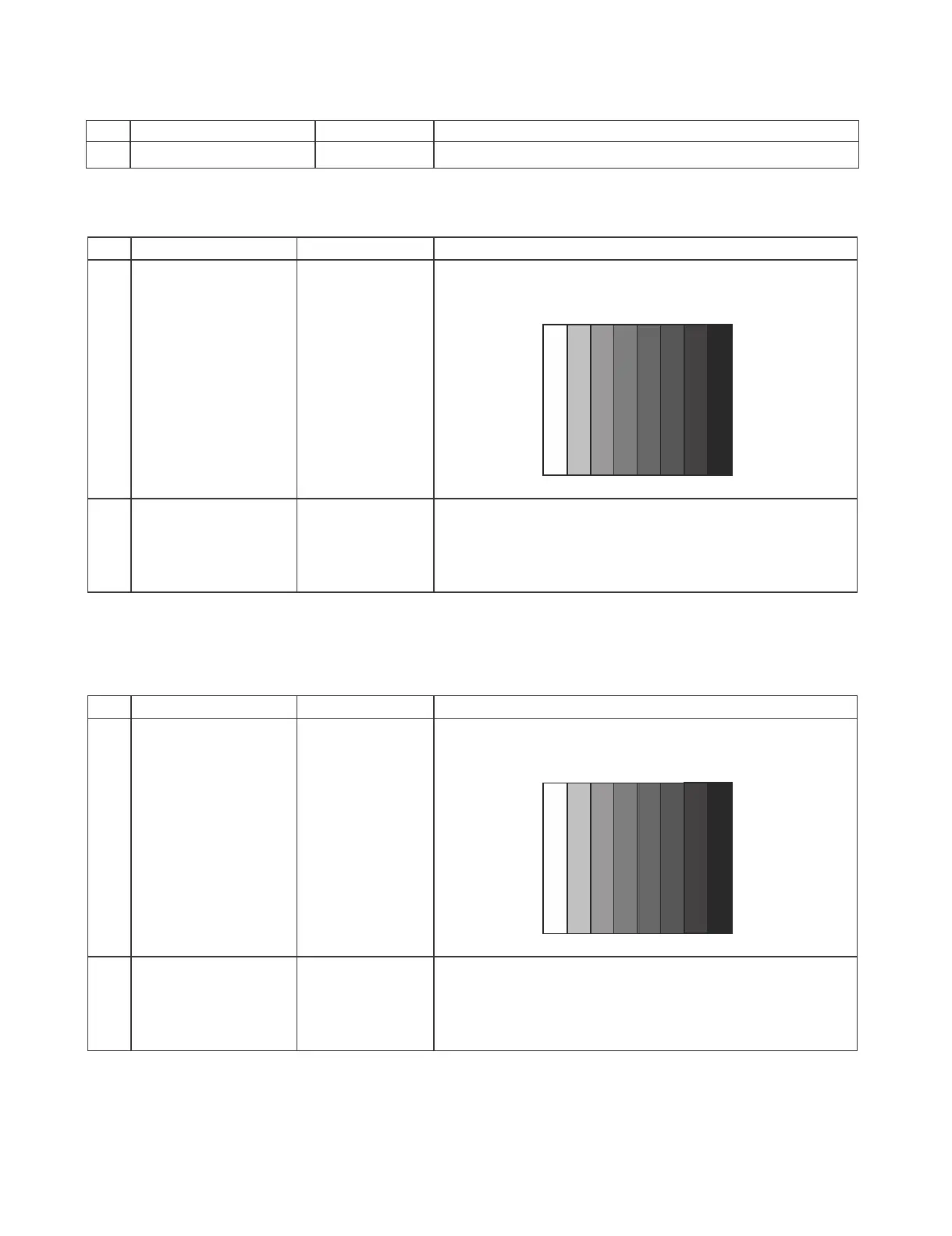
PAL Full-field
Colour Bar
[Terminal]
INPUT 6
Video input
࣭Feed the PAL Full-field Colour Bar signal(75% colour
saturation) to INPUT 6
2 Auto Adjustment Test Mode page
[4/33]
At the related page, move cursor to [PAL ADJ], press OK.
[PAL ADJ OK] appears when finished.
*Caution: Please execute (6) TUNER adjustment afterwards when adjust PAL signal of (3) after all
adjustments are completed.
(9.2.4) NTSC Signal Adjustment [For ‘X’ and ‘T’ model]
ERUDECORPNOITIDNOCMETI
1 Setting [Signal]
N358 Full-field
Colour Bar
[Terminal]
INPUT 6
Video input
࣭Feed the NTSC-J Full-field Colour Bar signal(75% colour
saturation) to INPUT 6
2 Auto Adjustment Test Mode page
[4/33]
At the related page, move cursor to [N358 ADJ], press OK.
[N358 ADJ OK] appears when finished.
100% WhiteЍЋBlack
100% WhiteЍЋBlack



 To Next Page