EasyManua.ls Logo

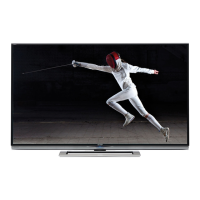
Sharp LC-70EQ10U - User Manual

Sharp LC-70EQ10U
152 pages
Print Icon
To Next Page IconTo Next Page
Loading...

Table of Contents

Other manuals for Sharp LC-70EQ10U

Questions and Answers

  • C
    Christopher GardnerAug 25, 2025
    What to do if 3D images appear 2D with Sharp LC-70EQ10U LCD TV glasses?
    • R
      Ryan BeckAug 25, 2025
      If 3D images appear 2D while wearing the 3D glasses with your Sharp LCD TV, the glasses may be set to 2D mode. To switch to 3D mode, press the power button while viewing 2D images. The LED light will blink green, and the 2D images should switch to 3D.
  • C
    Christian FitzgeraldNov 9, 2025
    What to do if 3D images are not displayed on my Sharp LC-70EQ10U LCD TV?
    • J
      Jessica JacobsNov 9, 2025
      If 3D images are not displaying on your Sharp LCD TV, here are some things to check: * Verify that “3D auto change” is not set to “Off”. Press the 2D/3D button to switch to 3D mode. * If “3D auto change” is set to “Mode1” or “Mode2”, ensure the content being viewed has a compatible display format. * Press the 2D/3D button to select the correct display format for the 3D image. * Make sure the 3D glasses are powered on by pressing the power button for at least 2 seconds. * Ensure the 3D glasses are in 3D mode and not 2D mode by pressing the power button for less than 2 seconds. * Confirm there are no obstructions between the 3D glasses and the TV, and that nothing is covering the receiver on the 3D glasses. Avoid placing anything between the 3D emitter on the TV and the receiver...

Sharp LC-70EQ10U Specifications

General IconGeneral
Screen Size70 inches
Display TechnologyLCD
Refresh Rate120 Hz
Smart TVYes
HDMI Ports4
USB Ports2
Built-in Wi-FiYes
HDR SupportNo
Audio Output20W

Related product manuals