EasyManua.ls Logo

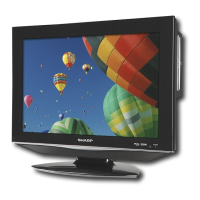
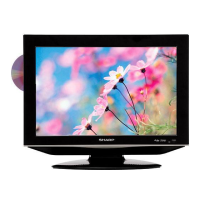
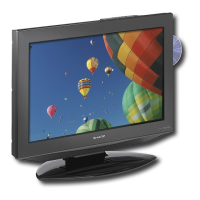
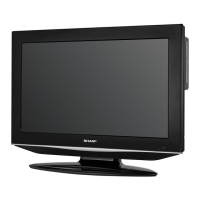
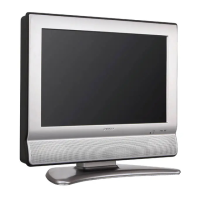
Sharp LC19DV27UT - User Manual

Sharp LC19DV27UT
40 pages
Print Icon
To Next Page IconTo Next Page
Loading...
LC-19DV27UT
LC-22DV27UT
OPERATION MANUAL
MODE D’EMPLOI
MANUAL DE OPERACIÓN
COMBINATION LIQUID CRYSTAL TELEVISION
AND DVD/CD PLAYER
COMBINÉ TÉLÉVISEUR ACL ET LECTEUR DVD/CD
COMBINACION TELEVISOR CON PANTALLA DE
CRISTAL LÍQUIDO CON DVD/DISCOS COMPACTOS
ESPAÑOL FRANÇAIS ENGLISH
IMPORTANT : Please read this operation manual before starting operating the equipment.
IMPORTANT : Veuillez lire ce mode d'emploi avant de commencer à utiliser l'appareil.
IMPORTANTE : Lea este manual de operación antes de comenzar a operar el equipo.
52J0131C.indb 152J0131C.indb 1 6/24/09 5:34:51 PM6/24/09 5:34:51 PM

Table of Contents

Questions and Answers

  • M
    meganhaleAug 14, 2025
    What to do if Sharp TV DVD Combo remote control doesn't operate?
    • B
      Brandon MckinneyAug 14, 2025
      If the remote control for your Sharp TV DVD Combo isn't working, first ensure that the batteries are correctly inserted, paying attention to the (+, –) polarity. Replace the batteries if they are worn out. Strong or fluorescent lighting near the unit or remote control sensor can also interfere with operation.
  • C
    Christian MedinaAug 17, 2025
    What to do if Sharp TV DVD Combo has no power?
    • A
      Anthony WilkinsAug 17, 2025
      If your Sharp TV DVD Combo isn't powering on, first ensure you've pressed the POWER button on either the TV/DVD unit or the remote. Then, verify that the AC cord is properly connected. Finally, double-check that the power switch is turned on.
  • W
    wthompsonAug 20, 2025
    Why does my Sharp TV DVD Combo suddenly turn off?
    • C
      coopervictoriaAug 20, 2025
      Your Sharp TV DVD Combo might be turning off suddenly due to several reasons. Check if the sleep timer is activated. Also, review the Auto Shut Off settings. Overheating can also cause this issue, so ensure that vents are not blocked and clean them to improve ventilation.
  • J
    Justin KaufmanAug 25, 2025
    Why is there no sound on my Sharp LC19DV27UT TV DVD Combo?
    • F
      fdavisAug 25, 2025
      If you're not getting any sound from your Sharp TV DVD Combo, first check the volume level and increase it if necessary. Also, make sure you haven't accidentally pressed the MUTE button on the remote control.
  • R
    ruizabigailAug 27, 2025
    What to do if my Sharp LC19DV27UT TV DVD Combo has no picture?
    • S
      singletonjerryAug 27, 2025
      If your Sharp TV DVD Combo isn't displaying a picture, start by checking that all connections to other components are correct. Next, make sure the correct input signal source is selected after making the connections. Verify that the correct input is selected and that the picture adjustments are properly configured.
  • A
    April ClarkAug 30, 2025
    Why is the picture cut off on my Sharp LC19DV27UT TV DVD Combo?
    • T
      Thomas FullerAug 30, 2025
      If the picture on your Sharp TV DVD Combo is cut off or has a sidebar screen, check your screen mode adjustments to ensure the view mode is correctly set.
  • M
    Maria RamirezSep 2, 2025
    What to do if Sharp LC19DV27UT TV DVD Combo unit cannot be operated?
    • M
      Mary EvansSep 3, 2025
      If your Sharp TV DVD Combo unit is not operating correctly, external factors like lightning or static electricity might be the cause. Try turning the power off, or unplugging the AC cord, waiting a couple of minutes, and then plugging it back in to see if that resolves the issue.
  • K
    Katherine CordovaSep 6, 2025
    Why does my Sharp LC19DV27UT TV DVD Combo have strange colors?
    • K
      karen32Sep 6, 2025
      If your Sharp TV DVD Combo displays strange, light, or misaligned colors, try adjusting the picture tone. Also, consider the room's brightness, as a very bright room can make the picture appear dark.
  • K
    Kathleen RiveraSep 9, 2025
    Why does Sharp TV DVD Combo make cracking sound?
    • G
      Gary MckeeSep 9, 2025
      The cracking sound your Sharp TV DVD Combo sometimes makes is not a malfunction. It occurs when the cabinet slightly expands and contracts due to temperature changes, and it does not affect the TV's performance.

Summary

IMPORTANT SAFETY INSTRUCTIONS

General Safety Precautions

Essential safety rules for operating the product safely and preventing hazards.

IMPORTANT SAFETY INSTRUCTIONS (Detailed)

Detailed Operational Safety Advice

Specific safety advice on water exposure, ventilation, heat sources, and lightning protection.

IMPORTANT SAFETY INSTRUCTIONS (User Focus)

Child Safety and Wall Mounting

Safety guidelines for child interaction with the TV and secure wall mounting procedures.

Disc Management

Supplied Accessories and Quick Reference

Accessory List and Initial Setup Guide

Lists all supplied accessories and provides a quick guide for attaching the stand and initial setup.

Quick Reference Guide

Quick Installation Tips

Step-by-step instructions for connecting the antenna, AC power, and securing cables for initial use.

Using External Equipment

Connecting and Displaying External Sources

Guides on connecting various external devices like PCs, DVD players, and game consoles for viewing.

TV Watching Operations

Basic TV Operation and Channel Tuning

Covers turning the TV on/off, selecting TV mode, and changing channels using various methods.

PC Connectivity and Setup

DVD Watching Operations

DVD Playback Basics and Controls

Covers DVD preparation, power on/off, mode selection, playback procedures, and status display.

Media File Playback

Appendix

Troubleshooting Common Issues

Provides solutions for common problems encountered with power, picture, sound, PC, and DVD operations.

Sharp LC19DV27UT Specifications

General IconGeneral
BrandSharp
ModelLC19DV27UT
CategoryTV DVD Combo
LanguageEnglish

Related product manuals