EasyManua.ls Logo

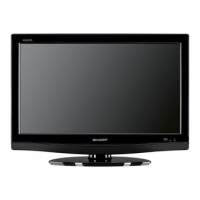
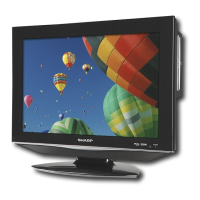
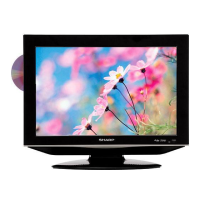
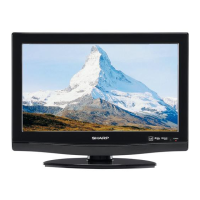
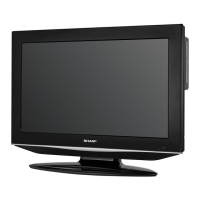
Sharp LC-26DV22U - User Manual

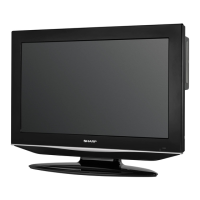
Sharp LC-26DV22U
62 pages
Print Icon
To Next Page IconTo Next Page
Loading...
OPERATION MANUAL
MODE D’EMPLOI
MANUAL DE OPERACIÓN
1
COMBINATION LIQUID CRYSTAL
TELEVISION AND DVD/CD PLAYER
COMBINÉ TÉLÉVISEUR ACL ET
LECTEUR DVD/CD
COMBINACION TELEVISOR CON PANTALLA
DE CRISTAL LÍQUIDO CON DVD/DISCOS COMPACTOS
Products that have earned the ENERGY STAR
®
are designed to protect the environment through
superior energy efficiency.
Les produits agréés ENERGY STAR
®
sont conçus pour protéger l’environnement par un rendement
énergétique supérieur.
Los productos que han ganado la marca ENERGY STAR
®
han sido diseñados para proteger el medio
ambiente mediante una eficiencia superior en el uso de la energía.
LC-26DV22U
LC-26DV22U-W
LC-32DV22U
ENGLISHFRANÇAISESPAÑOL

Table of Contents

Questions and Answers

  • K
    Kylie MurphyAug 17, 2025
    Why Sharp LC-26DV22U TV DVD Combo remote control is not working?
    • B
      Brett CarrollAug 17, 2025
      If the remote control for your Sharp TV DVD Combo isn't working, first ensure the batteries are inserted correctly, paying attention to the (+, –) polarity. If they are, try replacing them with new ones. Strong or fluorescent lighting near the remote control sensor may also interfere with its operation.
  • J
    John WebsterAug 20, 2025
    How to troubleshoot no power on Sharp LC-26DV22U?
    • A
      Anne HornAug 20, 2025
      If your Sharp TV DVD Combo has no power, first check if you have pressed the POWER button on the remote. If the indicator on the unit doesn't light up, try pressing the POWER button on the TV/DVD itself. Also, ensure the AC cord is properly connected.
  • P
    Patrick BeardAug 23, 2025
    What to do if there is no sound on Sharp LC-26DV22U TV DVD Combo?
    • R
      Richard ThompsonAug 23, 2025
      If there is no sound on your Sharp TV DVD Combo, check if the volume is too low and increase it. Also, verify that you haven't accidentally pressed the MUTE button on the remote.
  • G
    greenmichelleAug 26, 2025
    Why does my Sharp LC-26DV22U TV DVD Combo power off suddenly?
    • D
      Donald SheltonAug 26, 2025
      If your Sharp TV DVD Combo suddenly turns off, check if the sleep timer is set. Examine the power control settings. Also, the unit might be overheating, so remove any obstructions from the vents or clean them.
  • D
    david98Aug 28, 2025
    What to do if Sharp TV DVD Combo has no picture?
    • K
      Karen ElliottAug 28, 2025
      If there is no picture on your Sharp TV DVD Combo, verify that all connections to other components are correct. Ensure the correct input signal source is selected after making the connections, and confirm that the correct input is selected. Check the picture adjustments as well.
  • M
    Madison KingAug 30, 2025
    What to do if Sharp LC-26DV22U cannot be operated?
    • M
      Matthew McclainAug 30, 2025
      If your Sharp TV DVD Combo cannot be operated, it might be due to external influences such as lightning or static electricity. Try turning the power of the TV/DVD on and off or unplug the AC cord, wait 1 or 2 minutes, and then plug it back in.
  • N
    Natasha ByrdSep 3, 2025
    Why does my Sharp TV DVD Combo have strange colors?
    • I
      imuellerSep 3, 2025
      If you are experiencing strange colors, light colors, or color misalignment on your Sharp TV DVD Combo, try adjusting the picture tone. Also, consider if the room is too bright, as this can affect the picture appearance.
  • A
    Andrew NormanSep 5, 2025
    How to fix Sharp LC-26DV22U TV DVD Combo picture cut off?
    • C
      Crystal KingSep 5, 2025
      If the picture on your Sharp TV DVD Combo is cut off or has a sidebar screen, check if the screen mode adjustments, like the view mode, are correctly chosen.
  • C
    Christopher EvansSep 8, 2025
    Why is there no image on my Sharp LC-26DV22U?
    • J
      Jason BellSep 8, 2025
      If there is no image on your Sharp TV DVD Combo, make sure the RGB cable is properly connected. Also, ensure that the output signal of your PC and the input signal setting of the LCD TV are matched. Note that some software may prohibit video playback on an external display.
  • L
    Lisa AshleySep 12, 2025
    How to fix blurred text on Sharp LC-26DV22U TV DVD Combo?
    • R
      robert64Sep 12, 2025
      If the text appears blurred on your Sharp TV DVD Combo, adjust the 'CLOCK' and 'PHASE' settings using the PICTURE menu.

Summary

Important Safety Instructions

Disc

Discs which can be played back

Lists compatible disc types and logos for playback.

Discs which cannot be played back

Lists incompatible disc types and warnings.

Part names

Remote control unit

Details the buttons and functions of the remote control.

Using external equipment

Watching TV

Basic adjustment settings

Useful adjustment settings

Parental control (V-CHIP)

Connecting a PC (Personal computer)

Watching the DVD

MP3;WMA;JPEG and Audio CD operation

Function setup

Parental control setting

Troubleshooting

Troubleshooting-Digital broadcasting

Solutions for digital broadcast reception issues.

Troubleshooting-DVD

Specifications

Sharp LC-26DV22U Specifications

General IconGeneral
Screen Size26 inches
Resolution1366 x 768
Aspect Ratio16:9
Display TypeLCD
DVD PlayerYes
HDMI Ports1
Component Video Input1
Composite Video Input1
S-Video Input1
Built-in TunerATSC/NTSC

Related product manuals