14
3
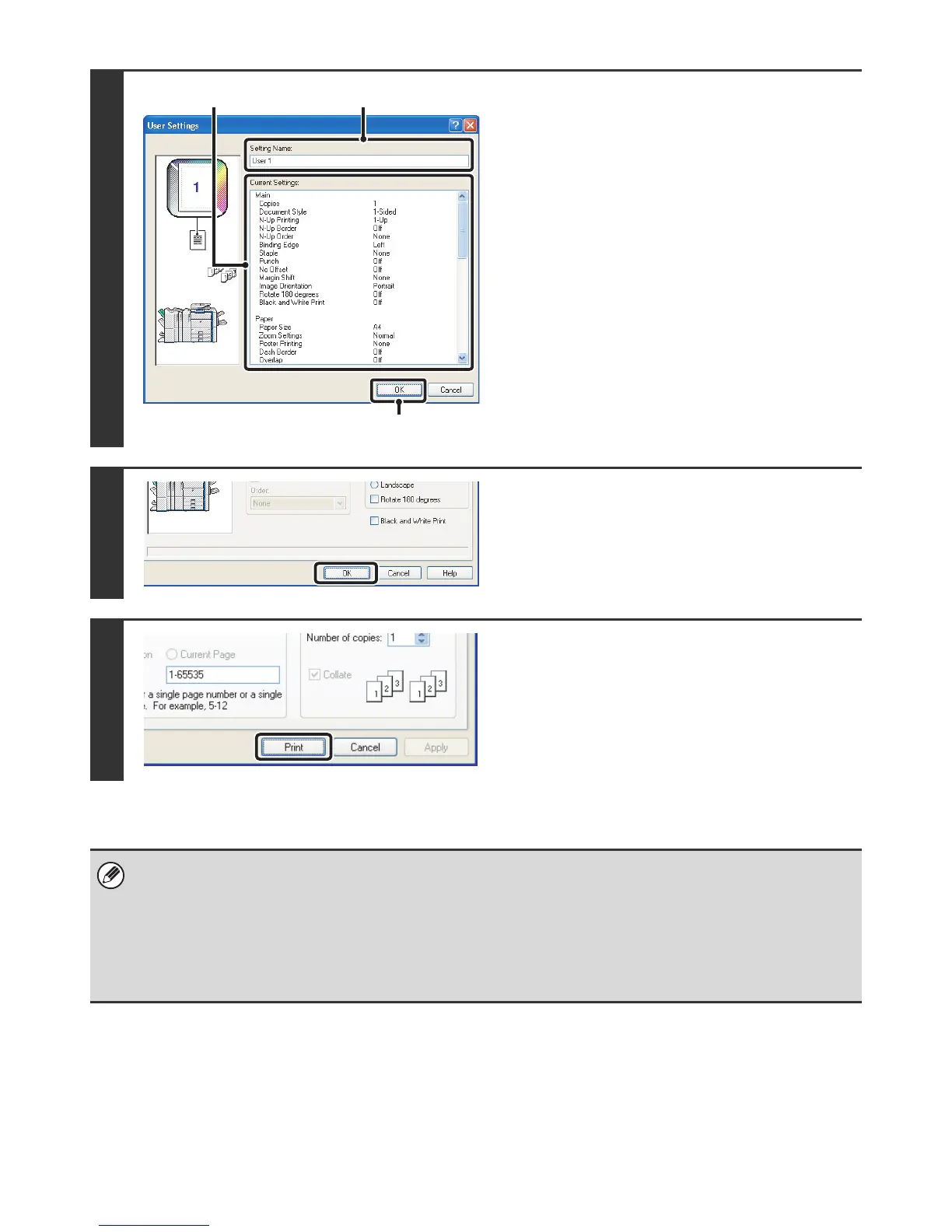
Check and save the settings.
(1) Check the displayed settings.
(2) Enter a name for the settings (maximum
of 20 characters).
(3) Click the [OK] button.
4
Click the [OK] button.
5
Start printing.
• Up to 30 sets of user settings can be saved.
• The following items cannot be saved in user settings.
• A watermark that you created
• Paper insertion settings
•Overlay file
• [Tab Paper Print] settings on the [Paper] tab (PCL6 only)
• The login name, password, user name, and job name entered in the [Job Handling] tab
(3)
(2)(1)



 To Next Page