MX-M1204 MX-M904/M1054/M1204 (MAIN UNIT) 2 – 16
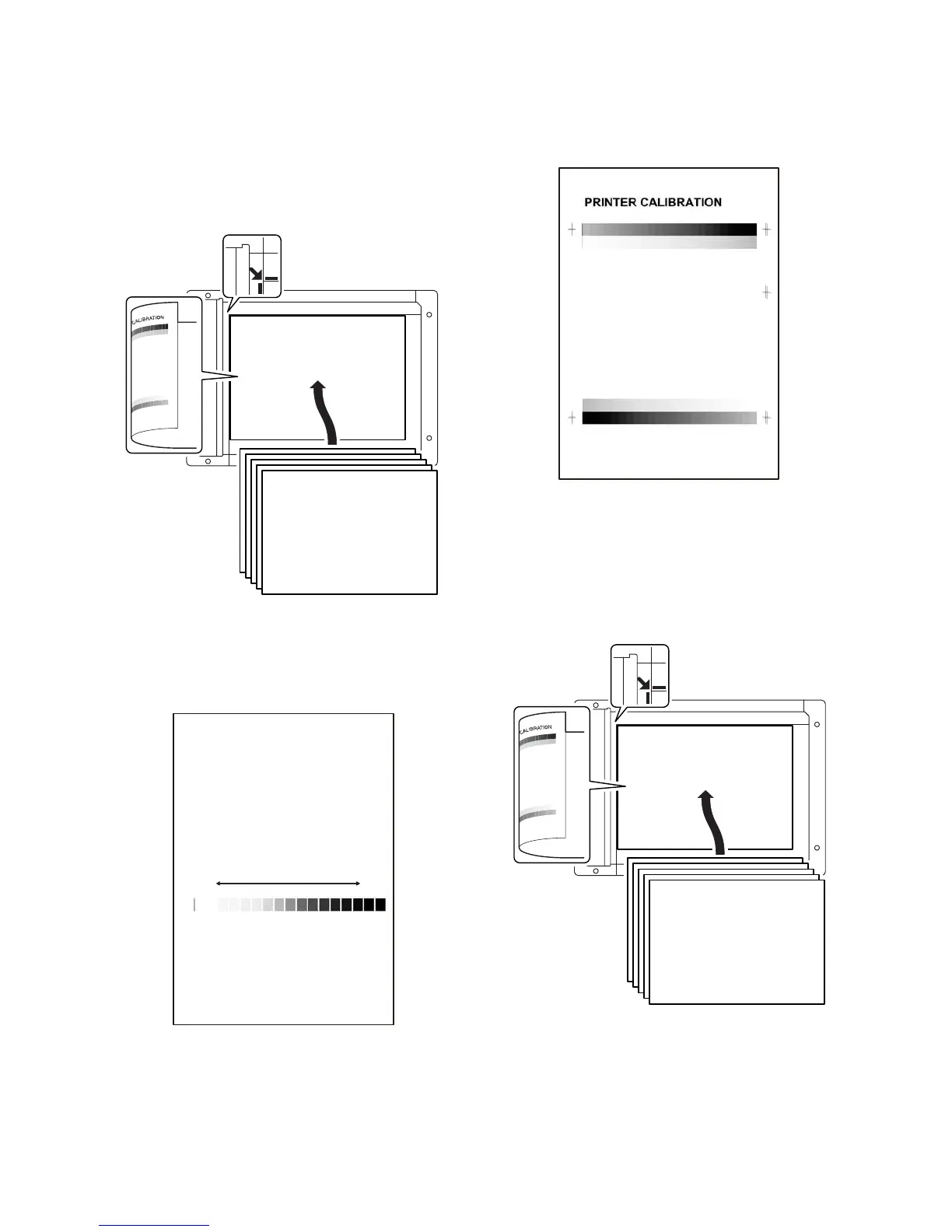
3) Set the gray patch image (adjustment pattern) paper printed in
procedure 2) on the document table.
Set the gray patch image (adjustment pattern) printed in the
procedure 2) on the document table.
Place the gray patch image so that the fine lines are on the left
side.
At that time, place 5 sheets of white paper on the printed gray
patch image (adjustment pattern).
4) Press [FACTORY] button, then press [EXECUTE] button.
The copy density and gradation adjustment is performed auto-
matically, and the adjustment pattern is printed.
If there is any streak or unclear print on the printed check pat-
tern, check the print engine for any problems.
5) Press [EXECUTE] key.
The printer gray patch image (adjustment pattern) is printed
out.
(A4/11" x 8.5" or A3/11" x 17" paper is automatically selected.)
6) Set the gray patch image (adjustment pattern) printed in the
procedure 5) on the document table.
Set the gray patch image (adjustment pattern) printed in the
procedure 2) on the document table.
Place the gray patch image so that the fine lines are on the left
side.
At that time, place 5 sheets of white paper on the printed gray
patch image (adjustment pattern).
QO PNMLKJIHGFEDCBA
High
density
Low
density



 To Next Page