MX-M1204 MX-M904/M1054/M1204 (MAIN UNIT) 2 – 5
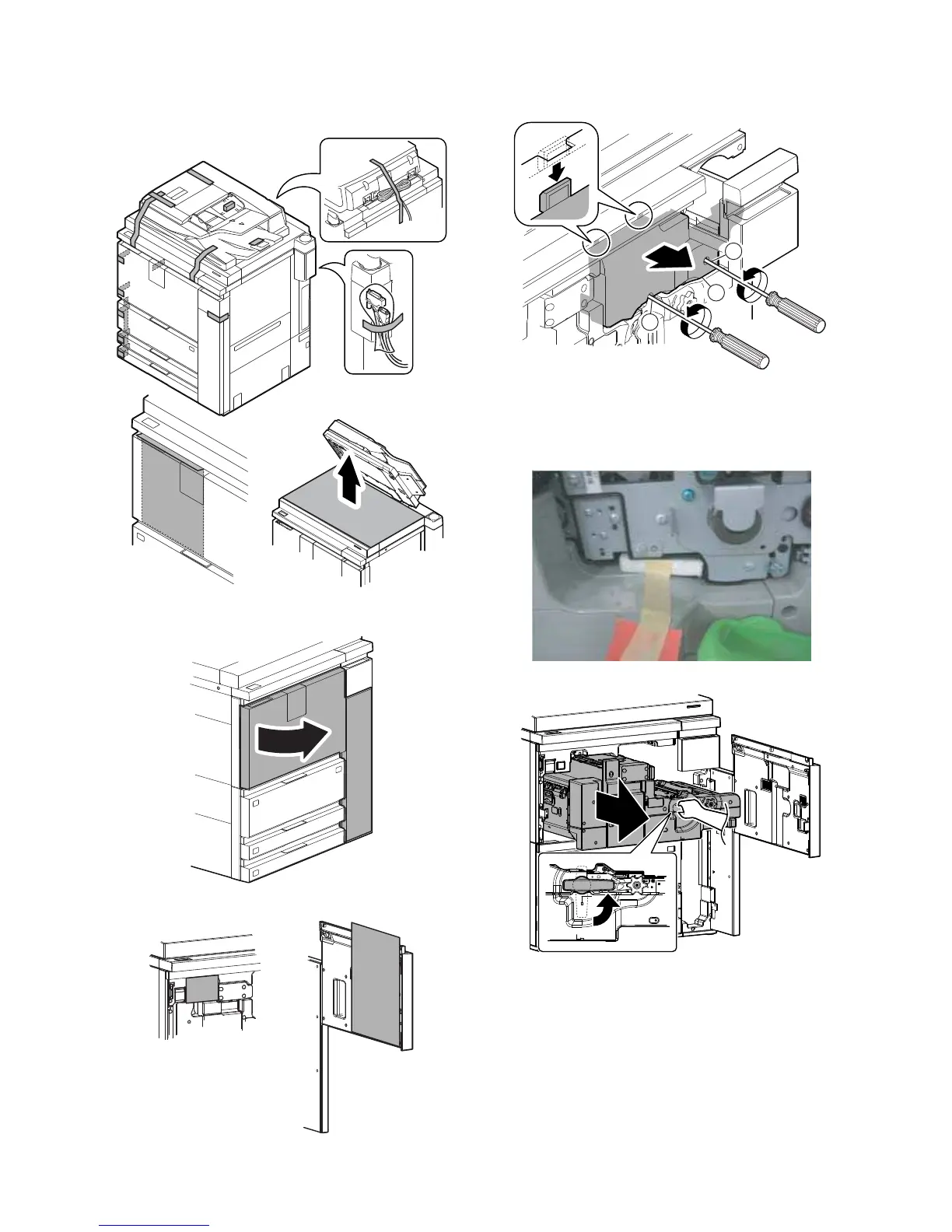
B. Fixing tape and protection material removal
1) Remove the fixing tape and the protection material.
2) Open the front cover.
3) Remove the protection sheet and the Operation Manual.
4) Remove the screw (a), and remove the cover (b).
5) Remove the protection material. (Packing material for fixing
the separation pawls)
NOTE: When moving the machine again after unpacking, be
sure to attach the protection material. (If not, the OPC
drum may be damaged.)
6) Pull out the intermediate frame.
a
a
b



 To Next Page