LOADING PAPER INTO A TRAY
Overview
Loading paper to Tray 1 - 4 (when a stand/500/2x500/3x500 sheet paper drawer is
installed. Tray 2 when a Stand/500&2000 sheet paper drawer is installed)
A maximum of 500 sheets of paper from size 5-1/2" x 8-1/2"R to 11" x 17" (A5R to
A3) can be loaded into trays 1 and 4.
Operation
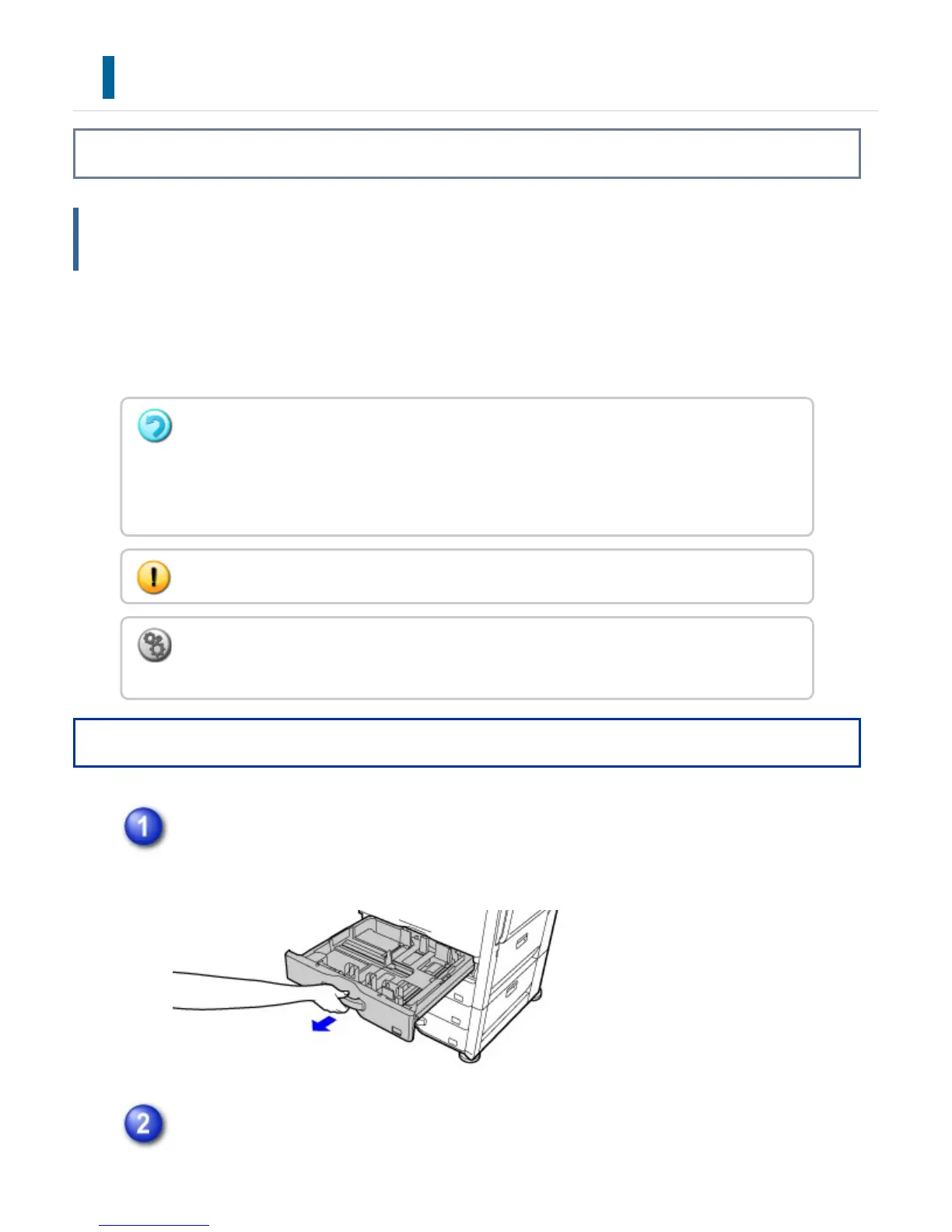
Pull out the paper tray.
Gently pull the tray out until it stops.
To load paper, go to step 3. To load a different size of paper, go to the next step.
Adjust guide plates A and B by squeezing their lock levers and sliding them to
If you loaded paper of a different type or size from the paper previously loaded, be sure to
check the settings in "Setting mode". Incorrect setting affects automatic paper selection
action. It may cause print failure, printing on paper of a wrong size or type or paper
misfeeds.
Do not place heavy objects on the tray or press down on the tray.
To check the type and size of paper:
In "Setting mode", select [System Settings] → [Paper Tray Settings].
USER'S MANUAL | MX-M365N/MX-M465N/MX-M565N USER'S ... http://siica.sharpusa.com/portals/0/downloads/Manuals/MX-M365N-M...
115 of 1441 3/17/2016 7:14 AM



 To Next Page