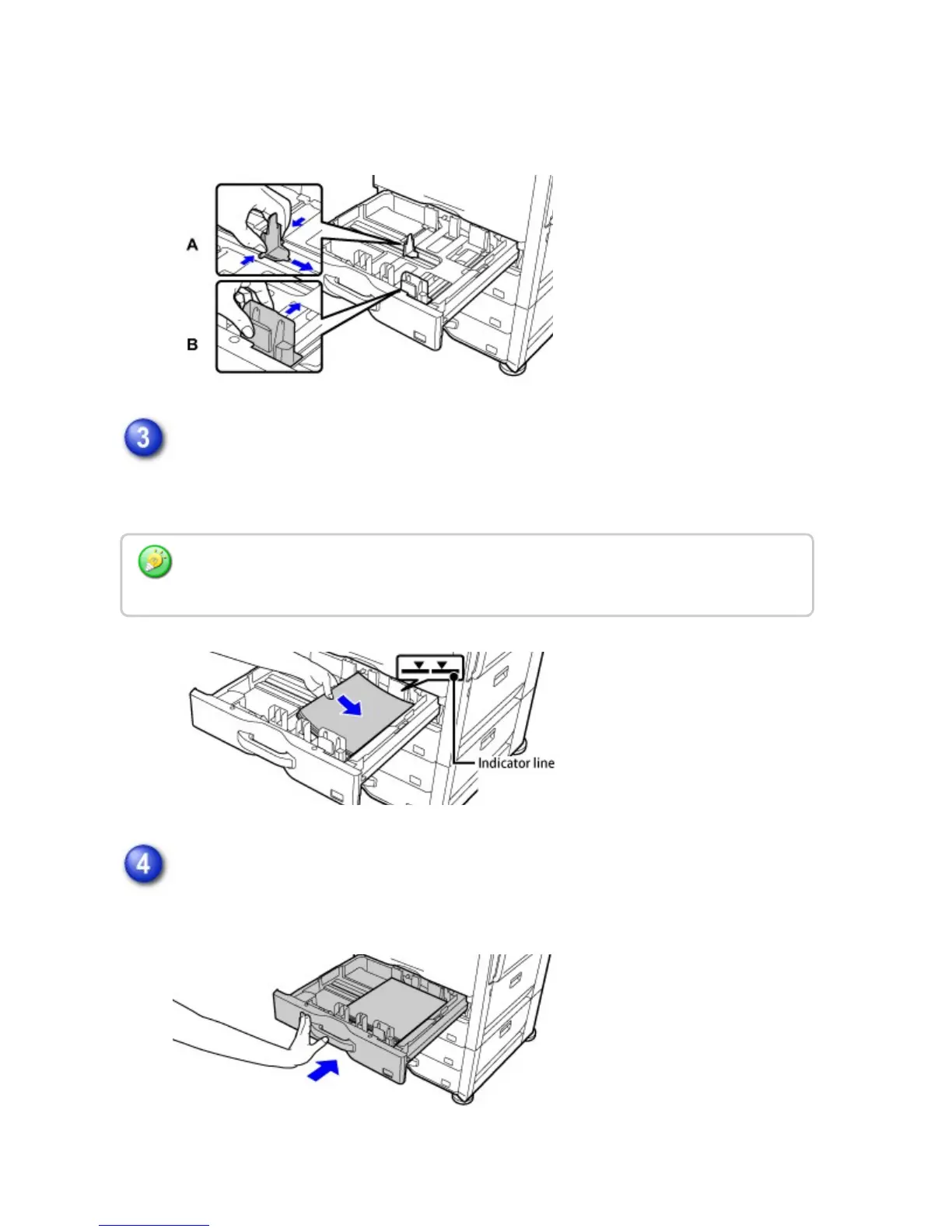
match the longitudinal and transversal dimensions of the paper to be loaded.
The guide plates A and B are slidable. Slide each guide plate while squeezing its
lock lever to adjust to the paper size.
Insert the paper into the tray.
Load the paper with the print side facing up. The stack must not be higher than
the indicator line (maximum of 500 sheets).
Gently push the paper tray into the machine.
Push the tray firmly all the way into the machine.
Fan the paper well before loading it. If the paper is not fanned, multiple sheets may feed at
once and cause a misfeed.
USER'S MANUAL | MX-M365N/MX-M465N/MX-M565N USER'S ... http://siica.sharpusa.com/portals/0/downloads/Manuals/MX-M365N-M...
116 of 1441 3/17/2016 7:14 AM



 To Next Page