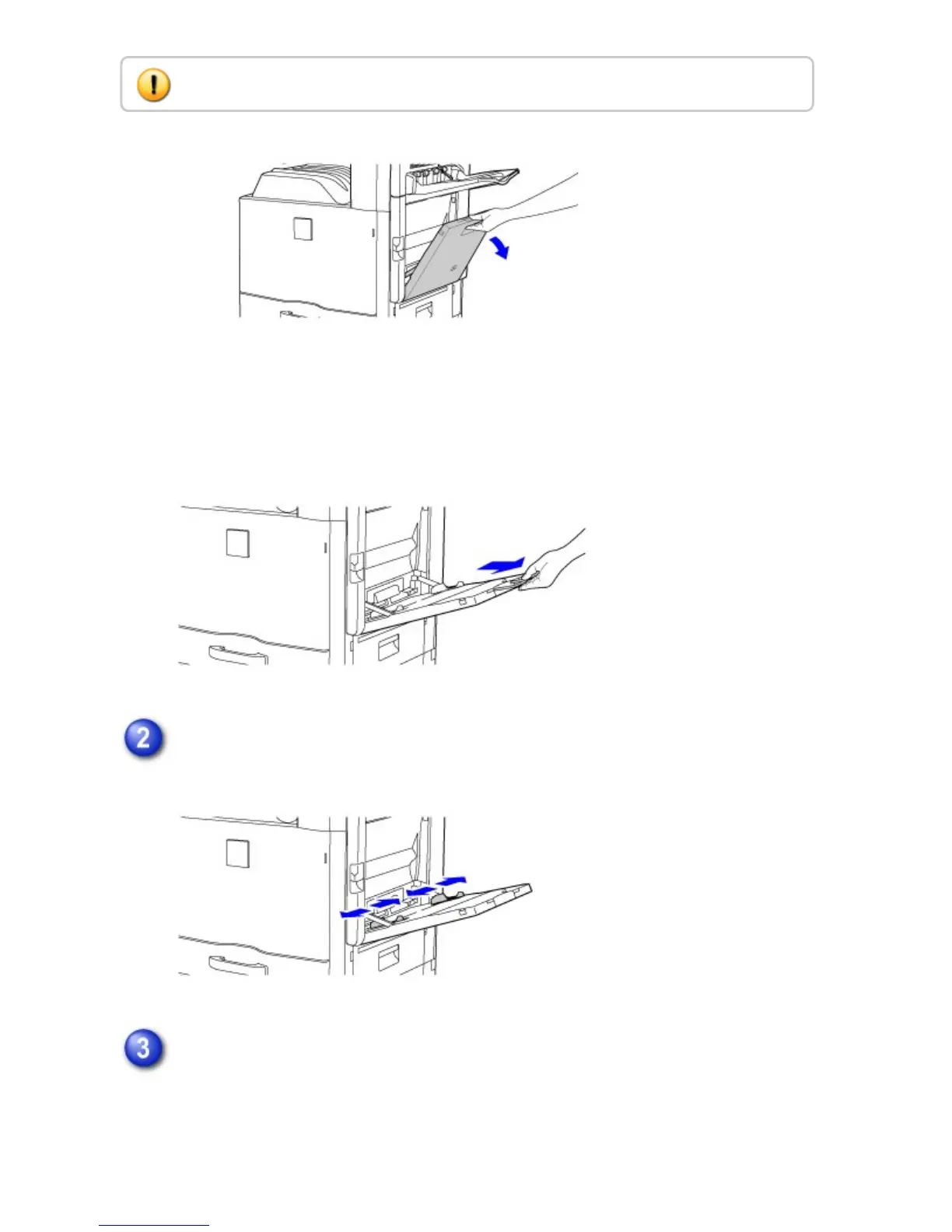
When loading paper larger than 8-1/2" x 11"R or A4R, pull out the extension
guide.
Pull the extension guide all the way out.
Set the bypass tray guides to the width of the paper.
Load the paper with the print side facing down.
Insert the paper along the bypass tray guides all the way into the bypass tray
until it stops.
Do not place heavy objects on the bypass tray or press down on the tray.
USER'S MANUAL | MX-M365N/MX-M465N/MX-M565N USER'S ... http://siica.sharpusa.com/portals/0/downloads/Manuals/MX-M365N-M...
125 of 1441 3/17/2016 7:14 AM



 To Next Page