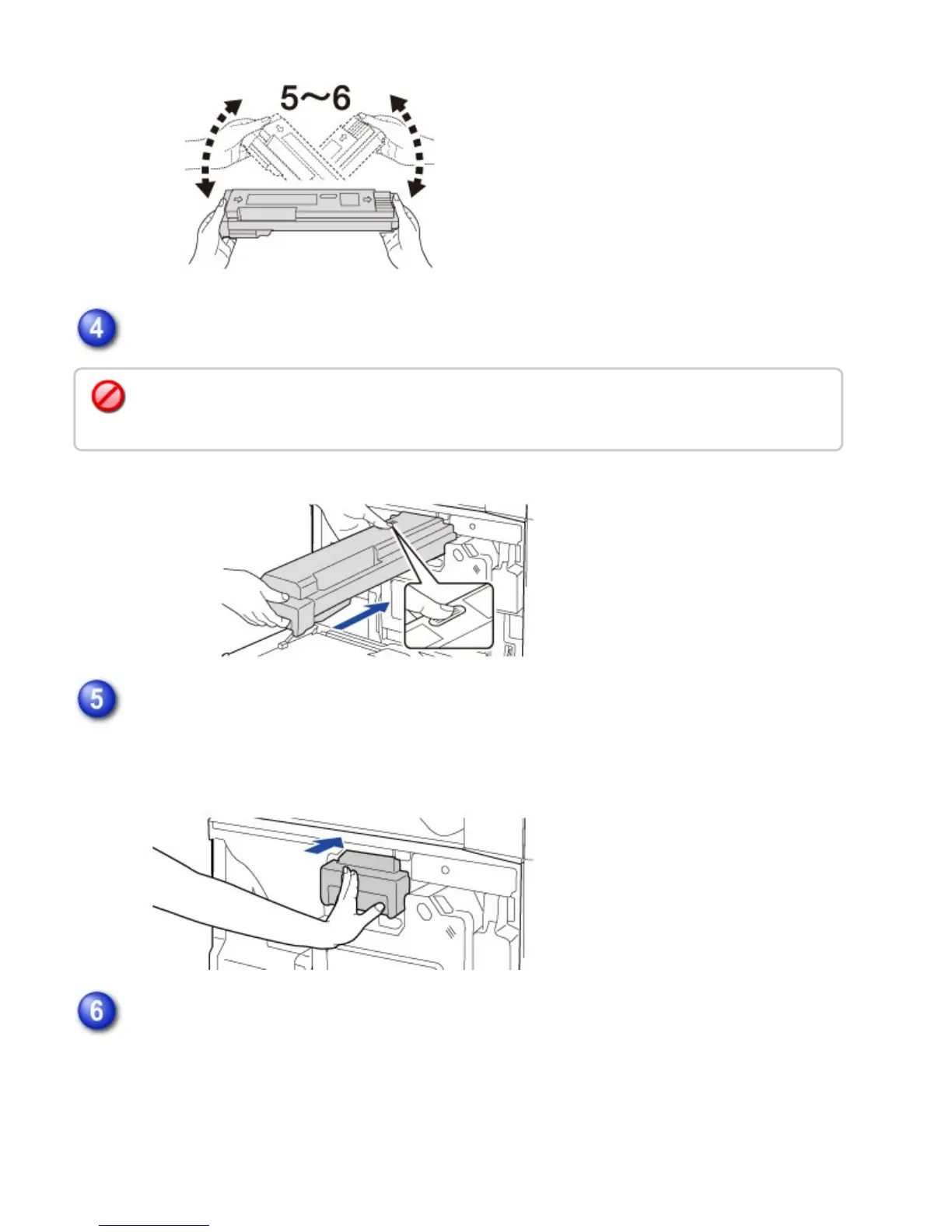
Slowly insert the new toner cartridge on the level.
Push the cartridge in until it locks securely in place.
Keep pushing in the cartridge until it clicks into place.
Close the front cover.
After the toner cartridge is replaced, the machine automatically enters image adjustment
mode. Do not open the front cover while this is occurring.
A toner cartridge of a different color cannot be installed. Be sure to install a toner cartridge of the
same color.
USER'S MANUAL | MX-M365N/MX-M465N/MX-M565N USER'S ... http://siica.sharpusa.com/portals/0/downloads/Manuals/MX-M365N-M...
1379 of 1441 3/17/2016 7:14 AM



 To Next Page