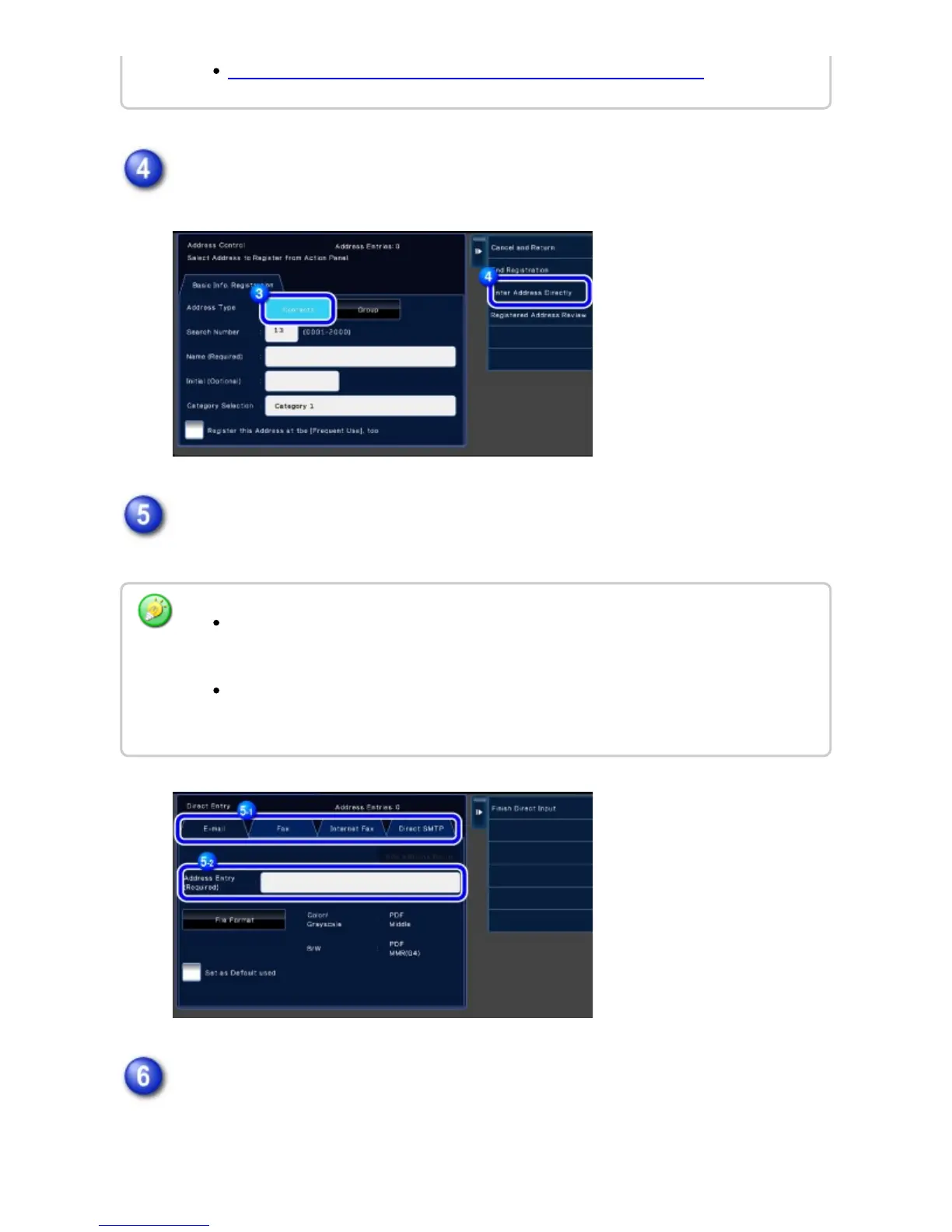
Tap the [Enter Address Directly] key on the action panel.
Enter an address by tapping the [E-mail], [Fax], [Internet Fax] or [Direct SMTP]
tab.
Tap the [Add Address Below] key.
SETTING THE SCOPE FOR PUBLICIZING CONTACTS AND GROUPS
Check [Set to the address as usually used] to set that address as the preferred
over the others if two or more addresses are stored for "Contacts".
FTP, Desktop, and Network Folder addresses can be registered from [Address Book]
in "Setting Mode (Web version)".
USER'S MANUAL | MX-M365N/MX-M465N/MX-M565N USER'S ... http://siica.sharpusa.com/portals/0/downloads/Manuals/MX-M365N-M...
145 of 1441 3/17/2016 7:14 AM



 To Next Page