STORING ADDRESSES THROUGH DIRECT
ENTRY
Store new names or addresses in the address book by directly entering them.
Operation
In the address book screen, tap the [Register/Edit Address] key on the action
panel, or tap the [Register/Edit Address in Address Book] icon in the home
screen.
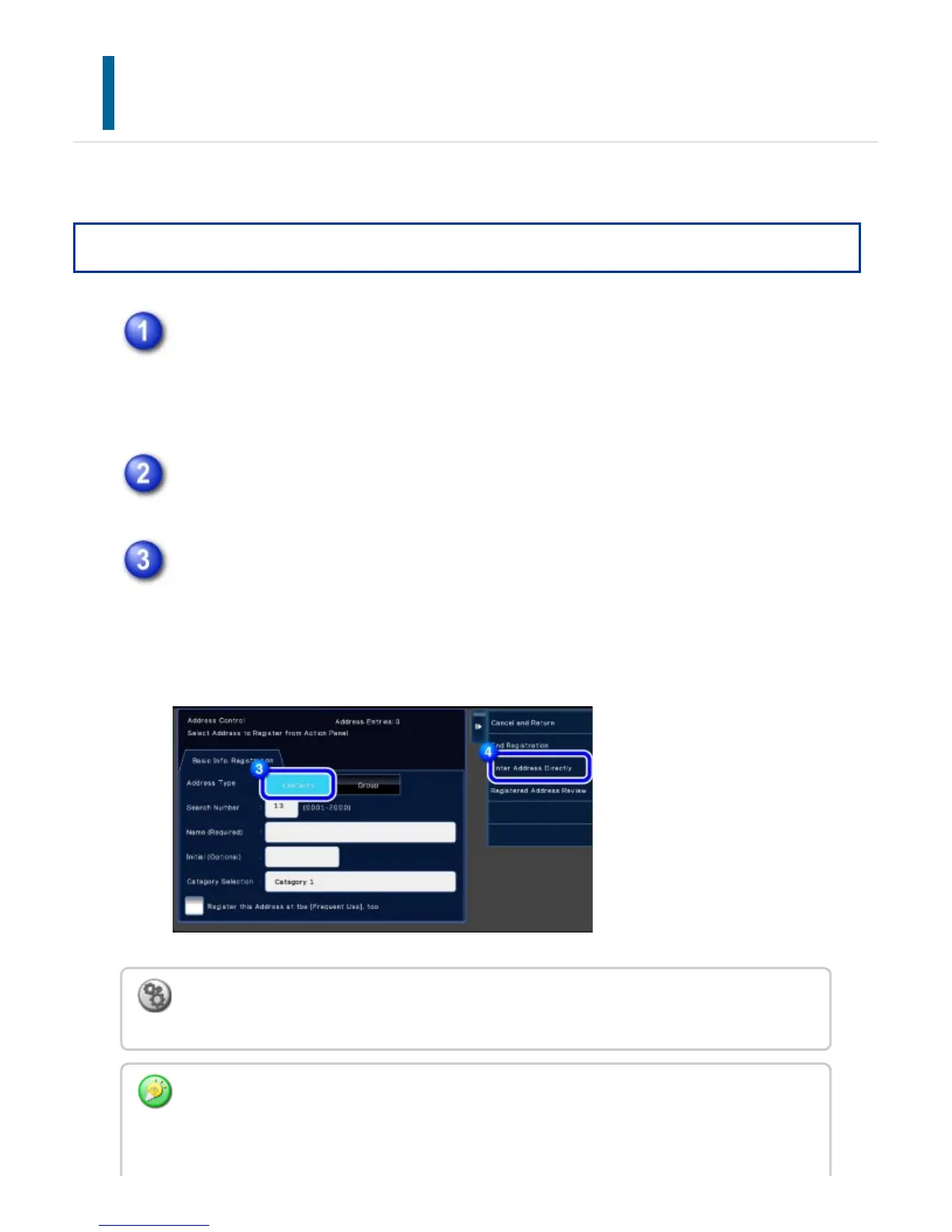
Tap the [Add New] key on the action panel.
Tap the [Contacts] key to enter basic information.
Be sure to enter [Name] and [Initial].
To specify a category, select one from a category list that appears when the entry
box is tapped.
To register a category name:
In "Setting mode", select [Address Book] → [Category Settings].
If user authentication is enabled, the tab for address publication setting appears. Setting
address publication enables stored "Contacts" and "Group" to be shared within a specified
group or stored as personal contacts that only you are allowed to access.
USER'S MANUAL | MX-M365N/MX-M465N/MX-M565N USER'S ... http://siica.sharpusa.com/portals/0/downloads/Manuals/MX-M365N-M...
144 of 1441 3/17/2016 7:14 AM



 To Next Page