EDITING/DELETING ADDRESSES IN ADDRESS
BOOK
You can edit or delete "Contacts" or "Group" information stored in the address book as
well as addresses listed under "Contacts" and "Group".
Editing/deleting contacts and groups
Editing/deleting addresses
Editing/deleting contacts and groups
In the address book screen, tap the [Register/Edit Address] key on the action
panel, or tap the [Register/Edit Address in Address Book] icon in the home
screen.
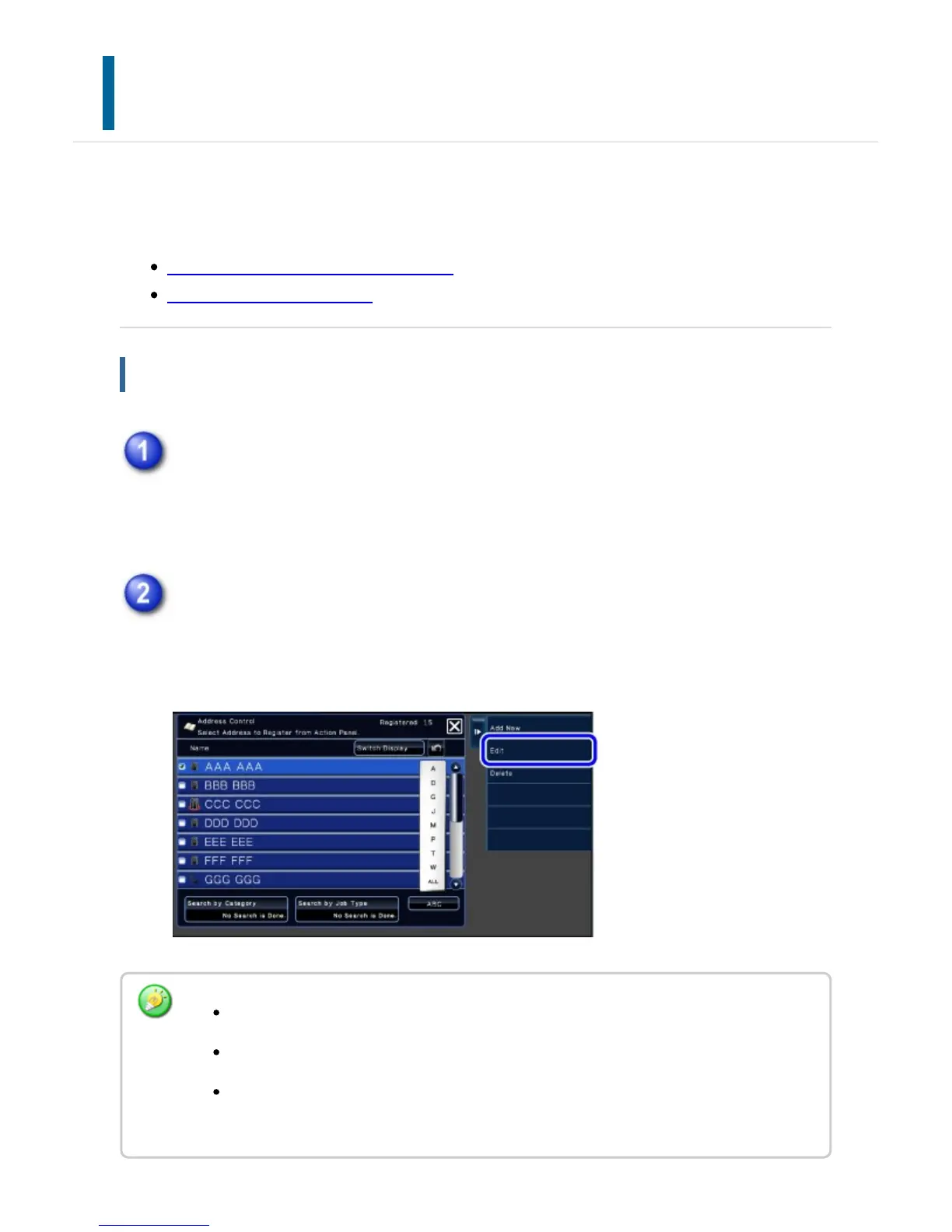
Select a "Contacts" or "Group" you wish to edit, and tap the [Edit] key on the
action panel.
To delete a "Contacts" or "Group", tap the [Delete] key on the action panel.
For editing, you can only select one "Contacts" or "Group" at a time.
For deleting, you can select more than one "Contacts" or "Group" at a time.
If you have logged in as the administrator, you can delete all addresses stored in the
address book by using the [Delete All] key that appears on the action panel.
USER'S MANUAL | MX-M365N/MX-M465N/MX-M565N USER'S ... http://siica.sharpusa.com/portals/0/downloads/Manuals/MX-M365N-M...
155 of 1441 3/17/2016 7:14 AM



 To Next Page