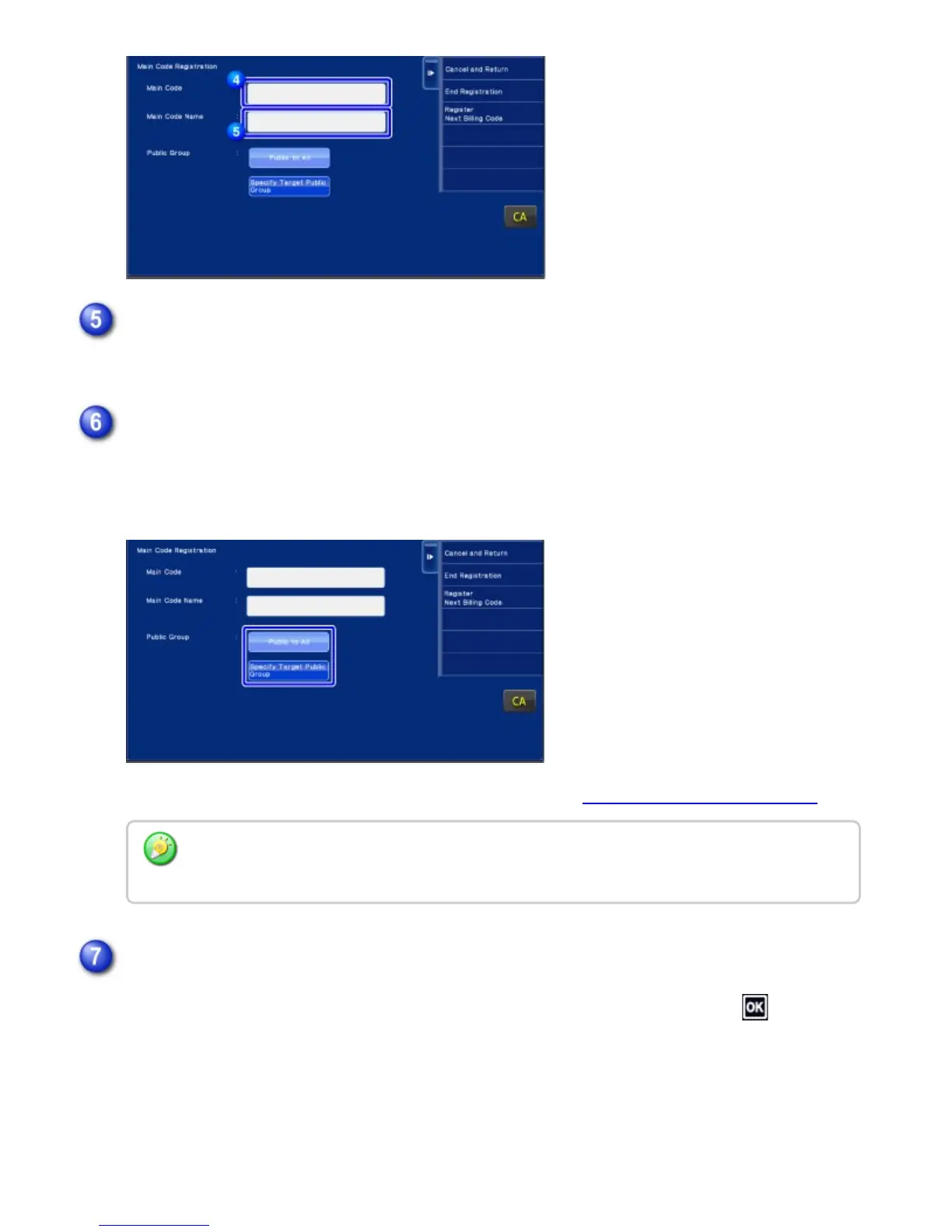
Specify the code name using up to 32 double- or single-byte characters.
Public to All: Registers the billing code as a public code for all users who use the machine.
Specify Target Public Group: Limits the share range of billing code to be registered only to
the specified group. Up to eight groups can be specified as a public destination.
For details on how to specify a public destination, refer to "Shared range of billing code".
Up to eight groups can be specified. After the setting has been completed, tap .
Tap the text box of [Main Code Name], then type in the main code name.
If necessary, select the share range of billing code.
The public destination of a billing code is not displayed if user authentication is not performed.
The mode is automatically set to [Public to All].
Tap and select a group as a public destination
USER'S MANUAL | MX-M365N/MX-M465N/MX-M565N USER'S ... http://siica.sharpusa.com/portals/0/downloads/Manuals/MX-M365N-M...
170 of 1441 3/17/2016 7:14 AM



 To Next Page