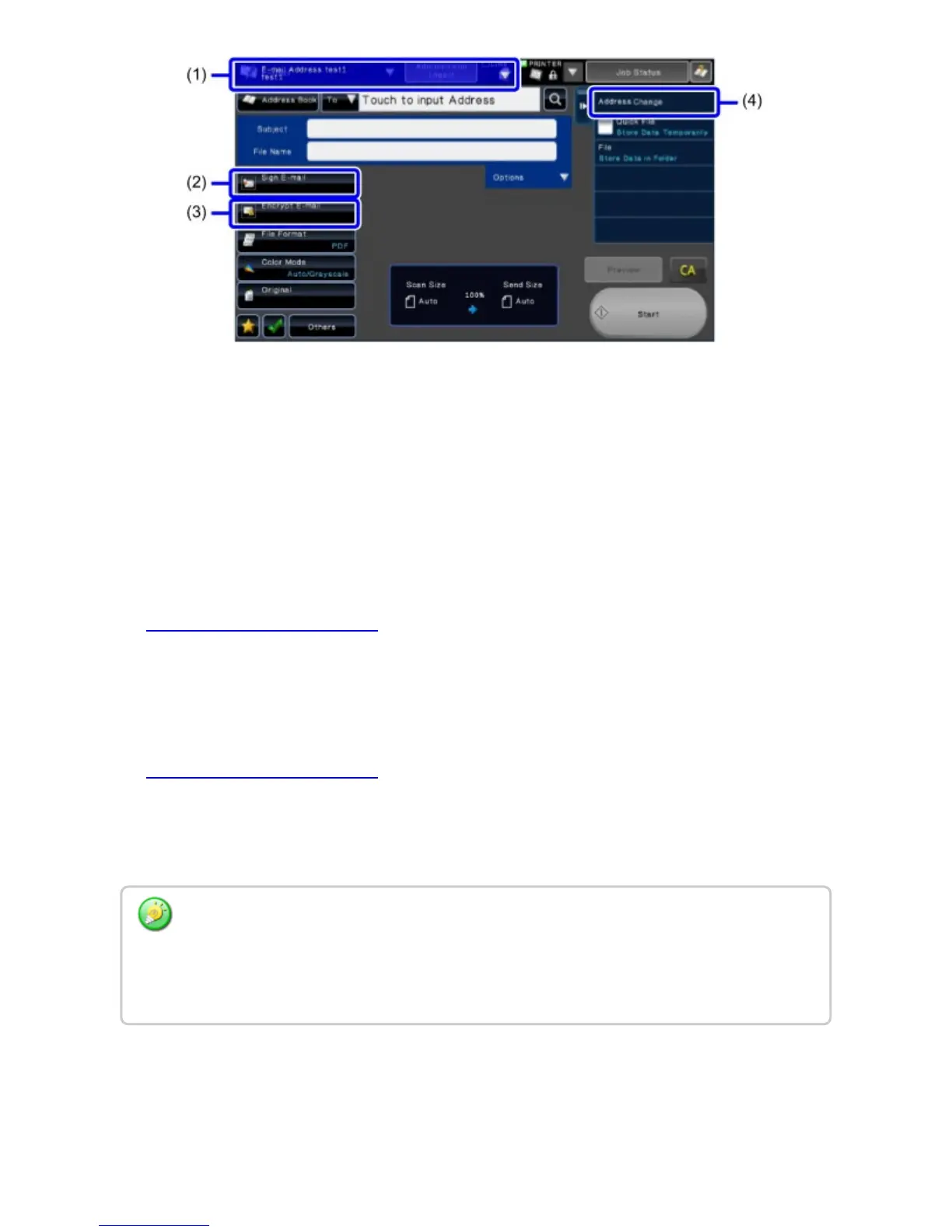
Address Review screen (when "Sign E-mail" and "Encrypt E-mail" are enabled)
Tap the [Confirm Address] key on the action panel.
(1) Message area
This shows the send mode and destination address.
When "Scan to Self" is used: My E-mail Address
When "Scan to Site" is used: Site E-mail Address
(2) [Sign E-mail] key
Tap to enable Sign E-mail. If "Sign E-mail" is enabled in "Sign / Encrypt E-mail
Setting", this is fixed in the selected state.
Sign / Encrypt E-mail Setting
(3) [Encrypt E-mail] key
Tap to enable Encrypt E-mail. If "Encrypt E-mail" is enabled in "Sign / Encrypt E-mail
Setting", this is fixed in the selected state.
Sign / Encrypt E-mail Setting
(4) [Address Change] key
Use this to switch between the "Scan to Self" and "Scan to Site" e-mail addresses.
The Encrypt E-mail setting for an address cannot be changed to ON once it has been
specified as a destination, while the Sign E-mail can. When the Encrypt E-mail setting is
changed to ON after it has been specified as a destination, a message will appear to ask if
specified destination(s) may be canceled.
USER'S MANUAL | MX-M365N/MX-M465N/MX-M565N USER'S ... http://siica.sharpusa.com/portals/0/downloads/Manuals/MX-M365N-M...
202 of 1441 3/17/2016 7:14 AM



 To Next Page