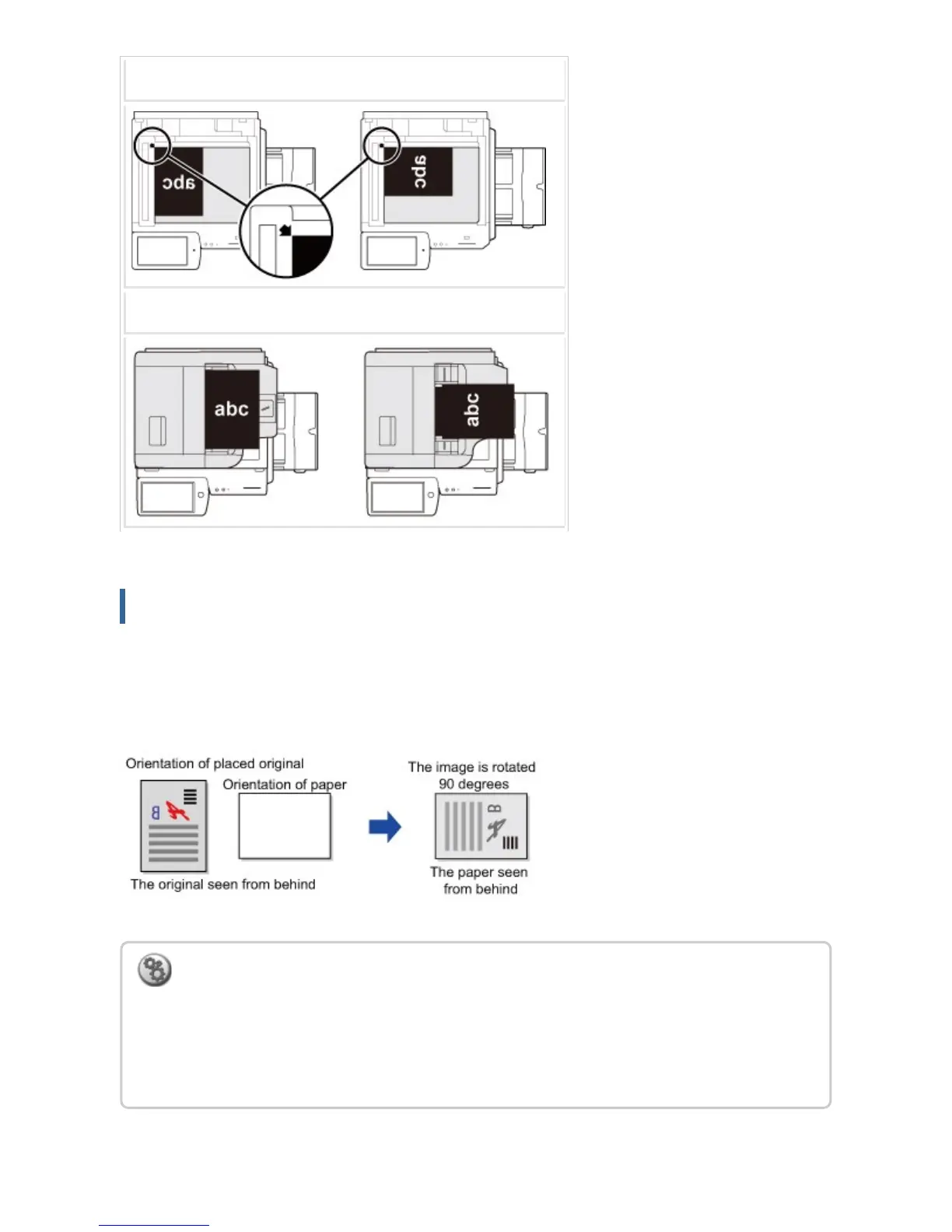
Document Glass
Document feeder tray
Automatic copy image rotation (Rotation Copy)
If the orientation is different between the original and paper, the original image will be
automatically rotated 90 degrees to match the paper.
To set Rotation Copy:
In "Setting mode", select [System Settings] → [Copy Settings] → [Rotation Copy Setting].
The rotation copy function is available in the automatic paper selection or automatic ratio
selection mode, or when the original or paper size is the same while the orientation is
different.
USER'S MANUAL | MX-M365N/MX-M465N/MX-M565N USER'S ... http://siica.sharpusa.com/portals/0/downloads/Manuals/MX-M365N-M...
214 of 1441 3/17/2016 7:14 AM



 To Next Page