Operation
Replacing the cartridge
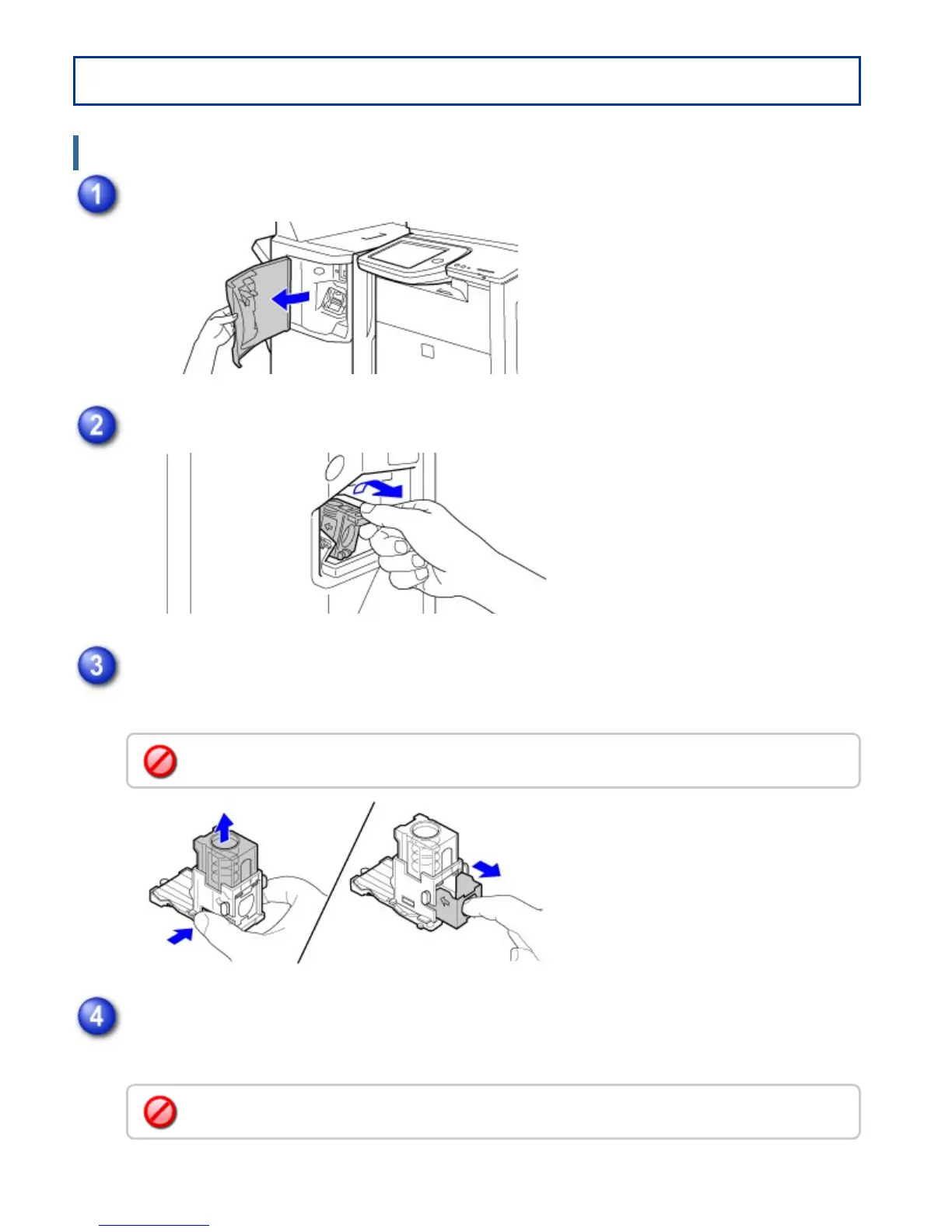
Open the front cover.
Squeeze the green parts of the staple case and pull the case up and then out.
Remove the empty staple cartridge.
Press the lock button to release the staple case cover and then remove the staple cartridge.
Insert a new staple cartridge into the staple case.
Push the staple cartridge in until it clicks into place.
When staples remain, the staple cartridge cannot be removed.
Do not remove the seal from the cartridge before inserting the cartridge into the case.
USER'S MANUAL | MX-M365N/MX-M465N/MX-M565N USER'S ... http://siica.sharpusa.com/portals/0/downloads/Manuals/MX-M365N-M...
24 of 1441 3/17/2016 7:14 AM



 To Next Page