STORING FREQUENTLY USED ORIGINAL
SIZES
Overview
Store the frequently used non-standard original sizes. This section explains how to
store, retrieve, change, and delete non-standard original sizes.
Operation
Storing original sizes (editing/clearing)
Retrieving a stored original size
Storing original sizes (editing/clearing)
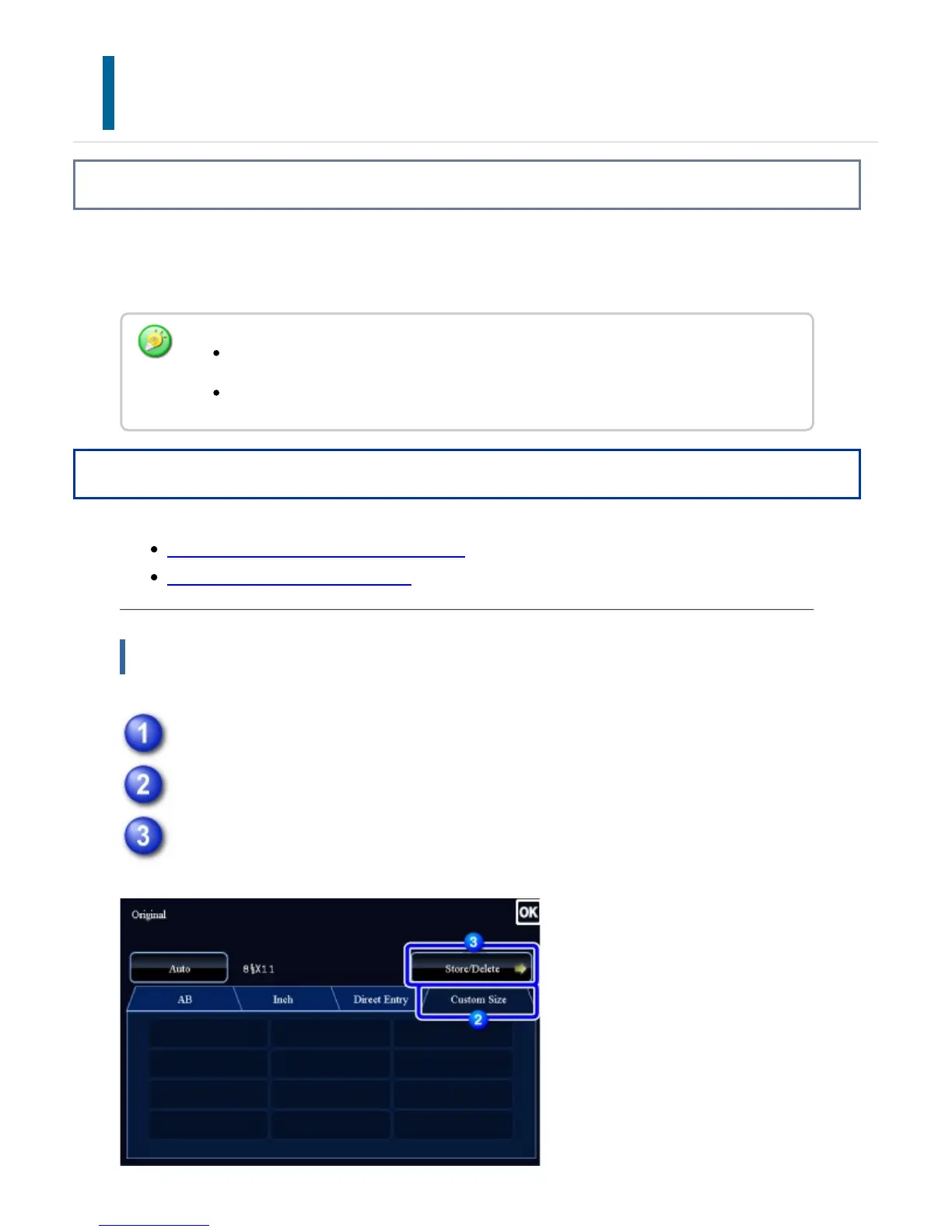
Tap the [Original] key.
Tap the [Custom Size] tab.
Tap the [Store/Delete] key.
The stored original size will be retained even if the main power is turned off.
Up to 12 non-standard original sizes can be stored.
USER'S MANUAL | MX-M365N/MX-M465N/MX-M565N USER'S ... http://siica.sharpusa.com/portals/0/downloads/Manuals/MX-M365N-M...
250 of 1441 3/17/2016 7:14 AM



 To Next Page