COPYING BOTH SIDES OF A CARD AS A
SINGLE PAGE
(CARD SHOT)
Overview
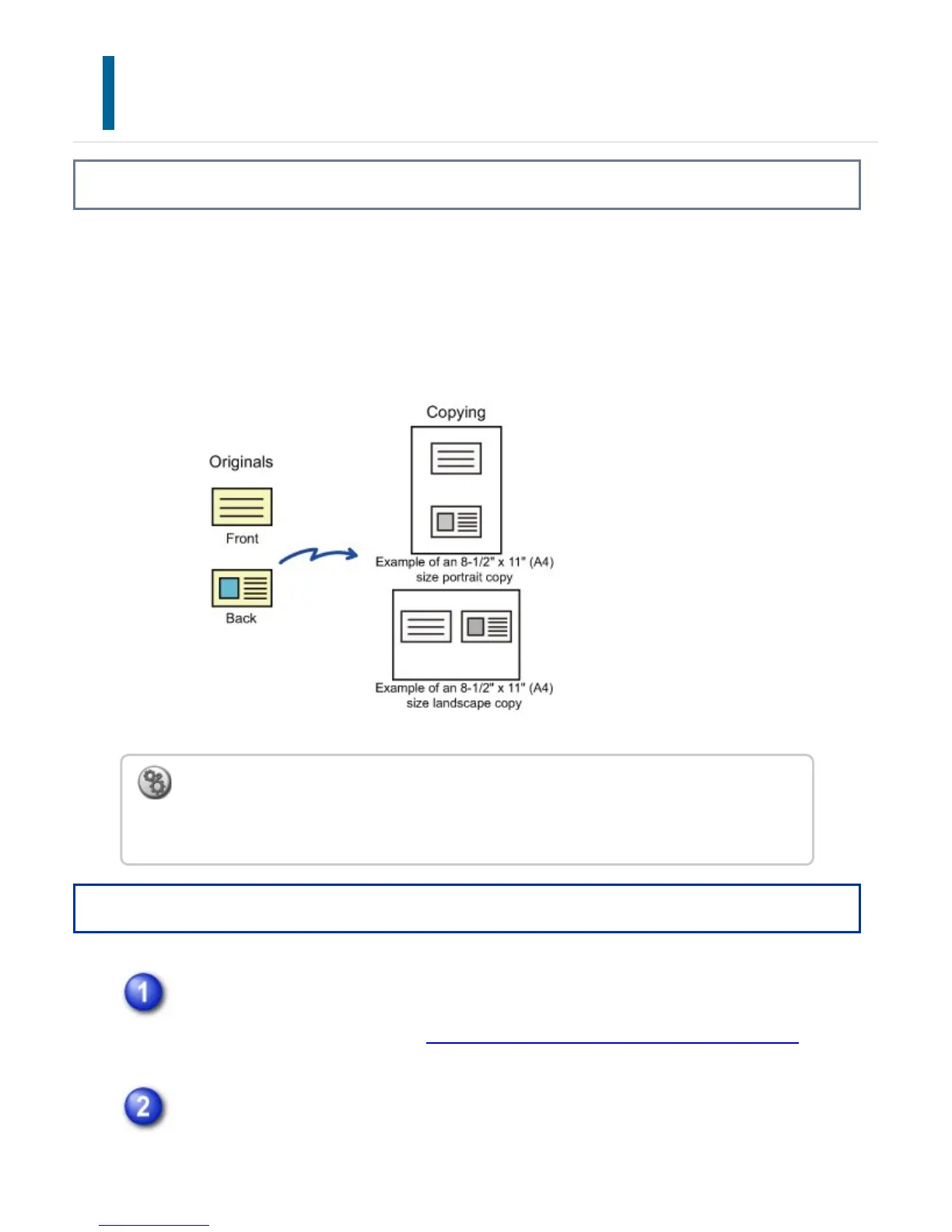
This function copies the front and reverse sides of a card on one sheet, not on separate
sheets.
This function is convenient for making copies for identification purposes and helps save
paper.
Operation
Select the paper to be used for card shot.
Set a paper by referring to the "SELECTING THE PAPER TRAY FOR COPYING".
Tap the [Others] key, and tap the [Card Shot] key.
To change the default original size during Card Shot:
In "Setting mode", select [System Settings] → [Copy Settings] → [Copy Setting] →
[Card Shot Settings].
USER'S MANUAL | MX-M365N/MX-M465N/MX-M565N USER'S ... http://siica.sharpusa.com/portals/0/downloads/Manuals/MX-M365N-M...
270 of 1441 3/17/2016 7:14 AM



 To Next Page