Copy by specifying a repeat count (Fixed Repeat)
Tap the [Others] key, and then tap the [Repeat Layout] key.
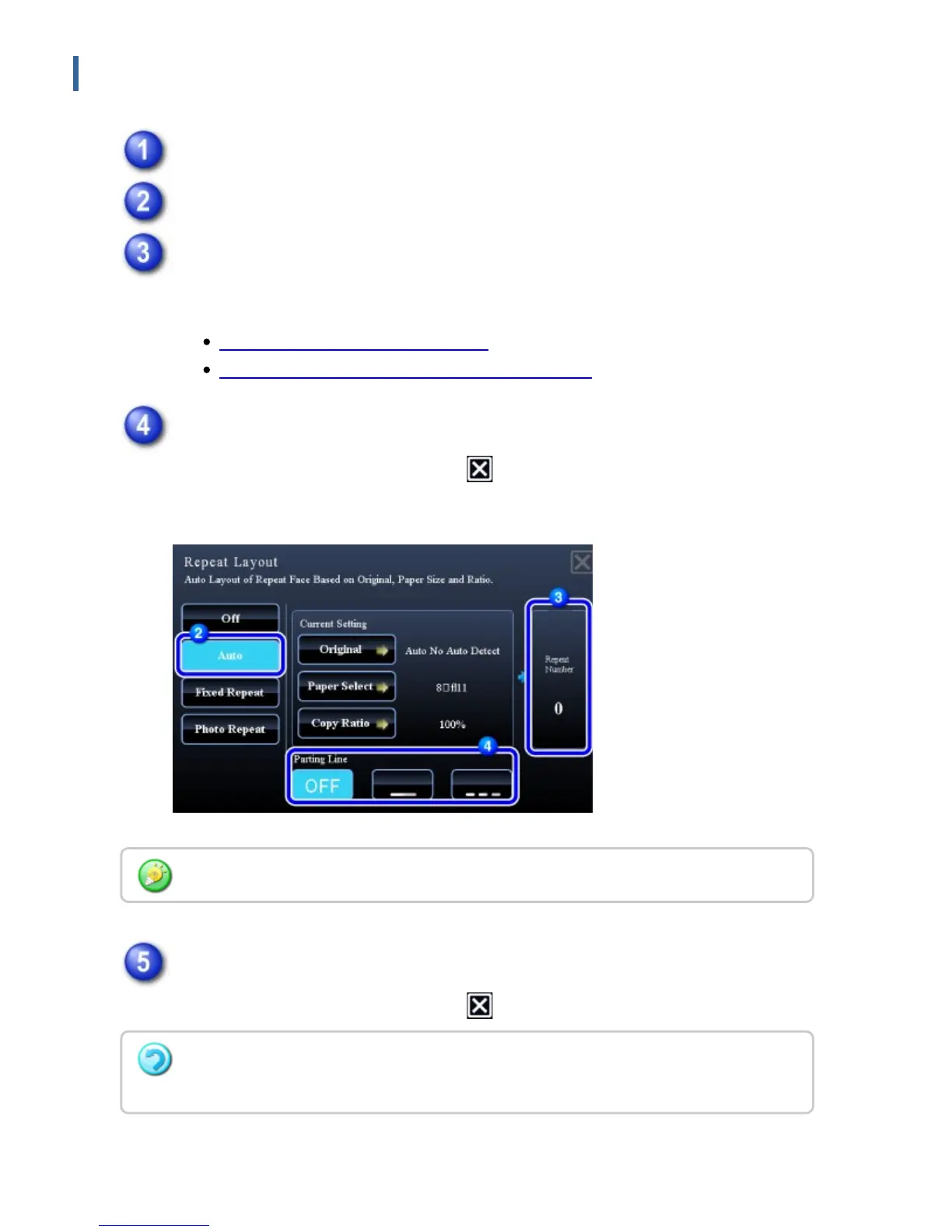
Tap the [Fixed Repeat] key.
Tap the [Original] and [Paper Select] keys to select an original size and a
paper size, respectively.
SPECIFYING THE ORIGINAL SIZE
SELECTING THE PAPER TRAY FOR COPYING
Tap the [Repeat Number] key to set a repeat count.
After the settings are completed, tap .
The automatic calculation result is shown as the copy ratio.
Specify the repeat partition line.
After the settings are completed, tap and [Back] keys in sequence.
If the calculated copy ratio exceeds the range from 25% to 400%, an error occurs.
To cancel the fixed repeat setting:
Tap the [Off] key.
USER'S MANUAL | MX-M365N/MX-M465N/MX-M565N USER'S ... http://siica.sharpusa.com/portals/0/downloads/Manuals/MX-M365N-M...
276 of 1441 3/17/2016 7:14 AM



 To Next Page